
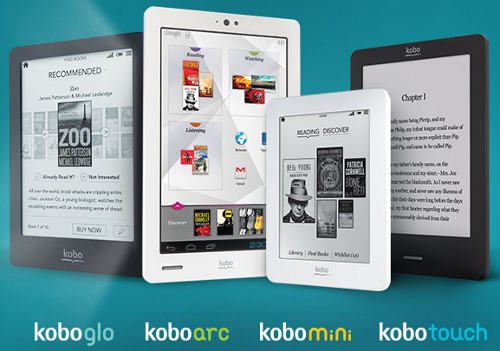
Now that I’ve gone through the process of setting up a Kobo Mini and a Kobo Glo, it’s apparent to me that Kobo needs to completely redo the setup process on their ereaders. Right now it’s so painful it’s downright frustrating, and can easily take upwards of an hour to complete, depending on how many ebooks you have with Kobo.
Seriously, it’s ridiculous. Especially when you compare it with the process of setting up a Kindle, which takes all of about 30 seconds. Kindles come already setup with your Amazon account. Literally all you have to do is turn it on, select a language, and then enter your Wi-Fi password. If it’s a 3G model you don’t even have to do that.
With Kobo, first they make you waste time with manually entering the date and time (why they can’t get that info automatically after setting up Wi-Fi is anyone’s guess) and then you have to enter your Wi-Fi password.
Once that’s complete, the device has to download a firmware update. Basically at this point you have to set the device down for 15 to 20 minutes and go do something else while it completes the process. If you have slow internet it will probably be a lot longer.
After the firmware update is applied, you have to then re-enter your Wi-Fi password again because it doesn’t remember it for some reason, although it does remember the proper time. After that you have the option to login to your Kobo account or start a new account.
The problem here is that if you have an existing account, every single one of your ebooks will automatically be downloaded to your device whether you want all of them or not.
Luckily, I only have a couple dozen titles with Kobo. But could you imagine if you had hundreds of ebooks?
With the Kindle and Nook, your ebooks are archived in the cloud and you can choose exactly which ones to download and when to download them. Even with Kobo’s Android and iPad apps you can pause the downloads if you want, which is still painful because you have to pause each title individually, but at least it’s an option.
Probably the worst thing about setting up a new Kobo ereader is that you cannot bypass the process of setting it up. For instance, you can’t just use it to sideload library ebooks or ebooks from outside of Kobo. You have to have a Kobo account. And you have to have access to Wi-Fi to set it up using the wireless method (obviously). If you don’t have Wi-Fi you have to use a computer and Kobo’s desktop software to setup. I haven’t tried that method; it might take even longer having to track down Kobo’s software and install it and proceed with updating the firmware, etc, etc.
I don’t understand the purpose of making the initial setup take so long. Ebook readers should be designed to be as simple to setup as possible. It shouldn’t take 30 minutes to an hour before you get to the point where you can actually start reading a book. Seriously Kobo, get a clue.
Well at the least the good news is you only have to do it once. I am looking forward to getting my kobo glo and tracking it down with help from your blog!
It is an annoyance, but since it is a one time setup and I hope to have this for years, probably won’t be a big deal.
Hopefully it’s only once but apparently not always. Someone at MobileRead had a problem where the Glo crashed and then rebooted and required it to go through the whole setup process again, which requires internet access so that can be a big problem if it does it when your on vacation or something and are away from the internet or a computer.
GGRRrrrr! That’s exactly what just happened to me, which meant that I was unable to read anything until I could go through the setup again. This is a bigger problem than normal when you’re traveling in Africa. I was not amused the first time I had to go through the setup, and now I’m FURIOUS!!
I just transferred my books from my Touch to my new Glo and it took about 5 minutes. Most of the time was just downloading the updates which one would expect
My Mini took about 20 minutes to set up with the desktop software (no wifi was used and 35 books were downloaded).
Does the Kobo Glo and Mini have the same annoying border that some of the Kobo devices have? Also, do they have a page-filled function to eliminate the page border?
Not sure what you mean exactly but yeah one of my biggest complaints is there’s a huge section of wasted space at the bottom of the screen, and some ebooks insist on showing the title on every page at the top. Like I said in the Kobo Mini review, Kobo really needs to add a full screen option.
I just got a kobo mini and it has a lot of customizable features for reading including full page (click to fill the text to the width of the screen). You can also adjust margin widths from none, to several increments of margin space. Removing the margins allows the text to go to the edge of the screen.
These options along with the other font and line options means you can get the most out of the smaller screen.
Thanks. That’s good to know. Has either of you play with the Kobo Glo enough to know if it is as customizable as the Mini? I would be surprised if the Glo cannot be customized to eliminate the wasted space, but I just want to know for sure.
You are right, the setup is insane. The wifi doesn’t work (tried on multiple wifi networks). The download only offers a mac download, I have a PC…. Back in the box and get a refund.
Also, I bought a Kobo mini for my son. Set it up using my account, so of course all my books show up in the library, which obviously, are not appropriate for a 10-year old. Couldn’t see a way to bypass account setup (cause I can just sideload books on for him), don’t want to set up an account for a 10-year old who won’t be buying books (esp. if I have to associate a credit card with the account). So back it goes and I’ll find something that let’s me set it up without requiring an account somewhere. I like Kobo’s products and was thinking of getting a Kobo Arc, but I think I’ll just stick with my Playbook.
Dear profies, could you say is it a damaged device or my hands are not right? Two days trying make Kobo Glo set up from different PC’s but the result is negative. On the stage of downloading eReader upgrade i get an answer: Oops, something happened with your internet connection…
Come home happy and Unbox your device
Try to download the Linux Kobo Client
Be pissed because there is no Linux Kobo Client
Call and email all Kobo numbers/emails addresses and complain
Have a thee to calm down, and charge your device meanwhile
Take your Kobo Device again in your hands, and connect it to your linux machine via USB
Select “Language”
Select “Setup over Computer”
(before this selection the devices can not be mounted on your linux machine)
Just after that selection the device pops up as a VFAT device with the name KOBOeReader on your Linux machine
(if you do a mount command you see something like)
/dev/sdc on /run/media/myuserID/KOBOeReader type vfat (rw,nosuid,nodev,relatime,uid=1000,gid=1000,fmask=0022,dmask=0077,codepage=437,iocharset=ascii,shortname=mixed,showexec,utf8,flush,errors=remount-ro,uhelper=udisks2)
If you now browse with nautilus or nemo to the /run/media/myuserID/KOBOeReader folder it appears empty but it really contains 2 hidden folders
.adobe-digital-editions
.kobo
open a terminal and verify the 2 hidden folders with
> ls -la
and now go into .kobo/ folder
> cd /run/media/myuserID/KOBOeReader/.kobo/
> ls
you will see a KoboReader.sqlite file that we need to edit
but we like to have a backup copy of the KoboReader.sqlite as it came with the device,
just in case we make an error
> cp KoboReader.sqlite BackupKoboReader.sqlite
Now we are going to edit the KoboReader.sqlite,
put in some fake information so that the device works under Linux,
and we will never buy a Kobo book from their store until they have a Kobo Linux Client
But first let’s see what info is already in the database :
> sqlite3 KoboReader.sqlite ‘.dump user’
Not add some fake ID stuff, enter sqlite3 KoboReader.sqlite
> sqlite3 KoboReader.sqlite
SQLite version 3.7.17 2013-05-20 00:56:22
Enter “.help” for instructions
Enter SQL statements terminated with a “;”
sqlite>
you now have a sqlite prompt where you can insert that magic string with garbage registration info,
so copy and paste the next line after the sqlite> prompt
INSERT INTO “user” VALUES(‘Linux User’,’Linux User’,’LinuxUser@mailinator.com’,’LinuxUser@mailinator.com’,NULL, NULL,’false’);
finish off with a .quit command to get back to your bash prompt
Admire your work with a new dump of the database
sqlite3 KoboReader.sqlite ‘.dump user’
umount the kobo via nautilus or umount and disconnect your kobo device
It will now come back with the “meet your eReader” and your are done
All of the above happened. I finally called the tech support and a “techie” deciphered after about an hour that it is the computer’s fault and for $199 for a year service or $149 for a one time fee they would fix the computer and the$50 kobo mini and make it work. The kobo mini is new and the store-Toys R Us- would not accept a return even though I have had it about 4 days. What a waste of time to try to get it to work! And all this wonderful tech service would be done from out-of-country I think.
First Kobo here, its a Aura HD, and I am Linux user.
I do have wireless, no trouble, but why they have to download my 20 ebooks from kobo, I simply don’t get. I tried to avoid it, by cancalling the sync, but it got very confused, and I was unable to even *remove* the books unless the wireless was running!
I have about 150 ebooks, which I manage in Calibre, and 3 readers. Why do they feel the need to pollute my reader with old books that I just need to remove? Thats not at all userfriendly.
They do the same thing with their apps too. It’s nonsense. I’m glad I only have a few ebooks with them. Could you imagine how annoying auto downloads would be if you had a few hundred?
the kobo ereader setup is truly annoying. as the author says that the set up should not take more than 30-35 minutes. What about those who do not have constant internet connection or slow connection? They can easily keep an option of setup cd like for other devices. I WASTED my money on KOBO…Thumbs down..