
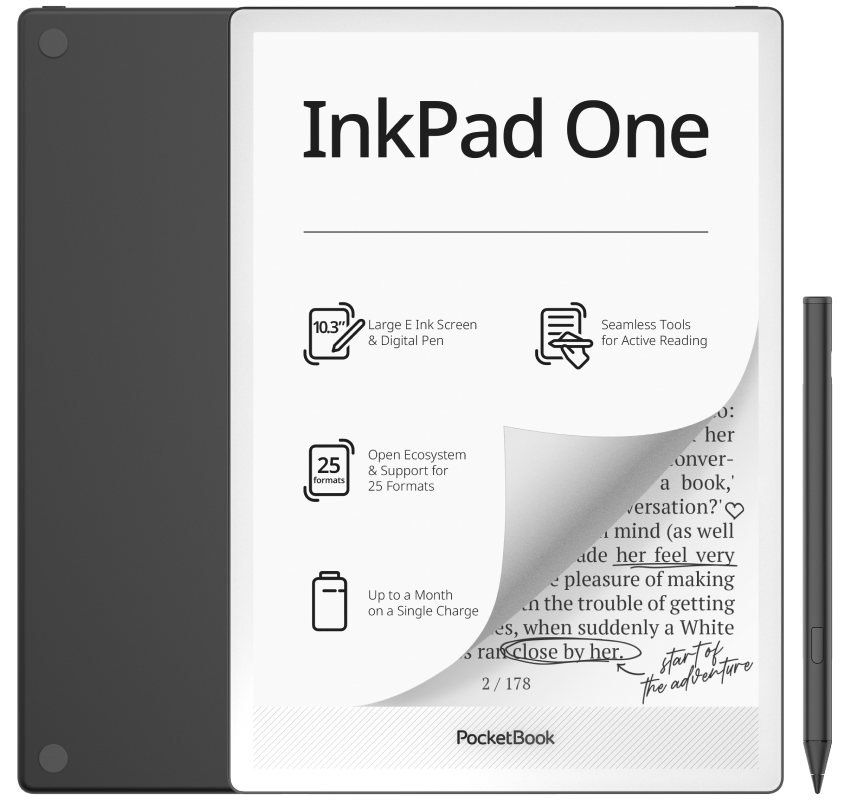
Pocketbook has announced the release of a new reading and notetaking device called the InkPad One, and it’s an interesting addition to the Pocketbook lineup.
The first thing that jumps out about the InkPad One is it uses a 10.3″ Mobius screen, which is a more durable version of E Ink screens. Mobius screens have been around for years, but they are very rarely used. Pocketbook is one of the few companies still releasing products with Mobius screens.
Mobius screens aren’t glass-based like traditional E Ink screens, so without the thin glass layer they’re a lot more durable (in theory), provided they didn’t put another easily-crackable glass layer over the front of the screen, which some companies have done in the past.
This is the fourth different eNote that Pocketbook has released in the past few years (the other 3 they’re still selling), and the weird thing is they all have different designs and features—it’s like they’re trying to throw a bunch of different options out there to see if any take off.
I’m not sure what is supposed to make the InkPad One more appealing than the InkPad Eo or the InkPad X Pro or the PocketBook Color Note because yet again it’s kind of an odd model that’s more of a niche within a niche. Pocketbook has yet to release a standard eNote with 10.3″ 300ppi Carta screen like the most popular options out there.
The InkPad X Pro appears to use the same Mobius screen as the InkPad One, and it came out in 2023 so that’s not exactly a new thing. However, that model runs an old version of Android, whereas the InkPad One runs Linux-based software. Pocketbook jumps back and forth between the two; some models run Android, and some run custom Linux software.
As far as specs go, there’s really nothing impressive about the InkPad One. In fact, the specs are pretty unimpressive for an eNote in 2026. It has a 1.8GHz quad-core CPU (Rockchip RK3566), with 2GB of RAM and 32GB of internal storage (no memory card slot). There’s also a frontlight, a rotation sensor, a cover sensor, a USB-C port, and it supports dual-band WiFi and Bluetooth 5.0. It supports audio and TTS through Bluetooth and the USB port. The dimensions are listed as 244 x 173 x 5mm, and the weight is 400 grams. The battery size is 3700 mAh.
It’s great the Mobius screen is more durable, but with just 226ppi it’s also lower resolution than Carta screens of the same size, most of which have 300ppi.
There’s also the fact that it does not appear to use a Wacom touchscreen for notetaking like Pocketbook’s other eNotes. They all specifically say Wacom in the specs, but the InkPad One says “active stylus” and they call it the “PocketBook Stylus 2” so it’s looks like they’re going the cheaper route this time.
The InkPad One features a button-less design, which is rather usual for a PocketBook. It has an aluminium frame, with a matte black finish and non-slip pads on the back. There’s no word yet on price, but it’ll probably turn up for sale on PocketBook’s Amazon store soon.
Update: The PocketBook InkPad One is now available to order on Amazon, and the price is pretty reasonable at $359, which makes it one of the most affordable eNotes on the current market.
Until now, PocketBook had used Bigme (Android) for its e-notes. It is interesting that they have decided to switch to Linux, which is in line with the PocketBook e-readers we know and are very different from Bigme. Let’s see how well they have managed to implement note-taking and how it looks for those of us who are only interested in reading. I still use the InkPad X (with similar features, much lighter and without note-taking), which I think is a very good e-reader just for reading. The price of the InkPad One is quite competitive in Europe (€299, which is on par with an 8″ e-reader with a discount) and may be an interesting option for those who want a larger e-reader. I know that many people will view the 227 ppi (226 according to PocketBook’s specifications) screen resolution as a negative. Personally, I think the differences are minimal compared to a 300 ppi e-reader. Honestly, I don’t think my Kindle Scribe looks better than my InkPad X (or my Kobo Elipsa 2E) for reading, but there are people who are swayed by numbers rather than their own visual experience, or who are more sensitive to detecting even the slightest difference. Perhaps for them it is a problem.
My Scribe screen is quite better looking than my Boox Note3 (less than 300ppi) screen. I wasn’t expecting any difference.
Another sluggish Linux based ereader? I am done with my Inkpad Color 3.
I have found pocketbook’s ereaders to be the best I have used. I have an onyx ultra tab c and it sits in a draw because because it is so slow and awarkward to actually use.