
Today I decided to fire up my 2022 Kindle Scribe for the first time in ages, and I noticed some different features that I don’t remember being there before.
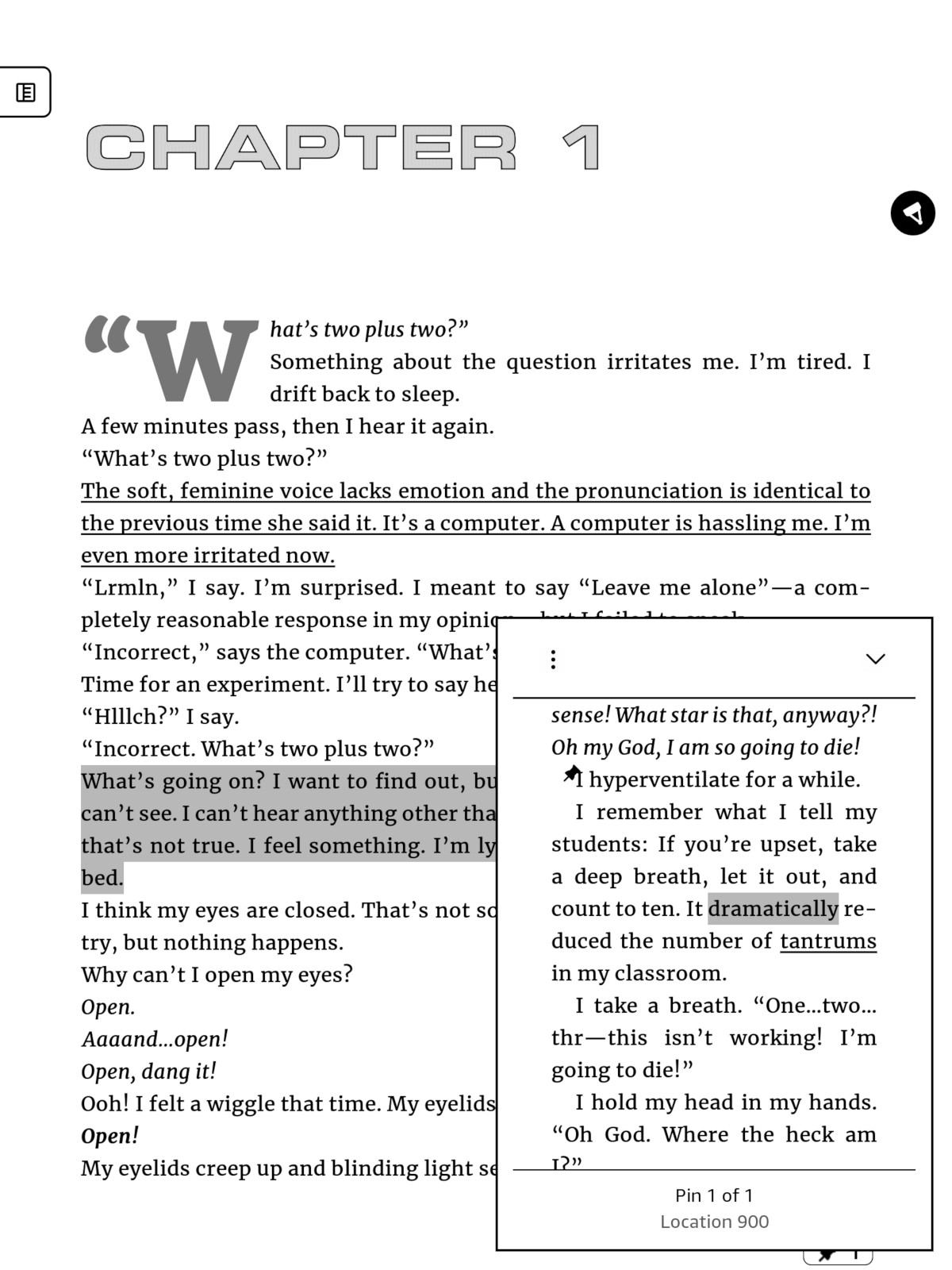
There’s now the option to add pins and underlines when selecting text. The underlines can be combined with highlights or used on their own. I think the Kindle Scribe has supported underlines for a while now when writing them manually, and then it snaps the underline cleanly into place, but the underline option from the annotation menu is new.
The “pins” are like a different form of highlighting and underlining, but with a cleaner look; it adds a small push pin icon to the line where you add the pin, and then there’s a pin icon at the bottom right of the screen that opens a window when tapped that shows your pins from there, and you can scroll through the different pin locations. It’s actually a pretty neat feature.
There’s also the option to filter annotation types from the main annotations list for each book. You can filter by notes, highlights, underlines, and bookmarks.
One weird thing, though, underlines and pins only seem to appear on the Kindle Scribe. I checked the Your Notes and Highlights page at Amazon, and the same book on my Kindle Paperwhite, and the underlines do not show up at all anywhere else unless they are also simultaneously highlighted. Pins don’t show up either.
Apparently the recent 5.19.2 software update added these new annotation features that’ve probably been on the new Kindle Scribes since release, but I don’t have one of those so I haven’t really been paying attention. I still don’t think Google Drive and the new AI features will ever get added to the older Kindle Scribes, but at least Amazon is still adding some new features.
Have you noticed any other new features appearing on the older 2022 and 2024 Kindle Scribes lately?
Leave a Reply