
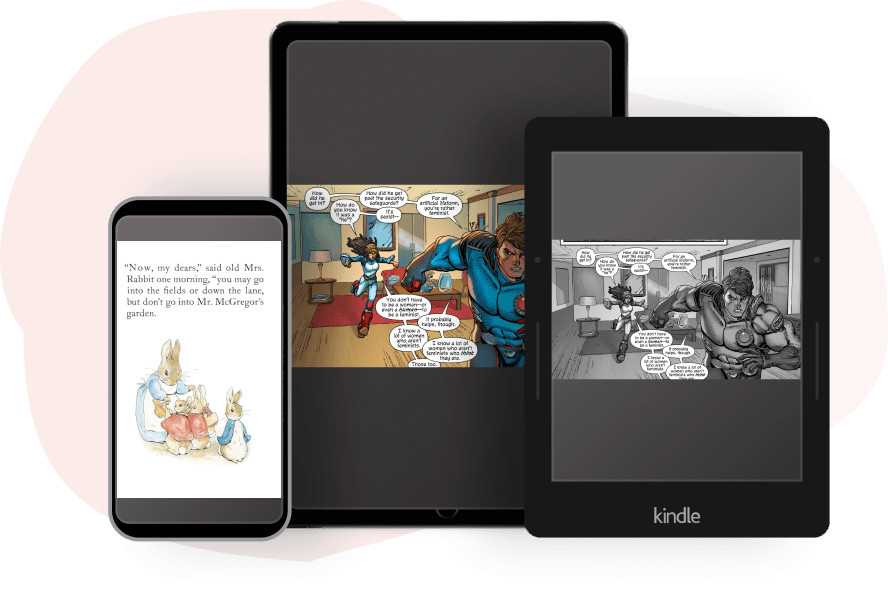
Ever since Amazon released the 5.19.2 software update for Kindles, there have been numerous reports of sideloaded manga and comics not displaying correctly, with extra blank space getting added to the borders, among other problems.
Who knows if Amazon will ever fix it or if that’s just how things are going to be from now on, but there is a workaround to fix the problem on your own if you don’t mind converting your comics to a different format, and you’ll get access to some bonus features as well.
I came across this guide on reddit with directions on how to use Kindle Create and Calibre with the KFX Output plugin to convert manga and comic files to KFX format.
The more common method of using KCC (Kindle Comic Converter) to convert mangas and comics relies on the older outdated Kindle formats (AZW/MOBI) instead of the newer KFX format. KFX adds some extra features, the same as purchased comics from Amazon, and it doesn’t show the extra white borders.
You’ll need to download three software programs and one plugin to your computer to convert your files:
Kindle Create
Kindle Previewer 3
Calibre
KFX Output Plugin (downloadable from Calibre’s plugin menu)
Once you get the software setup, you basically just have to import your PDF or image files into Kindle Create, configure some settings, export the file in KPF format, and then use Calibre and the KFX Output plugin to convert that into KFX format.
As someone who doesn’t sideload manga files on Kindles, I haven’t tested this method myself, but the directions seem pretty easy to follow. I don’t want to copy and paste everything here so make sure to hit that link to read the directions from the original source.
To be clear, this is a regression in AZW3 support which Amazon has an obligation to fix: every Kindle product listing states that AZW3 format is supported.
There were reports of issues with side loaded AZW3 prior to this update that perhaps only affected Scribes. I was able to reproduce some of these but didn’t spend time investigating in depth.
A simpler workaround is to send PDF to Send To Kindle service. On non-color Kindles, these will not sync reading position, but that’s probably not a big deal. PDFs are converted to Amazon’s Print Replica format for the Kindle apps, Kindle Scribes and Kindle Colorsoft. But neither PDF or Print Replica support 2 page display on Kindle platform.
Also Send To Kindle service does not support conversion of fixed-layout ePub to a fixed-layout KFX format (e.g. comic/manga format). It’s not in general straightforward to convert fixed-layout ePub: you can have image only pages as well as pages with a text that needs to be rendered apart from images, overlaid etc.
It’s fortunate that it is possible to create KFX comic/manga format that is as nearly fully functional as that from Kindle Store. Kindle Previewer is only designed for managing reflow able text and only understands a subset of what Kindle Create produces in the form of KPF (kindle publishing format). Kindle Create also supports generation of Print Replica format, but Kindle Previewer is not able to produce fully functional Print Replica KFX file (via KFX Output plugin magic).
I never used KCC very much, the KFX workflow has existed for several years now and I use to to generate not only KFX, but ePub and PDF as well for reading with non Amazon apps and devices (KFX Input plugin converts from KFX comic format to ePub/PDF/CBZ). I like that you can preview and create table of contents, and add/delete pages, combine several PDFs, and more.