
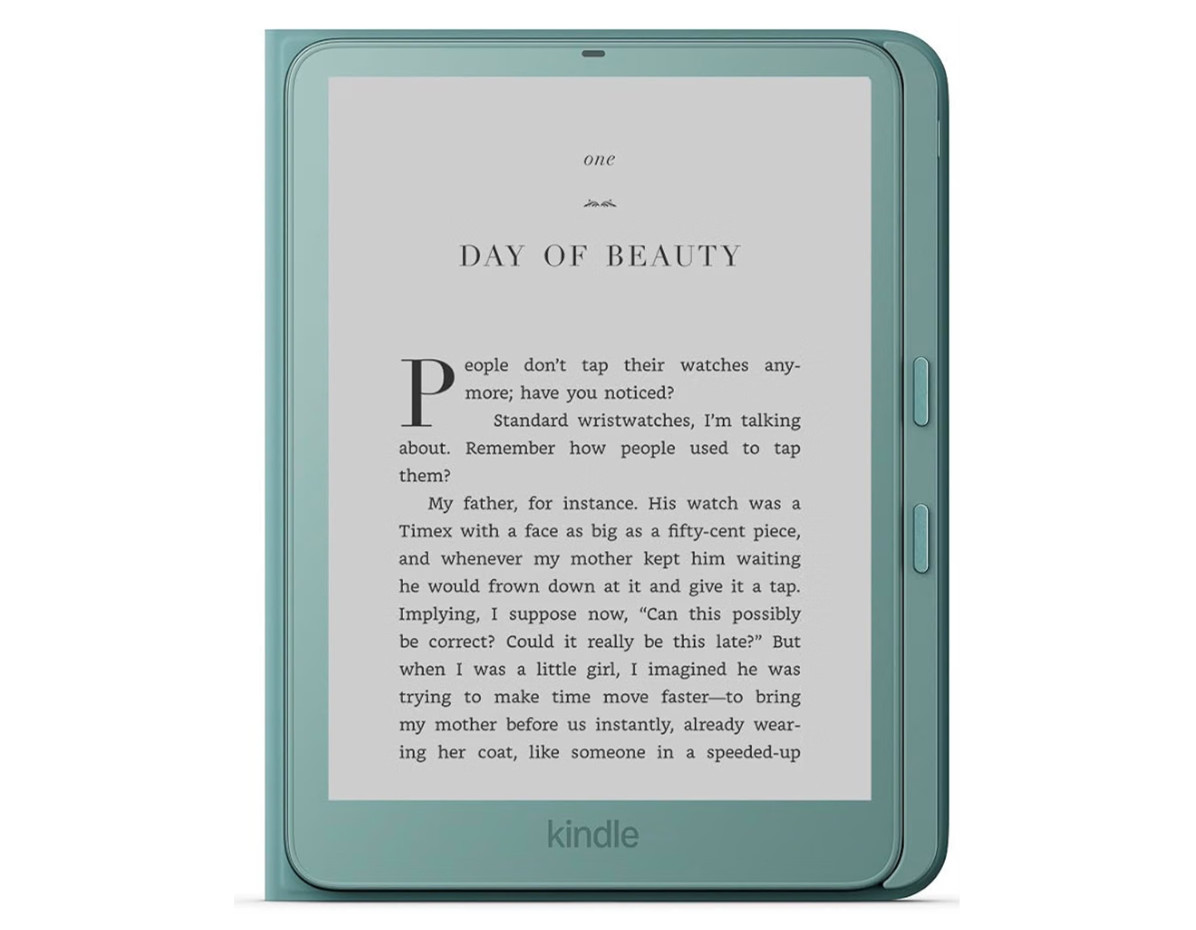
Review Date: November 2026 – Review unit purchased from Amazon
Overview
The latest Kindle Paperwhite was released on October 28th, 2026. Technically it could be considered a 13th generation model, but Amazon appears to have dropped the generation naming convention, as this new model is referred to as a “2026 release” instead.
Amazon redesigned all of their 2026 Kindles to have user-replaceable batteries, and that’s the main change with the new Paperwhite. Most of the features are the same as the previous gen model, and it still has a 7″ E Ink screen with 300 ppi and a frontlight with adjustable color temperature, unlike the 6″ Kindle, which lacks warmth control.
The 2026 Kindle Paperwhite is available in two different configurations. The standard base Kindle Paperwhite has a plastic back with a soft rubbery coating, similar to previous gen models. It sells for $199.99 and it’s available in the new “Graphite” color only, which is a bit lighter-colored than previous models with black bezels.
This review is focused on the upgraded Signature Edition Paperwhite with the new Page Turn Cover. The SE Paperwhite is available in Seaglass Green and Graphite, and it sells for $249.99, but the Page Turn Cover is an additional $79.99, and it’s only compatible with the SE version (yes, it’s pricey, but the same cover minus the page buttons is $54.99 so an extra $25 for buttons isn’t unreasonable).
The Signature Edition includes a few upgrades, including more storage space (32GB instead of 16GB), and it has an auto brightness sensor and a rotation sensor. The SE has an aluminum back (which is a really nice upgrade) instead of plastic, and it adds magnets for magnetic accessories. There are contacts on the back for the Charging Dock and Page Turn Cover. They did away with the Qi wireless charging, but it can still be charged wirelessly using the ridiculously overpriced charging dock.
If you don’t want to spring for the button case or the new Kindle Click remote, which sells for $34.99, you can also turn pages on the Signature Edition by double-tapping the sides or back of the device, the same as the previous gen model. This feature can be disabled.
Regarding the weight, the base Paperwhite is a little lighter than the previous gen model at 204 grams, but the aluminum version is slightly heavier at 229 grams. The Page Turn Cover weighs 112 grams. Together they weigh about 17 grams more than the 12th gen Paperwhite with its cover so the difference is minor.
Kindle Paperwhite 2026 Quick Review
Pros
- The screen looks great, with a nice even frontlight, and it has slightly darker black ink than the previous gen model.
- The new design is a nice change, and the aluminum casing has a premium look and feel.
- The optional Page Turn Cover is a welcome addition—it’s nice to finally have a Kindle with page buttons again.
Cons
- Higher price.
- The screen is set deeper behind the flush layer than the 12th gen Paperwhite, which creates a larger border shadow and makes it so the dark edges of the display panel are more visible.
- Nothing has improved in the software or performance department compared to the 12th gen.
Verdict
I’m a big fan of the new aluminum-backed Kindles, and the new Kindle Paperwhite Signature Edition doesn’t disappoint. I think it’s the nicest Paperwhite model that Amazon has ever released, and it’s strong competition for the Kindle Oasis.
I’m also a big fan of page buttons, especially since they keep making the bezels smaller, which makes Kindles harder to hold without accidentally activating the touchscreen. I’m going to sell off all my previous gen Paperwhites because I have no use for them anymore. The 2026 Kindle Paperwhite with the Page Turn Cover is the superior option for me. I usually prefer to use ereaders without covers, but not this one. Page Turn Covers should be a new standard accessory for ereaders in general as far as I’m concerned.
Kindle Paperwhite 2026 Video Review
More Kindle Reviews
Kindle Colorsoft vs Paperwhite 2026 Comparison
Kindle Aluminum Review
Kindle Colorsoft Review
Kindle Paperwhite 2026 Specs
- 7″ E Ink screen with 300 ppi.
- Frontlight with warm light and temperature control.
- 16GB standard; 32GB SE.
- Auto-brightness sensor (SE only).
- Rotation sensor (SE only).
- Waterproof: IPX8 rated: tested to withstand immersion in 2 meters of fresh water for 60 minutes.
- User replaceable battery.
- WiFi: Supports 2.4 GHz and 5.0 GHz networks.
- Bluetooth for audiobooks and VoiceView screen reader and Kindle Click remote.
- USB-C port.
- Battery Life Estimate: up to 12 weeks.
- Supported formats: Kindle Format 8 (AZW3), Kindle (AZW), KFX, TXT, PDF, unprotected MOBI, PRC natively; PDF, DOCX, DOC, HTML, EPUB, TXT, RTF, JPEG, GIF, PNG, BMP through conversion; Audible audio format (AAX).
- Dimensions: 126.8 mm x 174.7 mm x 6.8 mm.
- Weight: 204 grams standard; 229 grams SE.
- Price: $199 at Amazon for standard version; $249 for SE.
Leave a Reply