
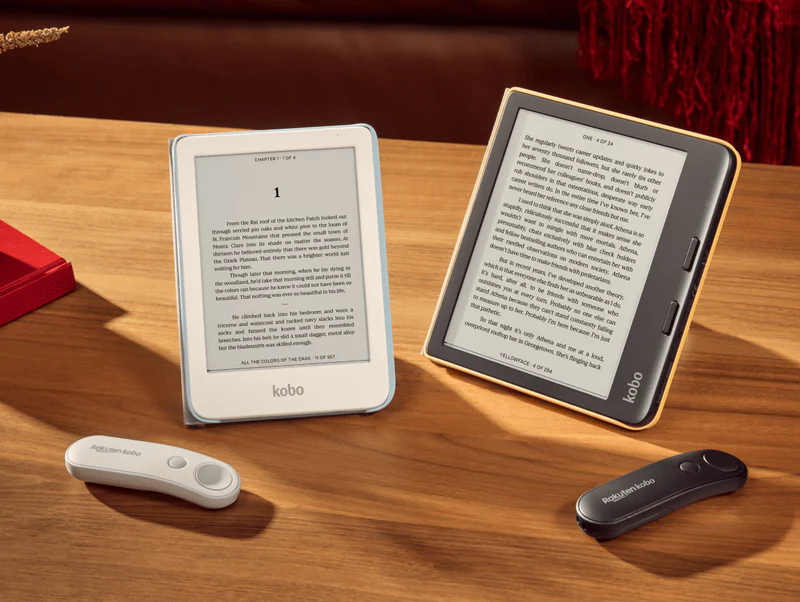
It’s release day for the new Kobo Remote that Kobo teased a couple months ago as a new little hardware surprise. Initially, they said it was going to get released on November 4th, but then a week later they changed it to December 2nd.
The Kobo Remote is now available to purchase directly from Kobo’s website for $29.99 USD with free shipping. It’s also available from Kobo’s various regional websites. It costs $34.99 in Canada and £24.99 in the UK. It comes in both white and black, and it runs off of a single AAA battery.
Update: The Kobo Remote Page Turner is available to purchase on Amazon now too through BlueProton, Kobo’s official US reseller. The title says it’s black but the picture is white so it’s a mystery adventure on which one you’ll get. It looks like they’re going to start selling a bunch of bundle packages that include the remote as well, so those should start turning up soon.
Not all Kobos support the new remote page turner, only the ones that have Bluetooth. These are the models that support the Kobo Remote: The Kobo Clara 2E, Kobo Clara BW, Kobo Clara Colour, Kobo Libra 2, Kobo Libra Colour, Kobo Sage, Kobo Elipsa, and Kobo Elipsa 2E.
If you have one of those Kobo models and plan on using this remote or a cheaper 3rd party option (Bluetooth keyboards will work too), you’ll need to make sure your Kobo device is updated to the latest software for the best results.
Kobo Remote Software Update
Kobo released a software update for their ereaders a couple weeks ago that adds support for the Kobo Remote, and it’s now available for all the Bluetooth-equipped models. The new software version is 4.38.23552 for the previous gen models and 4.44.23552 for current gen Kobos.
You can usually trigger the update by syncing your Kobo ereader. If that doesn’t work you can download the update from this Kobo Firmware Updates page and manually install it. Just make sure to get the update for the right model, and make sure to take note of the model revisions.
On Amazon – “currently unavailable”
I guess it was the white one then. Kobo says they’re sold out of the white one on their website, and it’ll be back in limited quantities on December 15th.
Oh my goodness, I love this thing! I was able to bring back the use of my Elipsa 2e, prop it onto a pillow with a silicone mat so it doesn’t slip and can now read on it with the remote that connected quickly and easily. The only thing I don’t like is having to leave WiFi on. Turning WiFi off after Bluetooth connected kept freezing the reader. Leaving WiFi and Bluetooth on there have been no problems. The remote does also have a back page button. One question, Nathan, would this remote possibly work with a Kindle Scribe or does it require specific software? Thank you
It won’t work with Kindles because their software doesn’t support Bluetooth page turners. They only work with the clip-on types. Amazon really should consider adding this functionality, and they probably will eventually once someone figures out they can start selling remotes like Kobo.