
Amazon has been adding some nifty new features to the Kindle Scribes lately, and not just the new models—the original model from 2022 has been getting some of the new features as well.
The last software update added support for writing on sideloaded PDFs, and it turns out the update also added a new “smart shapes” feature that wasn’t mentioned in the release notes.
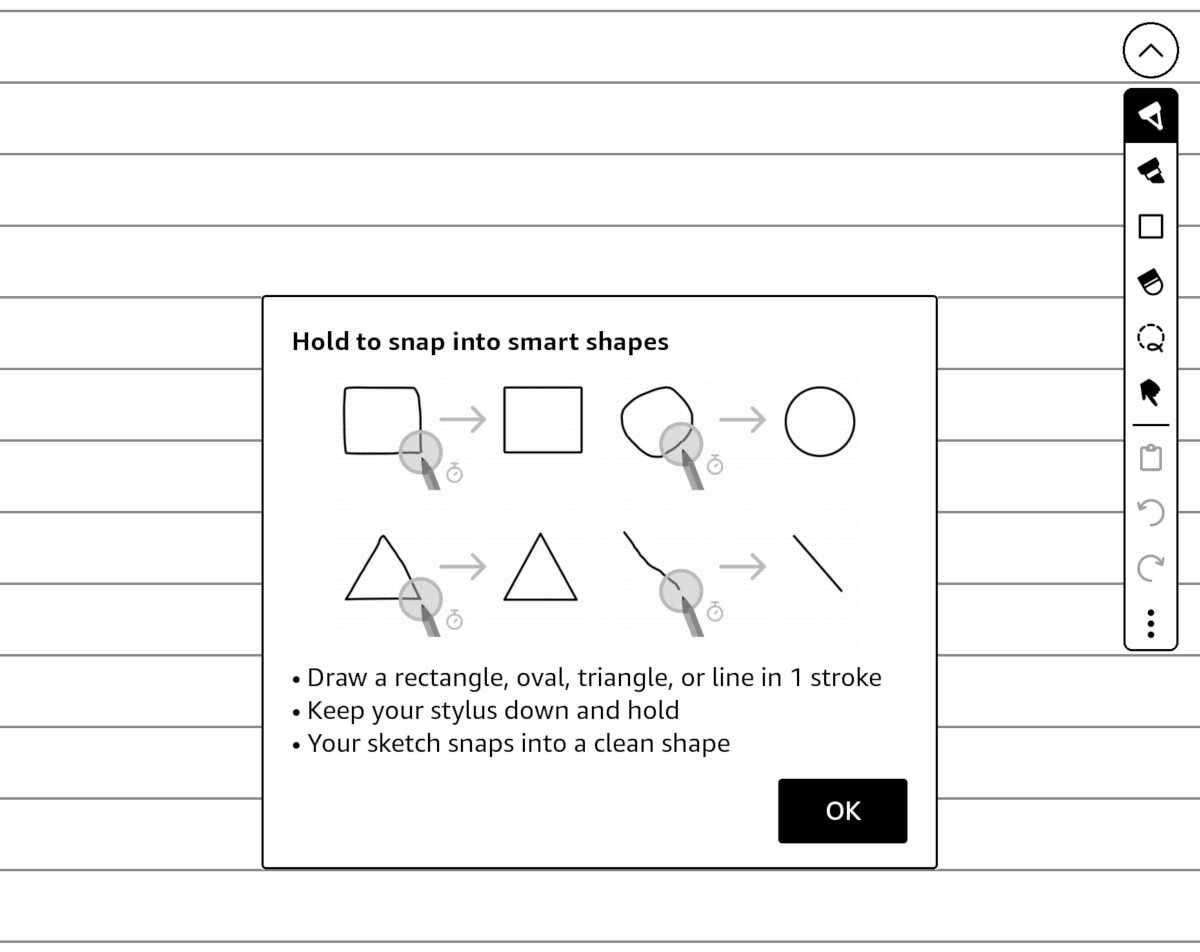
You can now add squares, circles, triangles, straight lines, and arrows to notebooks, and the software can automatically create perfect shapes out of sloppy freehand drawings if you hold down the pen for a second after drawing them.
You can resize and rotate the shapes, and copy and paste them to different locations. There are five different line thickness settings to choose from, and you can make them even thicker by using the highlighter or marker to draw them.
The ability to use smart shapes is only available within notebooks; it’s not available when adding notes to PDFs or ebooks. There doesn’t seem to be a way to automatically fill the objects either, which seems kind of odd to me, but if you use the marker with the thickest line setting it will fill in the smaller shapes.
This appears to be one of those features that has to be activated remotely by Amazon so it might take some time for it to show up after updating the software on your Kindle Scribe. My 2022 Kindle Scribe was greeted with the note shown in the picture above introducing the new smart shapes feature after opening an existing notebook. It wasn’t there at first after updating to 5.19.3, but it did show up a few days after updating to 5.19.3.0.1.
Is it really so hard to state new features added by updates? Even if there’s “too much” to add directly on the Kindle because limited screen real estate, they could state everything on the Amazon Update page.
I used to think that too, but they roll updates out so slowly it kind of makes sense. This way customer support isn’t getting questioned about new features not showing up for 2 months before they actually show up. I bet the next update will have a note about shapes being added, even though it was added with this update.
Really wish there was a way too turn this “feature” off, or at least increase the pause time,
I’m finding this new “feature” extremely annoying. I’ve been using my Scribe to practice writing Chinese characters. I often have to stop to think for a second and then there’s an annoying line I have to delete. It would be a great feature if it could be disabled when not needed. As it is, my Scribe has become less helpful than paper.