
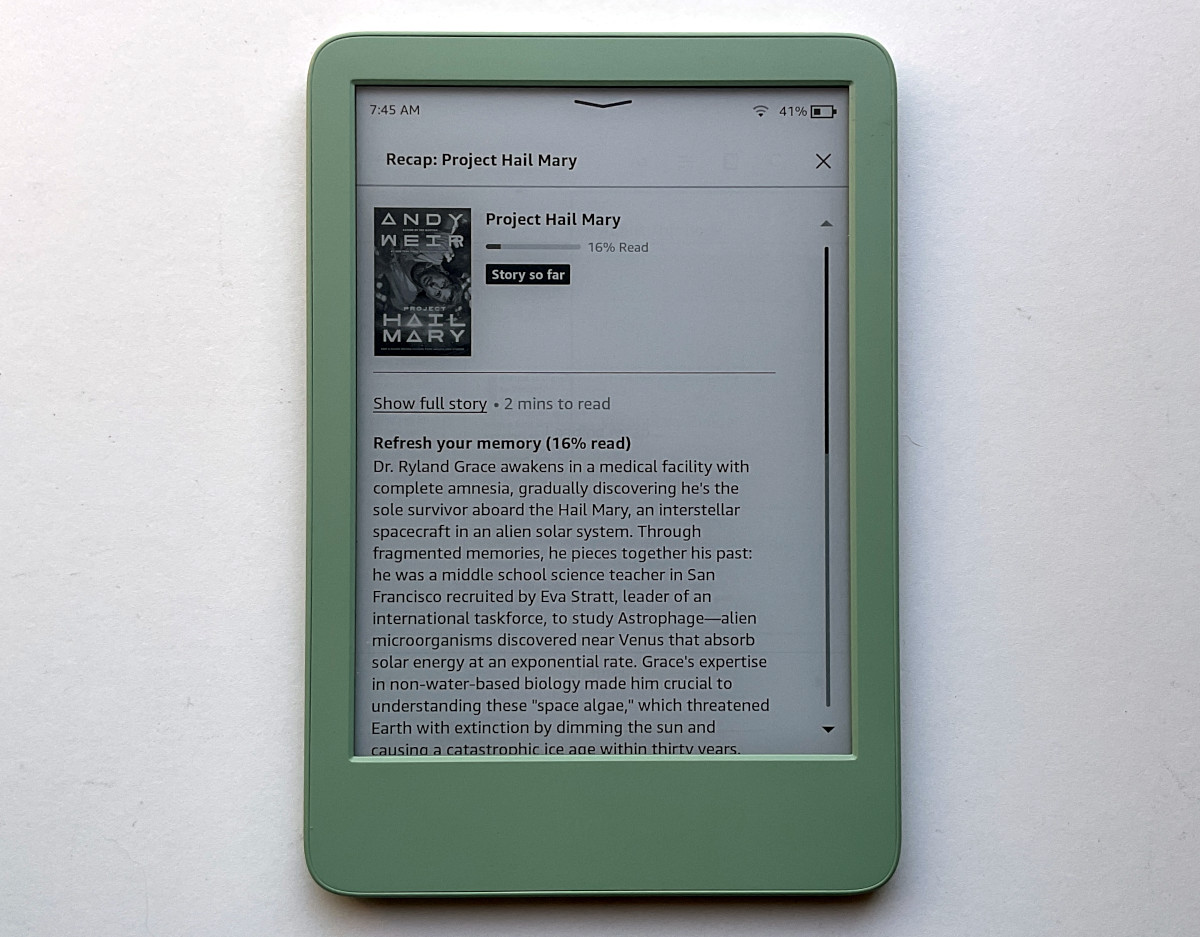
Amazon has finally started rolling out the new “Story So Far” feature that they’ve been advertising on the product pages for the Kindle Scribes for the past 7 months.
Story So Far is basically an extension of the recaps feature that they came out with a little over a year ago. Recaps give you a summary of full books, whereas Story So Far will give you a summary of the book to the point you’ve read without giving spoilers beyond that point.
Amazon says the Story So Far feature is now available on Kindle ereaders and the Kindle iOS app, but it’s only available in the US at this time. And it’s not available for all books; Amazon says it’s available on “thousands of best-selling English-language ebooks”.
How to Access Story So Far
Long-press (or tap the three-dot menu button) on a Kindle ebook from the library list on your Kindle device or app and tap the “Read recap” button that appears at the top of the list (if it doesn’t appear, the book doesn’t have it, or your Kindle’s software isn’t up-to-date).
You can also access recaps and Story So Far from within an ebook by opening the menu and tapping the 3-dot menu button and selecting Recap.
Not all ebooks support Story So Far, even if they support recaps, in which case a spoiler popup will appear before you can view the recap.
Kindle Update Required?
Apparently this new feature requires the latest software update to work, so that probably means it’s only available on certain Kindle models.
I wasn’t seeing the Story So Far feature on my basic 11th gen Kindle when it was on the 5.19.3.0.1 software, just full story recaps, but then I updated it to 5.19.4.0.1 and now it’s working on some books, like Project Hail Mary shown in the picture above.
However, on my 11th gen Paperwhite with software version 5.19.2 that same book doesn’t show recaps being available at all, so apparently your Kindle has to be on the latest 5.19.4.0.1 software version for Story So Far to work.
I stopped reading that book a few chapters in so this feature might actually be useful for situations like that. I often start books and then get sidetracked on different books so being able to get a summary before jumping back in instead of having to start over again might be handy if the summaries are actually any good.
OK, I admit I’d like to have this feature, but I’m not giving up my PW 2 just yet.
I like the Recap functionality so if Story So Far is anything like that, I’ll be happy. I also read several books at once, so it’ll be a welcome feature for me.
That’s a neat feature for those of us who skip between half a dozen books at a time. I hope something similar comes to Kobo.
Super excited! I have used ‘Ask the Book’ feature on the iOS app for awhile now and it is great. Now we need that ability as well on the Kindle!