
If you frequent the interwebs and various social media outlets, you’ll find complaints about Amazon and Kindles virtually everywhere.
Lately it seems like complaints about Kindles are getting louder again with Amazon changing the user interface on Kindles for what seems like the 20th time. A lot of people are having issues with bookmarks and the dictionary after Amazon changed things with the latest 5.18.6 software update.
The problem is posting complaints online doesn’t accomplish anything. People would be better served sending their complaints directly to Amazon. Fortunately, you can do this from your phone or a web browser and it only takes a few seconds.
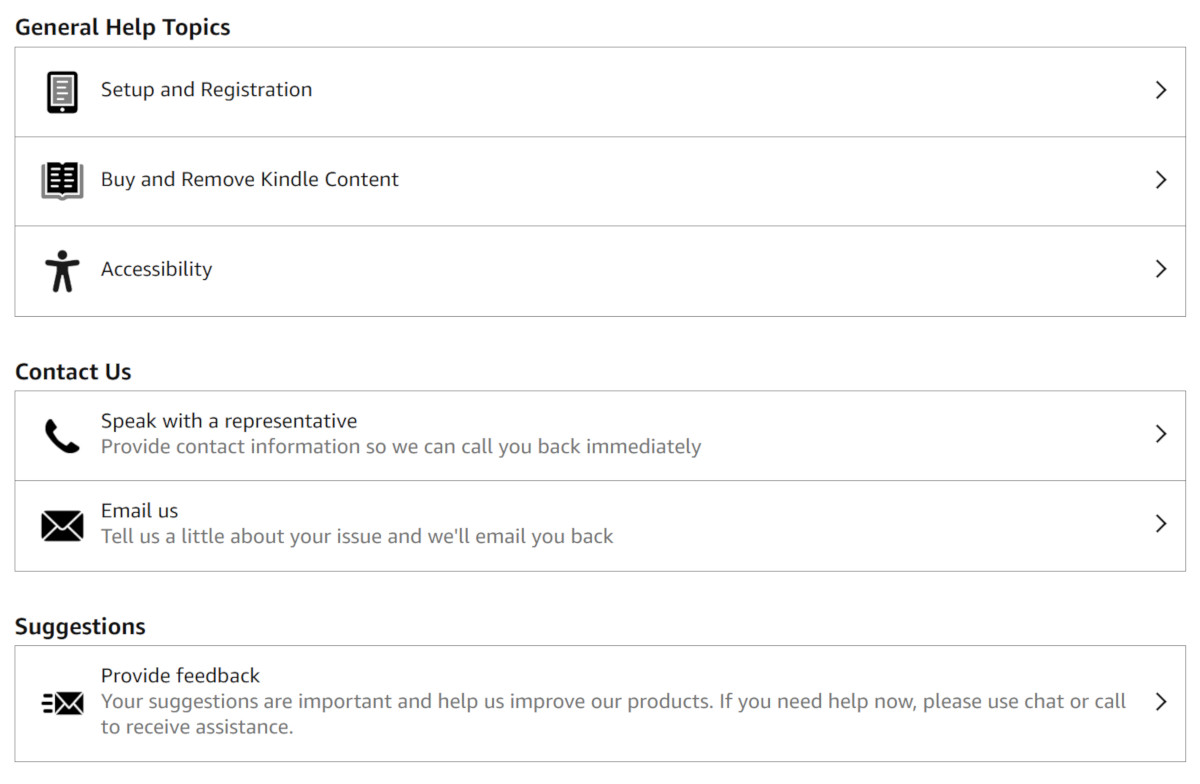
If there’s something about your Kindle that you don’t like, you can send feedback to Amazon from this Kindle Help webpage in the “provide feedback” section at the bottom of the page. You have to be signed in to your Amazon account for that page to load properly.
You can also scan a QR code directly on your Kindle to get the same options using a phone. On your Kindle go to Settings > Help > Contact Us. You can also find the url for the page linked to above (https://www.amazon.com/Kindle-Help), which redirects to a different page.
There used to be an option to send feedback directly from your Kindle on that settings page, but that’s one of the many things that Amazon changed recently; now you have to go through extra steps and visit a separate page using a second device. That way there’s a chance you’ll decide to buy more stuff from Amazon while you’re at it.
It’s not as convenient as it used to be, but that’s the best way to contact Amazon about Kindle issues. And history has shown that they do actually listen sometimes.
Personally, I find the constant UI changes on Kindles to be really obnoxious, especially on older Kindles. You get used to how things work, and then like 3 years after getting your Kindle Amazon will randomly change a bunch of stuff around, forcing you to learn a new UI on a Kindle you were happy with for the past three years.
It’s kind of like how grocery stores rearrange their entire store every few years and then you don’t know where anything is located and you’re stuck wandering around looking for something that’s now on the other side of the store. But stores don’t usually break stuff and remove parts of their store during the process, like Amazon does with Kindles.
Thank you. I’m sick of the missing book covers, and the issue with my Kindle Colorsoft now loading all of my ebooks. My Paperwhite has the same issue with the book covers, but all of my eBooks are present. Another issue with my Kindle Colorsoft is that the Wi-Fi drops and then turns back on. This is the replacement Kindle Colorsoft. Is Amazon sending refurbished replacements when a Kindle is broken?
The missing e-books issue is related to a bug in their book indexing routine; present since (literally) the very first Kindle. If they haven’t fixed that bug by now, they probably won’t ever fix it; no matter how much you complain. It’s VERY common in sideloaded books — which they want to discourage and probably explains why it hasn’t been fixed — BUT it occurs in books from the Amazon store as well. Many would say that leaving an unfixed bug in your OS — just to annoy customers doing legit things which you do not like — is a reason to NEVER buy a device with that OS, ever again.
What happens is that Kindle indexes every word in every book before the title appears on your device. This is how ALL dedicated (non-Android) e-readers operate. EXCEPT UNLIKE every other brand — Pocketbook, Nook, Kobo — Amazon’s indexing routine OFTEN fails; producing an endless loop of failed indexing for that book, such that the book never appears on the device. SOMETIMES this bug stops all future books from indexing as well, sometimes it affects just the failed book.
The OTHER side-effect of this bug is that battery-time takes a hit while this endless loop of doom repeats.
The Amazon-directed remedy is to delete the problematic book(s) and put them back on the device … EXCEPT Amazon has no way of identifying WHICH (or even THAT) a book is affected … at least not easily. SO you have to delete everything which has not appeared and try again. The only easy way to tell if you’ve even been victimized by this bug is if the book never appears on your device. Put a LOT of books on your device at a time and you may never even notice those which do not appear.
I’ll also add that — even when everything works fine — it can take a LONG time for Kindle to generate these indexes, so your individual book won’t appear for minutes/hours while Kindle processes the index in the background. NO OTHER brand does it this way: They index all added books at once before the system loads (and the process for those is almost instantaneous for Pocketbook, a little slower for Kobo/Nook.) In fact, I’ve sideloaded many thousands of books on my Pocketbook; at once and it takes no more than a few minutes for them to appear. The same number on my Kindle PaperWhite takes about 15 minutes (even with the fix below.)
There IS, however, a work-around to this Kindle bug, such that books always appear and without (much) delay at the cost of losing the index of each word in the book: You can still search for titles themselves but not text within the book. Here’s how:
Connect your Kindle to your PC via usb & within the root of the Kindle, use File Explorer to open the Kindle’s system folder (it’s a hidden folder so you must enable the option to see hidden files in Explorer/Finder. Google is your friend if you do not know how.)
Within that system folder, there will be a folder called Search Indexes. This is where the Kindle keeps its indexing files. Copy that name to the clipboard then delete that folder.. Next, create a new text document and rename it with the name from the clipboard. Windows’ right-click menu will let you create this text file.
All of that will disable Kindle’s indexing because it can’t access the indexing folder (since it’s no longer a folder..) Books already stuck in the indexing loop will continue to be stuck so its best to do a factory reset — back up your sideloaded books first — before you do this.
Kindle has a LOT of problems beside this but this fixes one of the most annoying of them. The added bonus of this, btw, is that file indexes occupy a LOT of space which you reclaim with this fix.
Speaking of stores. Where do you shop? Mine seems to change the layout every six months. Then when you check out they have the nerve to ask, “Did you find everything okay?” I always say. “No. The store lost a couple hundred dollars from me this time. I guess I’ll order what I could not find from Amazon.”
As far as sending a suggestion or complaint to Amazon. I believe they have a robot with one function. It hits delete on all incoming mails.
Thank you. I dislike how the TTS feature on my Kindle app sometimes stops on a word and it won’t resume until I move the page forward. For some reason, this happens consistently on a certain word on a certain page from books by a single author.
I use TTS to listen to books when I’m at work. We’re not supposed to have our phones out. I don’t want to get caught flipping a page forward.
The author is in a lengthy process of getting all of her books available as audio books so I cannot solve the issue, as of this comment, by simply buying the audio book version.
I’ve been requesting more font sizes for the past eight years. Still waiting