
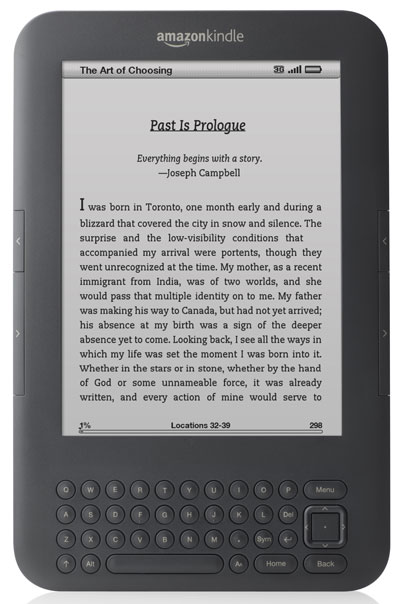
In case you missed the news, or if you’ve just been putting off the inevitable, Amazon is cutting off all Kindles released before 2013 from their servers as of May 20th, 2026.
That means you will no longer be able to download your Kindle ebooks to affected Kindles after that date, but you’ll still be able to read any ebooks downloaded to those Kindles for as long as they’re working, so now is the time to download all the content you want while it’s still possible.
Some people are reporting that their older Kindles have already been cut off from Amazon, but that may be a technical issue, as others are saying their older Kindles are still downloading ebooks just fine. Either way, it’s a sign the end is getting near, and you shouldn’t delay downloading everything you want now before it’s too late.
With Amazon cracking down on DRM removal, being able to download your ebook files for DRM removal in the future isn’t a given—it’s already a complicated endeavor, and it’s getting more complicated all the time, so it’s a good idea to download your ebooks now for backup while you still can.
Keep in mind, you’ll still be able to sideload ebooks onto older Kindle after May 20th; they just won’t be able to access the Kindle store or download ebooks from Amazon anymore, and other wireless services like Send-to-Kindle and library borrowing will be unavailable as well.
As expected, some Kindle users are frustrated with Amazon for cutting off perfectly functional Kindles, but there’s likely a good technical reason for it given the limitations with 15 year old hardware. All of this being some nefarious plot to get people to buy more Kindles sounds more interesting, though.
Check this earlier article if you’re unsure if your Kindle is going to be affected by this: How to Tell if Amazon is Dropping Support for Your Kindle.
Most Kindle ebook licenses have a limit of six devices a book can be downloaded to at the same time.
Has Amazon said what will happen to the Kindle ebook license downloaded to these older Kindles? Will it still count as a license that cannot be downloaded to a newer Kindle even though a removal from the old Kindle will not be able to sync to the Amazon servers to get that license back? Or will the license of the books downloaded to the old Kindles not count when Amazon stops downloads to them?
I have six Kindles being discontinued so I really would like to know what happens to the license of any Kindle book I download to them.
If you download books onto a Kindle, put it in airplane mode, and then deregister the Kindle from your account, you will keep the books on your Kindle but they will no longer count towards the six device limit. In my experience, the books will not disappear from your offline Kindle like sideloaded books reportedly do.
If your deregistered Kindle goes online again, you will lose access to those books. I do not know if that will apply to Kindles that can no longer connect to the Amazon servers.
Good question, but yeah, there’s no way they can still count those licenses against your account once those old Kindles go offline since there’d be no way for them to keep track of that. Those old Kindles will no longer exist as far as Amazon is concerned so they can’t possibly count the ebooks downloaded to them against the limit.
My Kindle Touch is out of space! My Kindle Keyboard just had its battery replaced, and it’s doing well, but I can’t really tell how much space it still has. My Fire HD 7 is being donated, along with my Kindle 4th-generation device. I recently bought it before the email notifying us about the support ending. It would not let me register it.
Thanks!