
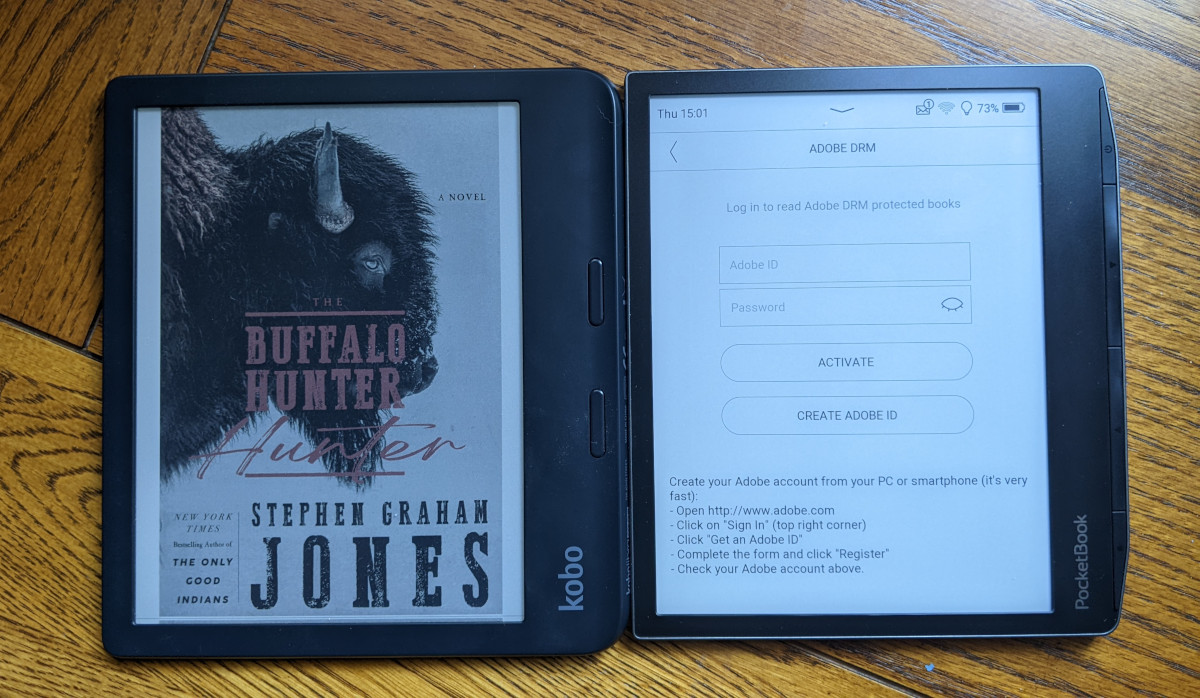
I decided to test out the Libby “app” on the PocketBook Era Lite today for borrowing ebooks from public libraries, and at first I thought it’s was going to be an upgrade over how Kobo handles library lending on their ereaders, but unfortunately there are some roadblocks that hamper the overall experience.
Using the Libby app on PocketBooks does come with some notable advantages over Kobo’s system. You can sign-in with multiple library cards, and you can search each library directly instead of having to go through Kobo’s storefront. Plus audiobooks are supported so you can borrow those too, unlike with Kobos.
However, there isn’t an easy way to browse the available titles on PocketBooks because there aren’t any categories or sections or collections of any kind. You can’t even sort by genre.
You can just view a long list of titles sorted by title, author, date added, release date, popularity, and availability. You can choose to view all titles or just ebooks or audiobooks. That’s it. Good luck finding something you’re interested in.
Unless you know the exact title of a book it’s very difficult to find anything. Compounding the problem, the search engine is terrible. I tried searching for a specific author and the top results were completely irrelevant because it defaults to date added. Changing the sort field to other options helps a little but the results are still littered with irrelevant titles.
No eBooks for You!
The real dealbreaker for me came when I tried to download an ebook. It doesn’t automatically download after borrowing. You have to navigate back to the library page and select “Shelf”, and then you can choose to download borrowed books from there, but there’s a catch.
Unlike Kobo’s ereaders, PocketBooks require you to sign-in with an Adobe ID (or I guess a ByteBooks ID now) before you can download any library books. I had assumed since they were using the Libby “app” that would not be required, since it’s not required when you use the Libby app on a phone or tablet, but I was wrong.
The problem is PocketBook isn’t using the full Libby app. It’s just a basic storefront for searching libraries. You have to use PocketBook’s native reader to read library ebooks, and that requires an Adobe ID for DRM’d books.
No Problem with Audiobooks
I decided to test borrowing an audiobook to see how that works, and wouldn’t you know it, audiobooks work just fine without having to sign-in with some gatekeeper. You can’t download them, but you can stream them and the audio will play in the background while you use the PocketBook for other things, including reading.
So in some ways the Libby implementation is better on PocketBooks than on Kobo ereaders, but there are some drawbacks as well. The funny thing is, the book I borrowed on the PocketBook Era Lite automatically showed up on my Kobo Libra Colour while syncing and I was able to download it. But since I forgot my Adobe ID years ago I can’t access the book on the PocketBook.
Leave a Reply