
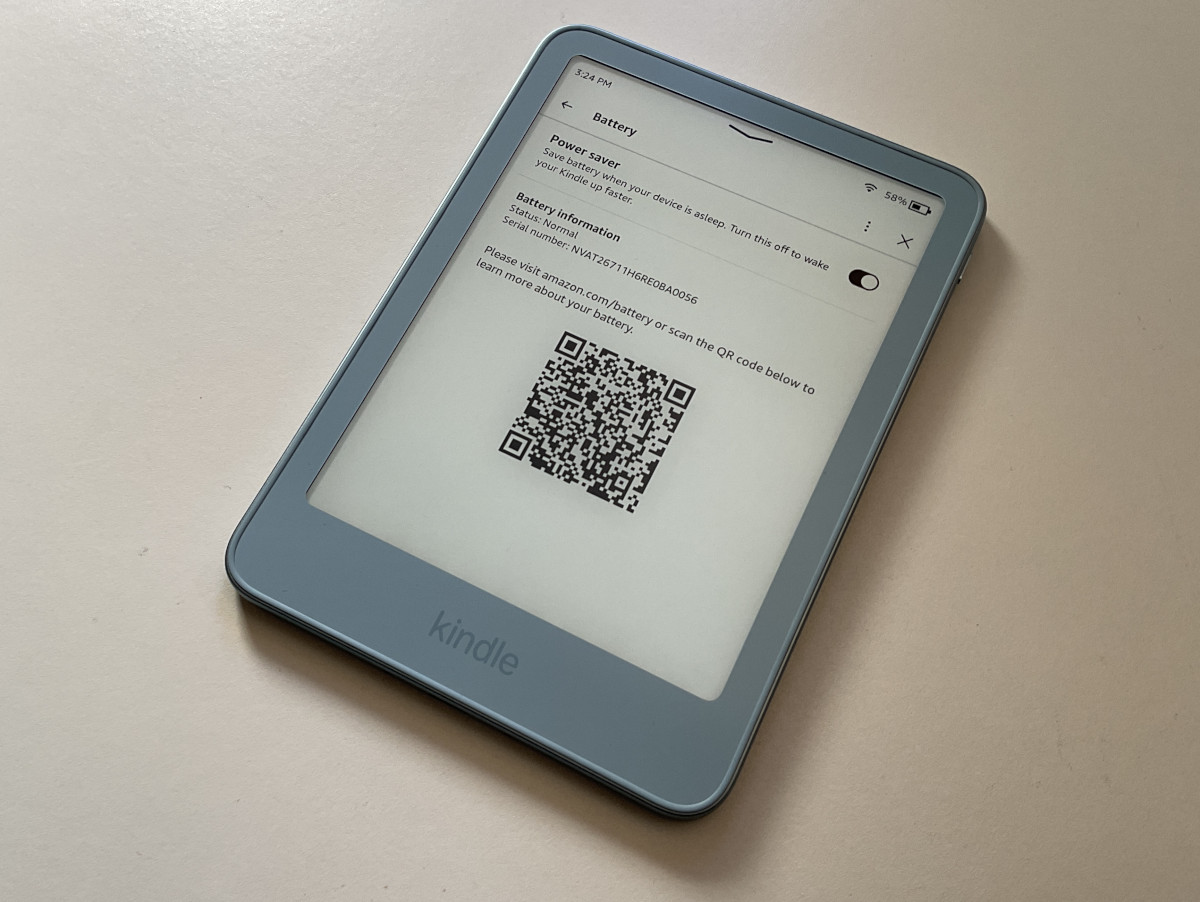
One of the cool things about the new Kindles for 2026 is they were designed to have removable back panels so you can easily replace the internal battery when it wears out.
It’s weird because Amazon seems to be going out of their way to avoid advertising the fact that the new Kindles have user-replaceable batteries—you’d think that would be a positive marketing point to exploit—but so far they’re being coy about it.
There is this new Amazon Kindle Battery Guide page that was recently added to the help section of Amazon’s website. It lists all the new Kindles for 2026, and talks about the new Battery Status section that appears in the settings menu on the new Kindles.
To find the battery status entry on your 2026 Kindle, go to Settings > Device options > Battery > Battery information.
From there, it shows your Kindle’s battery status. There are three possible indicators: normal, battery capacity limited, and incompatible battery.
Amazon doesn’t specifically state the new Kindles have user-replaceable batteries on that page, but that’s the gist of it. And they do specifically state that on the Identify Your Kindle page, where it says “User-replaceable battery (EBR-compliant)” under the description for the new Kindles.
I was able to remove the back panel on the Kindle Ube with surprising ease. At first I was afraid I was going to break something, but then I committed to prying down on the corner with a fingernail and the back popped right off. I recorded the process to show how easy it is (video below).
The aluminum Kindles have two hex screws that have to be removed before you can take the back off of them. I’m not sure what size they are, but they’re tiny. The plastic Kindles (the purple and black colors) don’t have any screws holding the back on, but there are four Phillips head screws holding the battery in place.
I assume it’s the same story with the new Paperwhite and Colorsoft, but we’ll have to wait until they get released to know for sure.
I’ve seen a few posts on Reddit complaining about how the cases are taking apart the Kindles, and people are mad about it. I’m happy that they are able to be tinkered with now though.
Those redditors sure like complaining about stuff. I saw some people outraged by the new screensavers the other day. Too bad there’s not a way to filter out all the nonsense complainers. There should be a setting for that. 🙂
There really should be! I find the Kindle group to be the most negative, and all the other ereader subs to be more positive..
I honestly don’t know why Reddit exists, except for the entertainment value. It’s like watching a room full of people confidently answering questions nobody asked them.
**Example question on Reddit:**
**Q:** I just received a new Kindle Paperwhite. It didn’t come with a charger. Can I use any charger?
**A:** It comes with a charge from the factory.
**A:** Don’t use the same charger you use on your car.
**A:** You can use your car charger if you’re careful with the polarity.
**A:** What kind of car do you have?
**A:** AutoZone can help you with your car battery.
And just like that, a simple question about charging a Kindle has turned into a roadside emergency.
Somewhere in the comments, a guy who has never owned a Kindle is explaining how to rebuild an alternator.
**Welcome to Reddit, where nobody knows the answer, everybody has an opinion, and the most confident person in the room is usually the one who should be unplugged.**
I read for 5-6 hours/day at minimum. I’ve never had a need to replace a battery on a kindle.
If you’ve been using the same Kindle for a while (ie a couple of years or longer) the battery capacity will already have degraded quite a bit, just like it does in every device that uses LiOn batteries.
The longer you use it, the worse it gets. You don’t notice it at first because it’s a slow and steady process, but at one point you realize you now have to charge it significantly more often than when it was new.
In the past, it was difficult or impossible to replace the battery with a new one yourself, now it’s an easy fix.
That’s a very nice thing. It takes me back to the good old days of old Nokia phones where we would just switch the front and back panels for different colours and people loved it. If not Amazon itself, I’m sure someone will make some fun backplates and sell them 🙂
I wish I was more capable in CAD software. I would totally print some backplates and things for the new ones!
Reminds me of the original Nook’s back. They did sell different color ones to switch out the grey it came with.
I’m really glad to see the batteries are replaceable in the new release of Kindles 🙂
Thanks, Europe, for this—it’s definitely a plus. I’d be so happy to be able to replace the battery in my Oasis and keep using the e-reader for another 6 years without having to switch to a new device.