
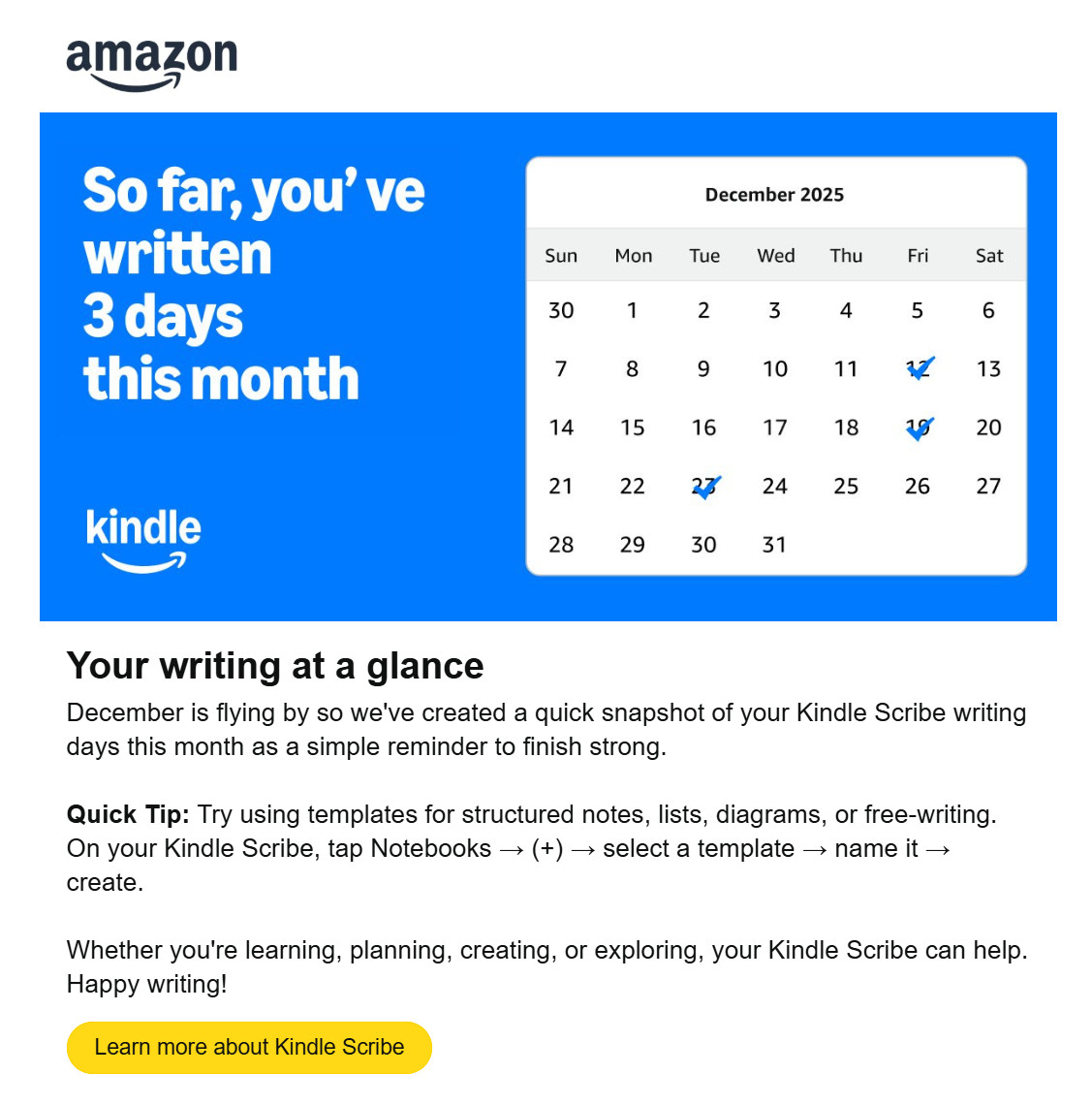
I received an email from Amazon the other day titled “Your Kindle Scribe writing check-in”, and it shows how many days I’ve written notes on the Kindle Scribe over the past month.
I haven’t been using my Kindle Scribe very much at all lately, and it was probably in airplane mode for the past couple months before December, so maybe Amazon has been sending out these monthly notifications for awhile now, but this is the first time I’ve gotten one, and I’ve had a Kindle Scribe since 2022 when they first came out.
I tried to learn more about this new “feature” and to see if there was any settings or a way to turn it off, but I couldn’t find anything about it. I figured the “Learn more about Kindle Scribe” link at the bottom of the email would lead to more information, but it just directs to the main Kindle Scribe page at Amazon where they try to sell you a new Scribe.
I noticed the calendar is an active link as well, but clicking that takes you directly to the product page for the new Kindle Scribe Colorsoft. Yeah, that’s real helpful. And completely relevant to a calendar tracking writing days. I guess this monthly email is just another ploy for Amazon to sell more Scribes; it’s not good enough if you already own one.
Amazon has been tracking reading stats on Kindles for ages. They even have a handy Reading Insights page where you can view how many days you’ve read each month, and keep track of reading streaks.
However, there does not appear to be a page for Notetaking Insights, at least not one I can find (there used to be a way to view notebooks from the Kindle Scribe using a web browser, but Amazon seems to have taken that down). If they’re going to start tracking how many days people write each month, and sending out emails about it, there really should be a place for people to see that, and there should be the option to turn it off for people that don’t want it. Maybe they’re still getting around to it. There’s probably going to be a steady rollout of new features to help bring more attention to the new Kindle Scribes over the next few months, and I could see them coming out with something like the Reading Insights page to tie into these “writing check-in” emails.
Are they also tracking what people are writing?
Not only do they track people, they also sell all their data. They’re harassing people with these unwanted emails, so they can have more data to sell. Not to mention that all this data ends up being used for ‘AI’ training as well, so user data mining is even more profitable than ever before.
To me that is a little too intrusive. Like someone saying how many times you left your house each month. I can understand the reading insight if you want to keep track of number of books you have read but why do you need to be told how much writing you have done when you can see your notes on the Scribe.
Way too intrusive. I’m so glad that I rarely use a kindle product anymore. Kobo and Pocketbook are my go-to’s.
The truth is that I had never paid attention to “reading streaks”. After reading your post on this topic, I just realised that they exist (how curious to see the days when I haven’t read on a Kindle). In my case, the “intrusion” hasn’t worked so far; I hadn’t even noticed it existed. And it’s not going to work with the writing log either, as I’ve only used the pen once to try it out. Honestly, I don’t think my life is going to be affected by this nonsense.
I also dislike the (tracking) reading streak in their kindle apps which is always shown in the home page and weird enough not any privacy setting to turn it off. For Kindle devices I use airplane mode as long as I can, but this goes too far for me.
You get what you pay for.
Anyone could have bought an e-reader from a different company with an open system that gives you more control and works without any account or internet connection. But instead they bought some kindles.
„ You get what you pay for.“
Well exactly. Which is why the Kindle is, unfortunately, without alternative for me, mostly due to the availability of books.
I get what you‘re saying though. I wouldn‘t touch any android-device with a barge pole.
I don’t mind the reading streak, but I definitely want the option to turn off the writing streak.