
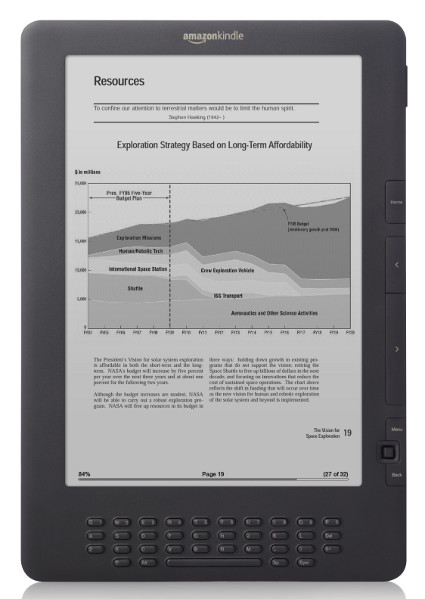
With the news coming out that Amazon is ending support for all Kindles released before 2013, some people are wrongly assuming that older Kindles will become completely useless after May 20th.
I made the mistake of going to reddit and seeing the village idiots are firmly in control of the misinformation wheel again, and it’s spinning wildly out of control. Amazon is not bricking older Kindles; that’s not what unsupported means.
First off, if you buy an electronic reading device you have to expect it’s going to stop working or stop being supported at some point in the future—that’s a given. A device being supported for 15 years is actually pretty good, especially considering the odds of the battery lasting that long are really low.
If the battery still holds a charge, your old Kindle won’t suddenly become useless when Amazon stops supporting it. The irony is you’ll still be able to buy ebooks from non-Amazon sources and sideload them onto your old “unsupported” Kindle without any problems. And the benefit to that method is your ebooks won’t be tied to Amazon so you can read them on other brands of devices in the future it you want to.
Older Kindles Still Usable After Cutoff Date
Amazon dropping support for older Kindles really just means they won’t be able to download ebooks from Amazon once May 20th hits. You can still read previously downloaded Kindle ebooks on older Kindles for as long as that Kindle works. And you can still sideload ebooks onto unsupported Kindles too.
The bigger problem is you’ll no longer be able to register older Kindles to an Amazon account, so if you factory reset your Kindle you’ll never be able to get your Amazon content back on it (don’t listen to Amazon support if you encounter a problem because their answer to everything is to do a factory reset). But Kindles can be used for sideloading ebooks without registering them.
You can also sideload ebooks to registered Kindles, so you can still buy ebooks elsewhere (from Kobo or Google, for instance), remove the DRM, convert the book to Kindle format using Calibre, and sideload it onto your older “unsupported” Kindle via USB.
Realistically, the number of people still using Kindles from a decade and a half ago has to be really small. Amazon already dropped support for the first two Kindles and removed store access from all the non-touchscreen models years ago. I am surprised they’re dropping support for the 1st Kindle Paperwhite, but it was only available for one year before it got replaced by the Paperwhite 2, which Amazon is still supporting (for now).
All Kindle models will get deprecated eventually; that’s something everyone should accept before getting a Kindle. But that doesn’t mean your Kindle will become useless once it’s no longer supported; Amazon can’t remove the ability to sideload ebooks. Some people are mad they won’t be able to use these older Kindles to get ebooks with easily removable DRM anymore—that’s probably the real reason Amazon is dropping support for these older Kindles.
Does Kindles support epubs loaded they ADE?
No. Kindles don’t support the epub format natively, and they also don’t support ADE DRM.
To use an epub downloaded through ADE, you need to remove DRM (Calibre with the appropriate plugin can do this), convert to a Kindle format (AZW3/MOBI) (Calibre again) and THEN, sideload the converted ebook to the Kindle.
Not terribly difficult to do, but not everyone will want to bother.
Yes; through KoReader which understands epub. You’ll have to jailbreak your Kindle first, and defeat the drm:
Both are trivial tasks; do a Google or YouTube search for how.
To everyone who has one of these old Kindles, please don’t toss them in the trash as unusable!
If possible, find a CHILD who’d like a reader, load it up with some good public domain children’s books, and let them have at reading!
These unsupported Kindles would be ABSOLUTELY IDEAL for children, as they WON’T be able to go browsing the Kindle store for unsuitable content! All a parent would need to do is make sure there’s no WiFi password entered, and the device could be entirely OFFLINE, so a child couldn’t be using the web browser either.
Failing that, there are many folk out there who would be HAPPY to have any working reader they could sideload onto and cannot afford one. Maybe they broke an existing device, or maybe they’ve never had a reader. If you don’t wish to use your unsupported Kindle further, see if you can find someone in need. Give it away for cost of postage.
Giving the gift of reading feels wonderful! I’ve gifted unwanted old readers to several children in my family, and they LOVED them!
Do warn any recipients that they need to keep an eye out for battery swelling, as that is always a concern with older devices.
Thrift stores are often a goldmine for inexpensive older devices and you’ll sometimes be surprised about what you find.
I once found an aged Kobo for $5 which was loaded with (many, many) GB of drm-free, non-public domain mysteries/thrillers; once I got it working. I’ve no comment about what I did with that content.
Thank you for bringing some sanity into the discussion. Most companies cannot afford to support their legacy products indefinitely like LEGO bricks. However, the uncertainty of software support and quality for the e-readers from Amazon is really making me consider sticking with Kindle apps for now (as much as I like the reading experience).
>Some people are mad they won’t be able to use these older Kindles to get ebooks with easily removable DRM anymore—that’s probably the real reason Amazon is dropping support for these older Kindles.
Exactly this. The list of Kindles which will no longer be supported are all the ones which cannot handle the KFX format and therefore have still been receiving the older formats.
I’m sure they’re coming for my Voyage soon then. 🙁
I’m sure they’re coming for my 7th gen Paperwhite soon thwn.
Yep, 100% the real reason Amazon is doing this. They don’t want people to be able to remove DRM to keep a copy in the personal collection. This also tells me, nothing is stopping them from deeming newer models obsolete as well. A very wasteful company — I’m done buying ebooks from them, this is the final straw.
Just so you’re aware, it is very illegal to remove DRM from books. Amazon stopping people from removing DRM from books shouldn’t be controversial.
So are many, many, other things—jaywalking, switching lanes without signaling, anything over the posted speed limit, etc.
Not when it’s for your own personal & private collection – a backup. It’s the same as ripping your own CD to your hard drive for a backup.
It’s not illegal. You’ve fallen victim to Amazon’s misinformation. You are absolutely allowed to remove DRM in order to back up your books, as long as it’s not shared afterwards, it’s legal. Heck, you can even buy programs made specifically to remove DRM.
How will personal documents work? I can make a change to my browser add-on to download instead of sending to Kindle, but docs already sent can’t be downloaded to a device outside of Kindle (say a PC). Therefore, unless we use the web reader or Kindle for PC, we can’t access our old personal docs.
Is that right?
They are treated the same way as ebooks. You can download them before the cutoff date or to Kindle apps after. After the fact you’ll have to sideload via USB or possibly setup a server.
At the end of the day, amazon is doing older Kindle users a favour by not hassling them with useless and sometimes annoying software updates.
By the way, what will happen with these Kindles that have ads, will they become ad-free?
They might be ad-free already. My Kindle Voyage became ad-free last year and it’s newer than these models, but my Kindle Paperwhite 3 still has ads so who knows.
Great article, It’s worth mentioning that older kindles can still be converted into highly capable Ereaders simply by jailbreaking them. There’s a wiki dedicated to this, which lists jailbreaks for nearly all Amazons readers.
Once jailbroken, you can install reading apps that are far superior to Amazon’s native software.
(& If the readers battery is tired, replace it! ). I’ve been using a K4 (B01100) model since around 2010 and bar sitting on it, (yes that’s happened before..), I full expect to keep on using it for a few more years to come.
So don’t throw them away! 🙂
They are essentially bricked for library book readers.
That is true. KU subscribers as well.
Good article, but I don’t think it’s true that the Paperwhite 1 was only available for 1 year after 2012. My Kindle Paperwhite matches all your requirements for old firmware and serial number, yet I purchased it new from Amazon in Nov 2016. I have also been getting the emails from Amazon, so I guess still need a new one.
It was replaced by the Paperwhite 2 after one year, but Amazon still sells previous gen Kindles for years after they’re replaced if they still have remaining stock.
> You can also sideload ebooks to registered Kindles, so you can still buy ebooks elsewhere (from Kobo or Google, for instance), remove the DRM, convert the book to Kindle format using Calibre, and sideload it onto your older “unsupported” Kindle via USB.
I thought that Amazon stopped supporting downloads and transfers via USB, or have I misunderstood something?
Amazon stopped allowing D&T, but other ebook stores have not, and Kindles still support sideloading via USB.