
When I posted the video review for the PocketBook Era Lite, I kind of glossed over the faster dictionary and highlighting modes, so I put together another video showing how those work.
There are two ways to add highlights and two ways to use the dictionary on PocketBook ereaders. The standard way where you long-press on a word is pretty slow to activate and use.
If you turn on the Dictionary Mode from the menu, the dictionary opens right up when you lightly tap a word once without having to long-press and wait for the menu to pop-up and select the dictionary option manually.
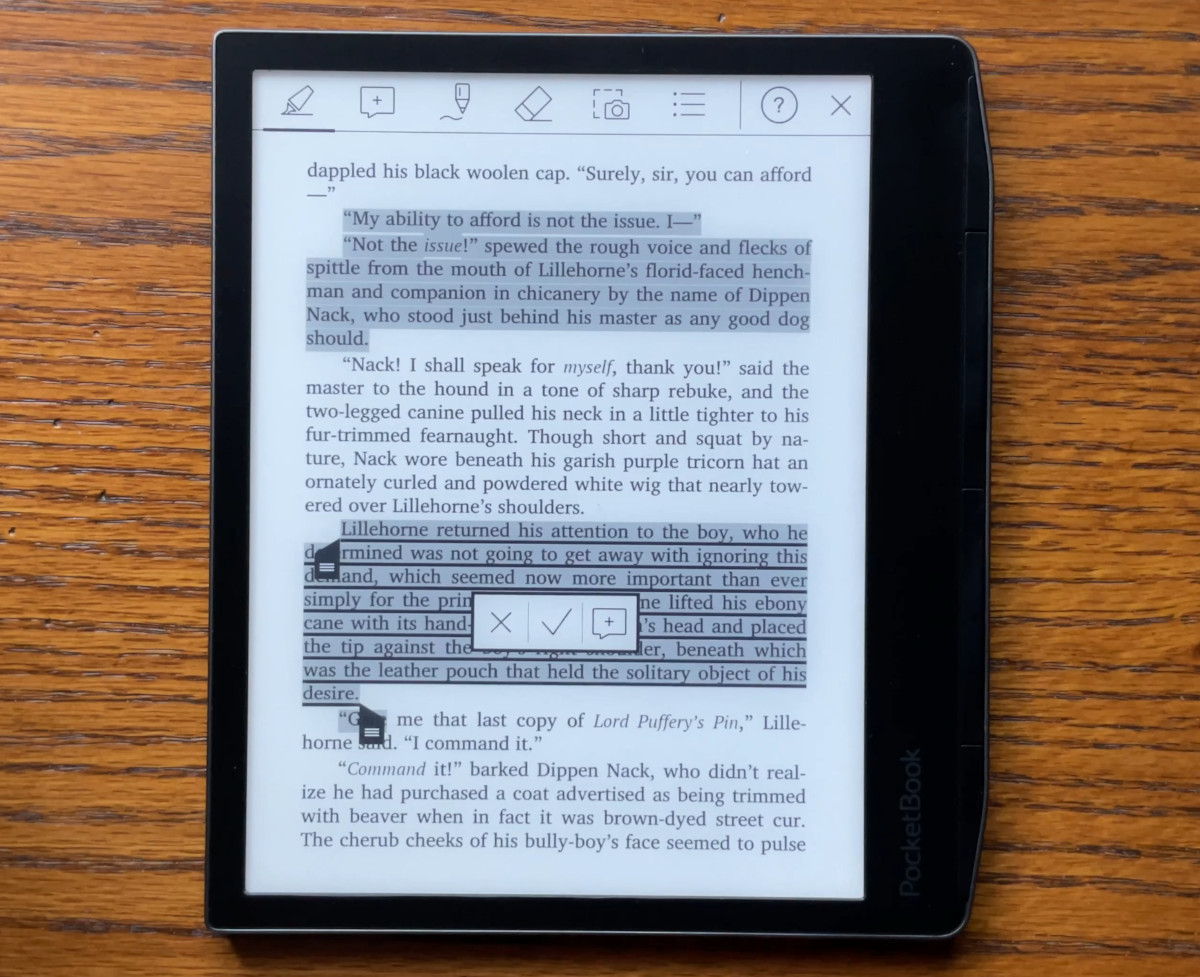
The same thing applies to highlighting. You can use the standard method and long-press a word and it will bring up the option to move the highlighter markers around to select the text you want to highlight, but it’s wonky and slow to respond.
If you activate Notes Mode from the menu instead, you can highlight a lot faster without having to wait for the markers to pop-up.
That way works better, but I have a lot of accuracy issues with the endpoint stopping in the wrong spot, and sometimes it’s very finnicky about getting it to adjust properly. It might just be a problem with my finger being to big and the font size being too small, but neither highlighting method works reliably for me.
Sometimes highlighting full paragraphs works pretty well and reliably, but it’s harder to highlight individual sentences or a few words, and highlighting across pages does not work very well at all.
I also tried using a capacitive stylus, but the tip is kind of wide on it too. It works okay, I guess, but I’m used to the smoother highlighting on Kindles and Kobos and don’t have the accuracy problems with those.
While I had the stylus out, I did some basic writing tests while using Notes Mode on the Era Lite, and it works a little better than using a finger, but there’s a lot of lag when writing—it’s nothing like using a real eNote. And you can’t write in the margins. But it is usable if your needs are basic.
Both quick modes can be assigned to a key or an area of the screen so that they can be activated without having to open the menus. I tend to use the quick notes mode quite a lot; I’ve assigned it to the top centre of the screen. I use the quick dictionary mode less often because it forces you to use the page-turn keys, but it’s useful if you’re going to be making lots of look-ups.
Thank you so much! I turned on Dictionary Mode from the menu on my PB Verse, and it works like a charm. I’m currently reading Denis Johnson’s excellent “Train Dreams”, and every now and then I need to look up words in Webster’s 3rd Unabridged.