
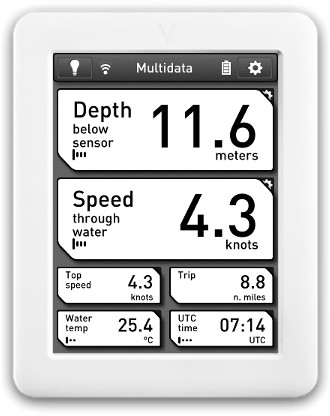
Some interesting news crossed my desk this morning about a new way to design and develop epaper products. Visionect, a Slovenia based company, has launched a new do-it-yourself type of platform that lets anyone develop an epaper-based product, and not just ebook readers, but other types of devices such as restaurant menus.
Then Visionect’s V-Platform is used to create software for these devices using regular HTML5, CSS and JavaScript. You can convert an existing app or create something new.
The Visionect Server runs the software on a local computer or in the cloud. It can take any web application, process it, and push it to any number of Visionect devices, which gives the user the impression that the applications are running directly on the devices.
The company’s epaper devices come in different configurations and sizes. They are called V-Tablets. They are waterproof and shock proof and have no buttons whatsoever. They have WiFi, long-lasting Lithium-Polymer batteries, 3 axis accelerometers, and have Arm Cortex M3 120MHz processors. There’s the option for a 6″ 800×600 resolution touchscreen panel, and a larger 9.7″ 1200×825 non-touch model.
Visionect lists E Ink as a partner so that’s likely where the screens come from, but they also list Plastic Logic. More information can be found on the Visionect website.
via: e-ink-info