
• Skip to main content
  • Skip to secondary menu
  • Skip to primary sidebar
  • Blog
  • Kindle
  • Onyx Boox
  • Kobo
  • Comparisons
  • Contact
  • About
  • Disclosure
The eBook Reader

The eBook Reader

The eBook Reader Blog

  • News
  • eBook Readers
  • Sales & Deals
  • Reviews
  • How To Guides
  • eBooks
  • Free eBooks

How to Use Infinite Notes on Boox eNote Devices (Video)

October 31, 2025 by Nathan Groezinger 1 Comment

Boox Infinite Notes

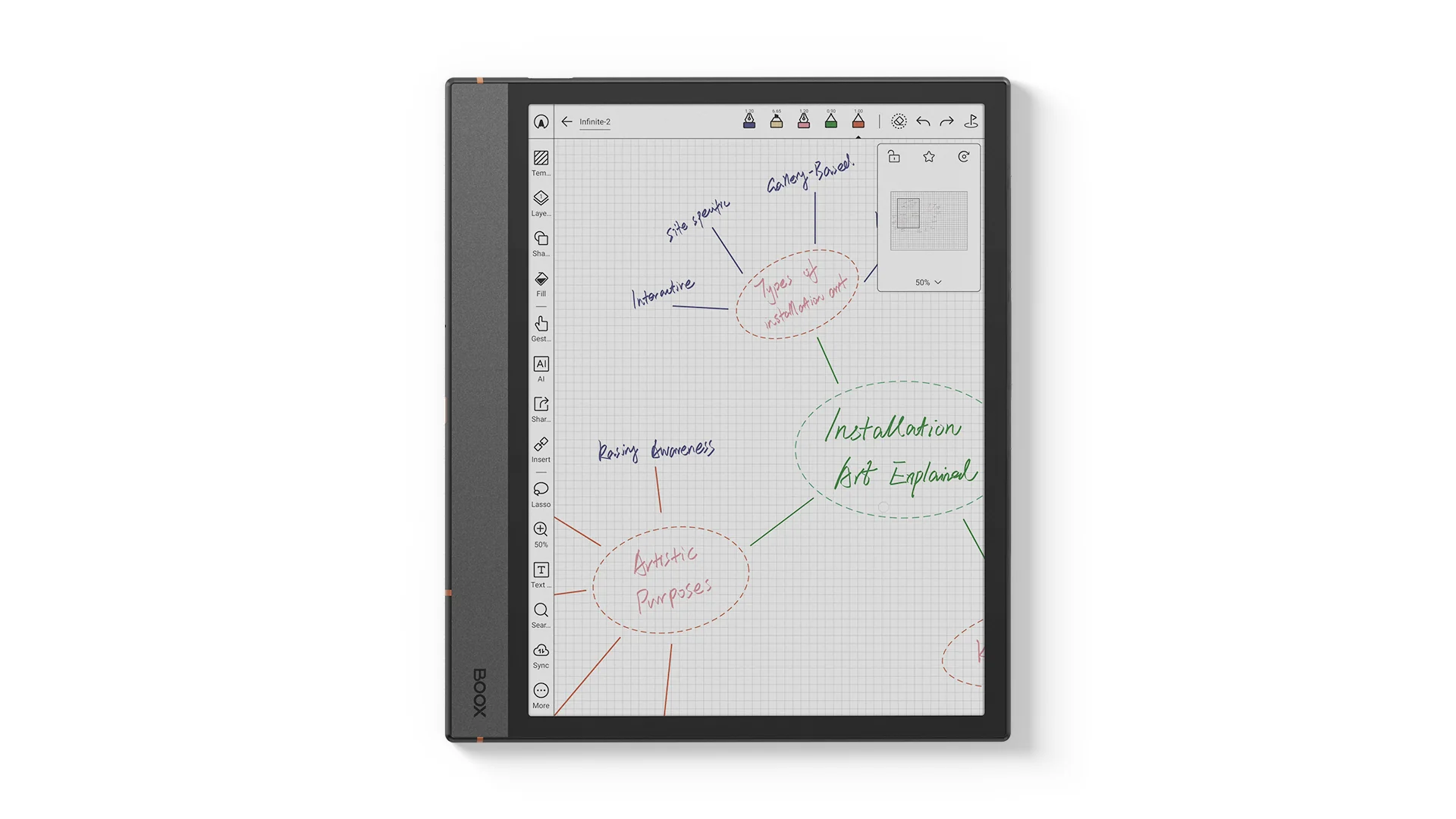
Onyx introduced several new features with their most recent 4.1 software update, including a new Infinite Notes feature.

Infinite Notes is basically a notepage without boundaries. There are five built-in templates in three different sizes that scale with Infinite Notes. They automatically expand the canvas when you write near the edges.

You can set custom zoom levels and save them as a preset. Instead of pages, you can set pins to quickly jump around to different parts of the notepage. They’re kind of like bookmarks for notes. You can export Infinite Notes in PNG and PDF formats.

Onyx doesn’t have a list of which devices support Infinite Notes, but the 4.1 software has been released for the Boox Note Air4 C, the Boox Go 7 BW and the 2nd gen Go Color 7. I think it’s still in Beta for the Note Max and Tab X C. The new Note Air5 C must ship with 4.1 since they advertise Infinite Notes as one of the features.

Hopefully the new Boox Palma 2 Pro will support the Infinite Notes feature as well, but there’s no mention of it on the product page. It seems like that would be helpful when trying to write on such a small, narrow screen.

Onyx uploaded the video below to their YouTube channel to show how the Infinite Notes feature works. It’s pretty easy to figure out, but the tagging and linking system adds some complexity that takes a little time to learn how it works.

A Complete Guide to Infinite Notes

Filed Under: eBook Readers Tagged With: onyx boox

Disclosure: This website earns commissions using affiliate links through Skimlinks and Amazon's Associates program.

Reader Interactions

Comments

  1. CJ says

    October 31, 2025 at 6:02 pm

    I’ve been awaiting the 4.0 update for my Note 3. Doesn’t look likely anymore ☹️

    Reply

Leave a Reply Cancel reply

Your email address will not be published. Required fields are marked *

Primary Sidebar

Kindle Colorsoft Black Friday Sale

Kindle Colorsoft On Sale; Black Friday Deals Are Going to Suck This Year

Kindle Early Black Friday Sales

Kindle Deals: Latest Paperwhite $106, Kindle Scribe $199, Kindle $69

PocketBook-x-Libby-App

PocketBook eReaders Getting Libby App to Access Public Libraries

Ocean Teal Nook

New Ocean Teal Nook Glowlight 4 Now Shipping, Get $30 Off

Kindle Update

Kindle Software Update 5.18.6 Released

Navigation Menu

  • Homepage
  • The eBook Reader Blog
  • Comparison Tables
  • Kindle Comparisons
  • Best eBook Readers
  • Reviews
  • How To Guides

Follow

Site Search

Copyright © 2025 · Magazine Pro on Genesis Framework · WordPress