
Review unit purchased from Amazon
Overview
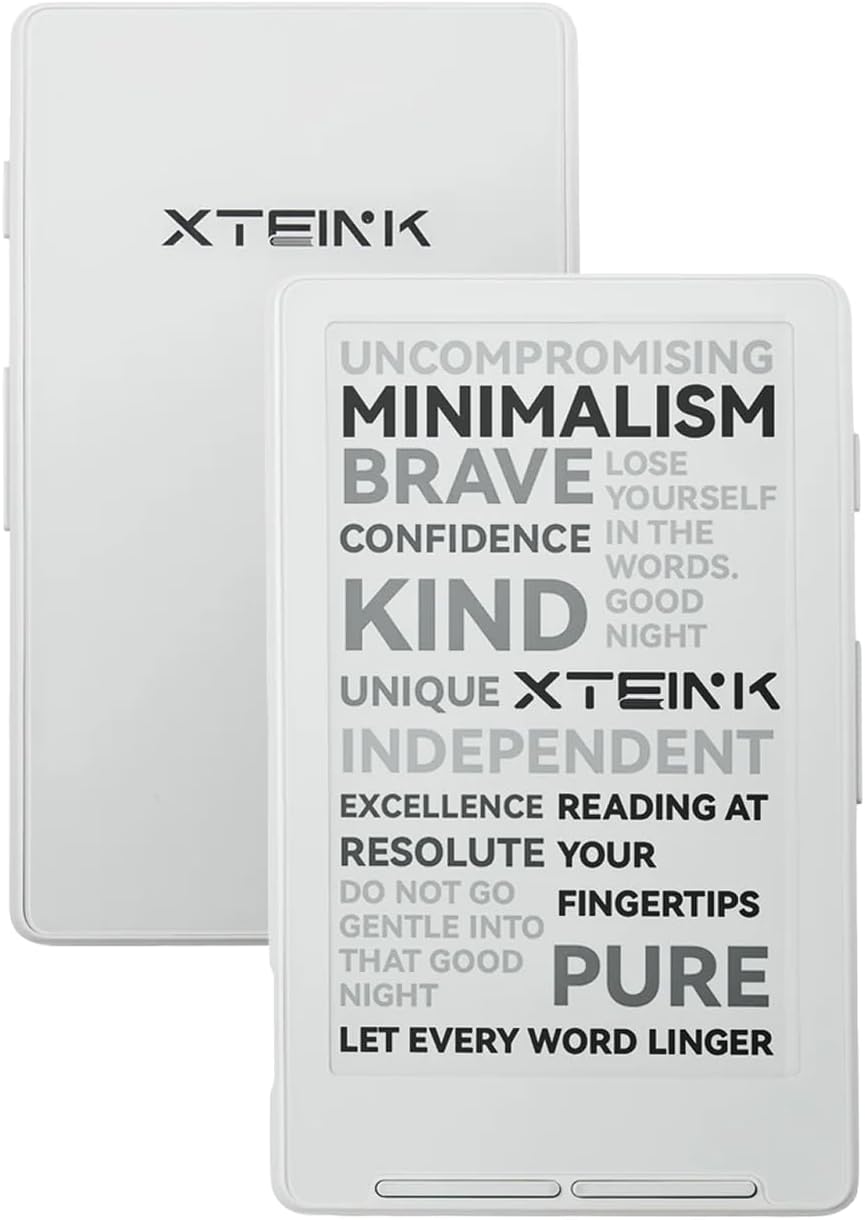
The X4 is a mini pocket-sized ereader from a new company called Xteink. It’s one of the smallest and lightest ereaders ever made at just 74 grams. It’s also one of the most basic in terms of overall features, but it’s also capable of running custom software.
It has a 4.3″ E Ink screen with no touchscreen or frontlight, and the stock software has a lot issues, but the Xteink X4 is one of the least expensive E Ink ereaders you’ll find at $69.00 on Amazon.
The X4 is available in white and black, and it comes with a 32GB microSD card, a microSD USB adapter to plug into your computer, a screen protector, and 2 magnetic rings to attach the X4 to the back of a phone or whatever.
Xteink X4 Review Summary
Pros
- Very small and lightweight; easily fits in pockets and it’s comfortable to hold.
- No ads, no store trying to sell you stuff, no account required to use—just read.
- Can install alternate custom software.
Cons
- The stock software is super basic, and there are multiple formatting issues with English-language books.
- Minimal features: no touchscreen, no frontlight, no dictionary, doesn’t support ebooks with DRM.
- Text fade issue in direct sunlight.
Verdict
The Xteink X4 is the most intriguing device that I’ve reviewed in a long time. On one hand, the stock software is pretty terrible, but on the other hand, the size and design is so unique that I can’t help but like the X4 anyway.
I like how simple it is. I like the fact that it doesn’t have a touchscreen or a frontlight. In a world where physical page-turn buttons are a rarity these days, I like that it has buttons below the screen and on the side. I like not accidentally activating the touchscreen constantly when my thumb brushes across the screen.
The X4 is comfortable to hold. It’s way smaller than I expected. And it’s so cheap and different from everything else out there that I can understand why people like it despite the questionable stock software. It’s definitely better suited as a secondary reading device than a primary one, and I wouldn’t recommend it as a first ereader, but for those that use Calibre and like sideloading and just want something cheap and portable, the X4 is definitely worth considering.
Xteink X4 Video Review
XTEINK X4 with CrossPoint Software Review >
XTEINK X3 Review >
The Size
The Xteink X4 has a 4.3″ E Ink screen (measured diagonally), but the overall design is so tiny that it’s hard to believe it’s not smaller than that (it’s hard to get a true sense of its size in close up videos). I reviewed the Pyrus Mini back in 2013 and it had a 4.3″ screen as well, but the X4 is noticeably smaller. I can’t stress enough how tiny the Xteink X4 is in person. It’s less than half the size of my old trusty Sony PRS-350, one of the original “pocket” ereaders, which has a 5″ screen.
That said, I don’t feel like it’s too small. It’s comfortable to hold in different positions with the page buttons in two locations. But I certainly wouldn’t want anything smaller, especially in terms of how much text can fit on the screen (sorry X3).
My one concern with the hardware is durability. I don’t put the X4 in my back pocket or in pockets with other items. E Ink screens are very fragile, and the X4 is so small I’m trying to be extra careful with it.
Screen Fade
Aside from the ebook formatting issues, my one main complaint with the Xteink X4 is the text starts to fade when turning pages while the screen is in direct sunlight. If you turn the screen away from the sun as you press the button, the text will look normal, but in direct sun the text becomes partially faded on parts of the screen.
Upon installing the CrossPoint software I noticed that it has a setting to fix the sun fade issue. But it doesn’t seem to work. Maybe it lessens it to some extent, but I’ll have to test it some more and report back.
Stock Software
Out of the box, my Xteink X4 came with software version 3.1 (I think), and I used it that way for a while before realizing there was an option to update the software in the settings menu. I connected the X4 to WiFi and then it updated to 5.something-or-other.
I did notice some improvements, like an additional English font type, which was a plus, and it shows they’re actively developing the software, but it still has a lot of problems when it comes to formatting.
Hyphens aren’t done properly. If you turn hyphens off it will drop letters to the next line without hyphens. It doesn’t do indented paragraphs. Drop caps are broken; sentences with drop caps disappear, leaving just the first letter. There are other problems too, but I won’t bore you with the details.
Overall, the stock software is pretty bare bones in terms of features. There’s no dictionary or highlighting. It doesn’t really have adjustable font sizes, just small and large for the system font type and small for the English serif font type.
There are some line-spacing and paragraph spacing settings, but no margin settings. It does have bookmarks, you can rotate the screen for landscape mode, and there’s dark mode too for white text on a black background.
Navigating is a bit of a mess, but you can scroll through a list of chapters to jump around parts of the book that way, or enter page numbers, which I still don’t understand since there are no actual page numbers.
It’s not all bad, but the stock software needs a lot of work. Luckily, the CrossPoint Reader software fixes the formatting issues, and it adds some additional features, but there are some things missing from the stock software. I’ll cover that in next review…
Update: Here’s the link to my XTEINK X4 CrossPoint Software Review. I also reviewed the smaller X3.
It’s a beautiful device. And with the work the development community is doing, it could end up being quite handy (within its limitations).
Just one thing… “In a world where physical page-turn buttons are a rarity these days.” You mean in Kindle ecosystem, right? Page turn buttons are what all other big companies use on their most popular e-readers (PocketBook on all models, Boox on their 7″ ereaders and “smartphones”, Kobo on their Libra…)
On sale for $58.65 for the next ~7 hours
Looks like new units are being locked down so you can’t install custom firmware:
https://www.reddit.com/r/xteinkereader/s/183dWQzeas
Wow!! Thank you so much for sharing this! I’ve been waiting for them to run another flash sale, as I missed the last one while out of town.
What I don’t understand from this statement shared on Reddit is “…and even screen damage.” There is no way a third-party firmware flash could do this; that is so unrealistic for them to claim. As Nathan stated, CrossPoint does have a setting to help with the sun fade, but that’s it & looking into others’ experiences, it only seems to slow the sun fade issue. I sincerely hope this is a temporary thing from XTEINK. Being able to flash the device, along with its size & simplicity, are all major factors in why I was going to purchase one… I’m sure there will be a way around it; there are very crafty people out there. I think I’ll still purchase one during the next flash sale, but this lessens my excitement about the device, at least for the time being.