
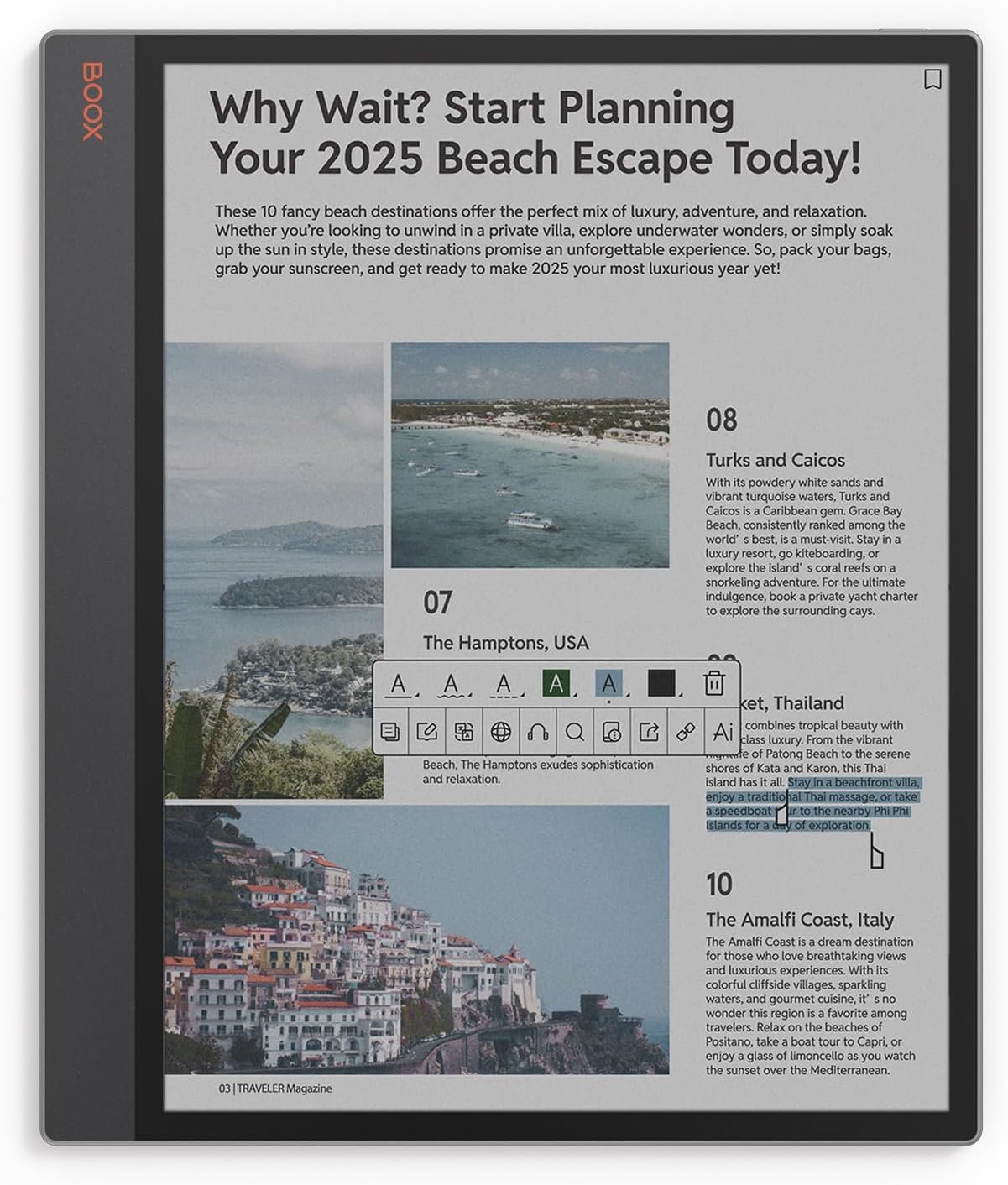
I’ve been running this website long enough to remember when the 6″ Kindle 2 sold for $369, and there was a time when Sony’s eNotes sold for more than $1100 when they first came out, but I still can’t believe how much some of these eNotes with E Ink screens are selling for these days.
Some units are so expensive it’s hard to imagine how anybody is buying them. I still get sticker shock every time I see Amazon selling the Kindle Scribe Colorsoft for $679.99, and it’s not even the most expensive eNote. But I never thought I’d see a $700 Kindle—that’s insane!
The most expensive eNote on the current market is the Boox Tab XC with a 13.3″ color E Ink screen. Onyx is selling it for $819.99 on Amazon. It has a larger screen than other eNotes, but for crying out loud you can buy a name brand 55″ OLED TV for $799. How are E Ink screens so much more expensive, and why are people willing to pay that much for them?
I get the writing feel is better on E Ink than something like an iPad, but E Ink devices have such low-end hardware compared to iPads, and they are far more limited from a functionality standpoint. I don’t understand how a basic E Ink eNote can sell for more than a new iPad Air M4, which can be had for $519 on sale right now. Add an Apple Pencil for $69 and that’s still $90 cheaper than the Kindle Scribe Colorsoft.
And don’t get me started on the Remarkable Paper Pro that sells for $679 with a stylus. At least the Kindle Scribe and Boox devices have excellent reading software. The Remarkable tablets are just notebooks. The reading software is so basic it’s a joke. I have no idea how they became so popular.
It’s amazing how much some people are willing to pay for an E Ink notebook. At least they’re not all that expensive. The new PocketBook InkPad One is reasonably-priced at $359 with a 10.3″ BW screen. But the cost of color eNotes has gotten out of hand.
The reason people are buying them is simple: they prefer E ink over backlight screens.
Fomo of a niche product that has a cool kid factor if you own it? My cousins office has the remarkable people and the boox people and they always try to one up eachother. And they’ll always make an excuse to get it under your nose and show it off.
The jump in pricing for the Scribe is honestly insane to me. I have a second gen 64GB Scribe that I love, and thought it was reasonably priced at just under $400–bigger and crisp e-ink reading screen, note taking and drawing capabilities, very convenient to use with the Amazon ecosystem, nice front light. It is just that much big and slightly more capable than the Signature Paperwhite, so the price increase seemed to match with the increase and size and capability. The new one? Especially one that’s just black and white without a front screen that costs more than my second gen Scribe with a front light? I can’t figure out how Amazon justifies that even with increased manufacturing and distribution costs.
Besides, have you ever tried to use a stylus on a 55″ OLED TV? It won’t end well.
It might be for a couple of reasons:: the production scale of ipads is much more mature than for eink devices. So it probably is much cheaper to make an ipad and TV. The other is the ipad has other sources of revenue, given the OS. So, like gaming devices, they probably get more profit from the services and software than the device.
And the Kindle doesn’t have sources of revnue from the OS? You buy books!
I have held off. But I will probably get the next 10 inch Kobo or Onyx. I am expecting a bump in price.
I choose epaper devices based on the features that work best for me and it’s only unfortunate that the prices are so high 🙁
I am saving up for an updated Kobo Elipsa (or Kobo mini). I really would like a 300 ppi Elipsa – it doesn’t have to be color. I know the price will be higher. Somehow I don’t think as high as Amazon’s Scribe. I never really liked the Scribe – it was returned about a week and two books read on it. I have never used either one of them for writing – just for reading. Ithe Kobo Elipsa works well with a screen holder and remote but 212 ppi for my eyes is no longer easy to read.
I might be right behind you. A 300 dpi Ellipsa sounds good. I don’t hope if Kobo goes that route, they don’t just do color and provide B/W and color as options. The prices will be hefty, but, I will not upgrade for a couple years afterward.
If they come out with an updated Elipsa 300 ppi, b/w I will not update after that unless it stops working. The updated Elipsa would be my ultimate ereader. Fingers crossed. They have to understand that not everyone wants AI and just want to read.
Honestly, I don’t see Kobo ever releasing an updated Elipsa model. It’s been over 3 years since the 2E came out, and it was pretty much exactly the same as the first model that came out 2 years before that except they added a warm frontlight. 5 years with the same design and the same screen. If they were going to release a new model they would’ve done so by now. I just don’t think Kobo is all that interested in eNotes anymore, or BW ereaders, it seems. It’s like they’re trying to pinch pennies in their hardware division. Since they refuse to release a Libra BW or a new Sage, I just don’t see them releasing a new Elipsa when it’s their least popular model.
I have saved up $900 to purchase the successor to the TAB XC whenever that comes out. I’d gladly spend that much $$$ in order to save my eyes from the redness and burning of my eyes/eyelids after using an LCD tablet for less than an hour. Of course, I’d like to pay much less … but I consider the excessive amount as an investment in my health/vision.
Agree with the puzzlement on why people are paying so much for large e-note devices. A tablet cost less, as in your stated example of the iPad Air M4. Most people don’t realize that you can change the color setting on an iPad to achieve the color e-ink look. It’s not a perfect match but works pretty well. Yes, it is not e-ink but still easier on the eyes than full color despite the lighting.
On iPad go to Settings, then Accessibility.
Scroll down to go to Color Filters and move the toggle switch to the right.
Select Grayscale and you can change to an color e-ink look by changing the Intensity option to provide the level of color you want.
You can also create a Shortcut to switch between full color and grayscale when using your iPad.
For writing, the iPad Notes and Freeform apps (both included) works well with a 3rd-party Apple-style pencil. I use the JAMJAKE Stylus Pen for iPad 2018-2025 which is currently $15.99 USD on Amazon.
It isn’t the grayscale look that’s important to many, it is the eye strain relief from backlit screens that e-ink provides—it is closer to what reading regular paper provides.
Many also appreciate the reduction of distractions from reading that other devices offer.
That’s a good point, but I wonder what the percentage is of people that get eye strain from reading on backlit screens. I personally don’t have that problem, but I always keep the brightness low.
I used to keep the brightness low too, but in more recent years, it is harder to see especially in lower light conditions. I still keep the brightness lower compared to many, and also use dark mode, but e-ink is still better on my eyes.
I’m curious though, other than eye and distraction related reasons, what are other big reasons people prefer e-ink screens?
For me, outdoor readability, battery life, and being lighter and more comfortable to hold.
Although I can adapt to any screen size on an e-reader, generally speaking, on screens of 10 inches (or larger) I notice fewer typographical flaws (poor word spacing, inadequate hyphenation) and other issues related to orphan and widow lines, font scaling, line spacing, image display, etc. The larger the screen, the easier I find it to adapt to any e-book without having to do anything other than download and read it. I find them very comfortable to read (the size and weight are not a problem for me, as I am used to reading heavier and bulkier printed books). Unfortunately, they are excessively expensive because the market for them is very small, but anyone who wants to read on e-ink has no choice but to buy these devices and pay the price for them. I try to take advantage of special offers or use the cheaper models, but this isn’t always possible, and on many occasions I pass up e-readers that interest me. Personally, I never use them as eNotes.
the display tech has intrinsic value — that’s most of it. then it’s a matter of what applications and what workflows devices can support for how much money. this is basically the reason I think the Go 6 II is by *far* the best value in e-ink.