
• Skip to main content
  • Skip to secondary menu
  • Skip to primary sidebar
  • Blog
  • Kindle
  • Onyx Boox
  • Kobo
  • Comparisons
  • Contact
  • About
  • Disclosure
The eBook Reader

The eBook Reader

The eBook Reader Blog

  • News
  • eBook Readers
  • Sales & Deals
  • Reviews
  • How To Guides
  • eBooks
  • Free eBooks

Directions for Jailbreaking New Kindle Paperwhite 4

December 31, 2018 by Nathan Groezinger

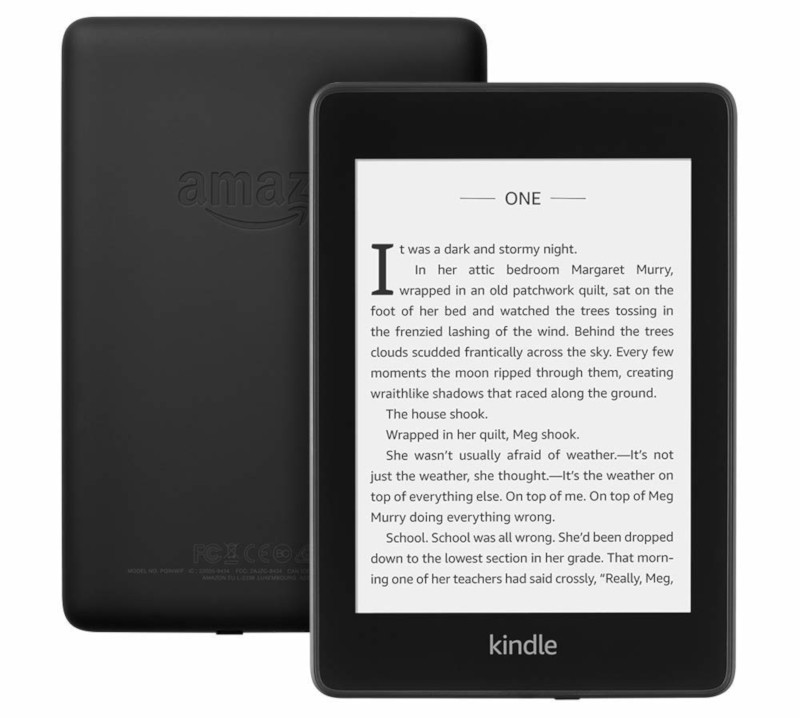
KIndle Paperwhite 4

If you got a new Kindle Paperwhite this holiday season and want to open up the software to install other reading apps and software tweaks, there’s a handy jailbreaking tutorial over at MobileRead with step-by-step directions on how to jailbreak the new Kindle Paperwhite 4.

The most important thing to do is to keep Wi-Fi turned off initially so that the Kindle doesn’t update the software before you install the jailbreak.

Apparently this method only works with the factory software that comes installed on the new Paperwhite.

You can check your Kindle’s software version by going to settings and then tap the three dots in the upper right corner and select Device info.

The factory jailbreak requires the device to be running firmware version 5.10.0.1 or 5.10.0.2. Other versions will not work.

Anyway, head over to MobileRead for more information.

You’d be surprised by how many people are interested in jailbreaking their Kindles.

Personally I’ve never done it. Every time I go to jailbreak a Kindle it turns out to be running some unbreakable software version that can only be jailbroken by taking the device apart and using the serial port method, and that’s just too complicated to be worth the time and trouble for most people, myself included.

Filed Under: Amazon Kindle, How To Tagged With: kindle paperwhite

Disclosure: This website earns commissions using affiliate links through Skimlinks and Amazon's Associates program.

Primary Sidebar

Kindle-Logo

Amazon Breaking DRM Removal on Some Older Kindles Now

Kindle Create Comics Convert

How to Fix Manga on Kindles After Latest Update Adds Extra Blank Space

Nook Reading Tablet

New 8.7″ Nook Reading Tablet Getting Released on March 17th

Kindle Outage

Amazon Outage Confirms Why You Should Download All Your Kindle Books

Humble Bundle Horror Bundle

Humble Bundle Horror Deal: Get 52 DRM-Free eBooks for $18

Navigation Menu

  • Homepage
  • The eBook Reader Blog
  • Comparison Tables
  • Kindle Comparisons
  • Best eBook Readers
  • Reviews
  • How To Guides

Follow

Site Search

Copyright © 2026 · Magazine Pro on Genesis Framework · WordPress