
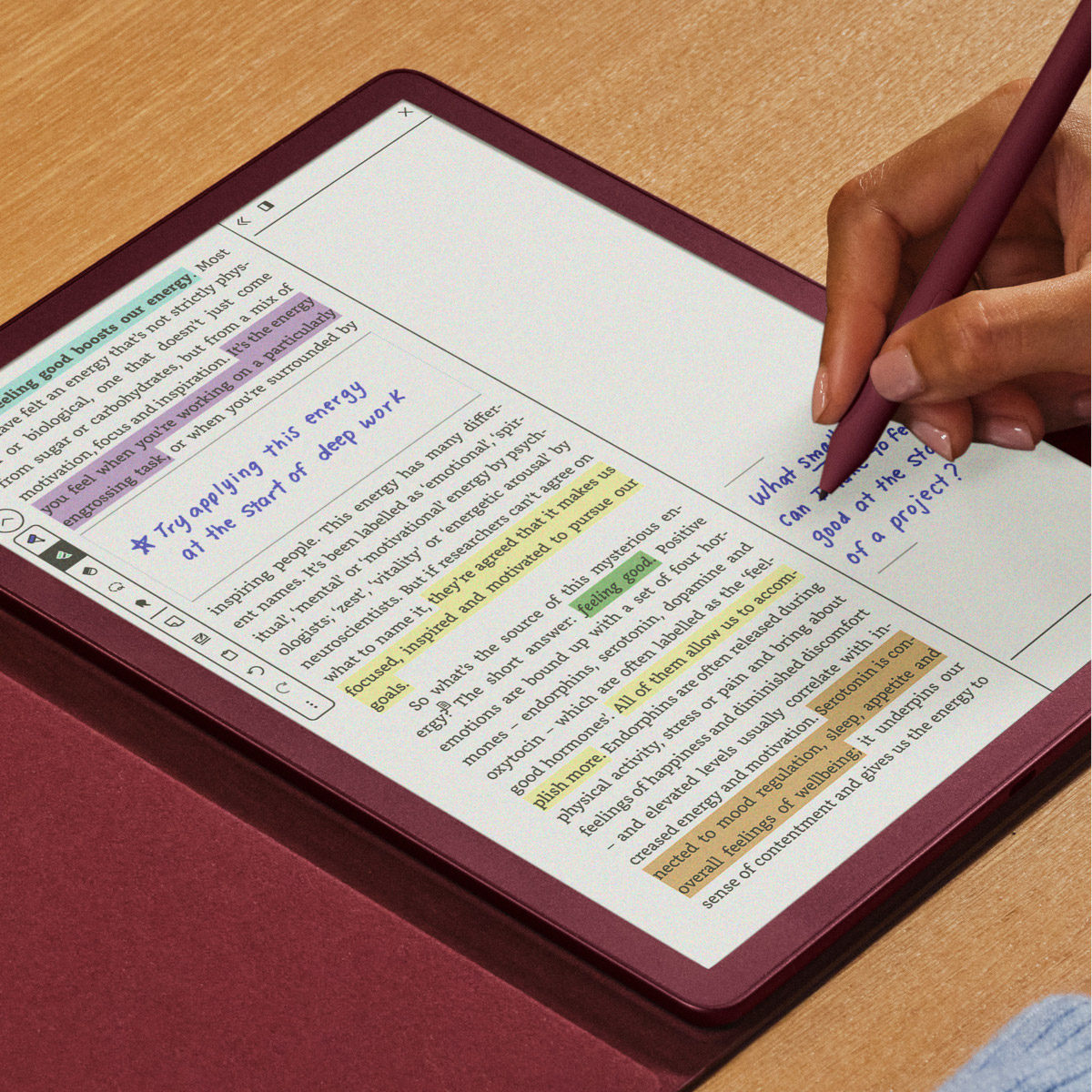
Amazon has released a new software update for all 11th and 12th gen Kindles, plus all versions of the Kindle Scribe, including the new Kindle Scribe Colorsoft.
It’s been longer than usual since the last update, and the software version has jumped from 5.18.6 to 5.19.2, so there are probably a lot of changes with this update, especially now that the new Kindle Scribes have officially been added to the software update list.
I installed the new software on one of my Kindles, and so far the only difference I noticed is they added a filter option for annotations so now you can sort by notes, highlights, and bookmarks. Amazon didn’t update the release notes for most Kindles so it’s another mystery update, like usual. The new Kindle Scribes are the only ones with updated release notes (pasted below), but I have a feeling Amazon is leaving out a bunch of things like they usually do.
As far as I can tell, there still isn’t a way to open the full dictionary with this update when looking up words like there was before the last update. They could easily add an “Open Dictionary” option to the window but I guess that’s too logical.
For months now Amazon has been saying that new AI features would be coming to Kindles in 2026, so expect the Ask This Book and Story So Far features to start showing up soon.
So far it’s unclear if this update adds those features, but Amazon often activates new features remotely after a software update has been out for a while so we’ll have to wait to find out.
This is the note that Amazon has on the product page for the Kindle Scribe Colorsoft, so we know it’s coming at some point:
This device doesn’t have a system-wide Dark Mode mode like other black-and-white Kindle devices. This feature, along with AI reading features Story So Far and Ask This Book, will roll out in 2026 via software updates.
Amazon tends to roll out software updates slowly (sometimes it can take months for the update to install automatically), but you can manually update your Kindle now if you want to. Just download the software for your model from the Kindle Software Updates page at Amazon and sideload it via USB onto the root of the Kindle drive.
Here’s the (incomplete) release notes for the new Kindle Scribes:
Version 5.19.2 – February 2026
Here’s what’s new:
Google Drive and Microsoft OneDrive: Added a Settings option to control whether imported files from your cloud drive are shared across your Kindle devices. Go to Settings>Connections to learn more.
Send to Alexa+: You can now send your notes and documents on your Kindle Scribe to Alexa+ to summarize, ask questions, and brainstorm. Get more out of your notes – even when away from your Scribe.
Performance improvements, bug fixes, and other general enhancements.
“”there still isn’t a way to open the full dictionary …”
Kindle’s dictionary is a .mobi file in the documents/dictionaries folder and you can access it as a normal file by copying it into the documents folder itself.
BTW, you can also change dictionaries by placing an alternative, again in .mobi format, into the dictionaries folder and selecting such as the default in the settings menu. The location for this selection varies by Kindle model. Such alternatives are easy to find online; use Calibre to convert.
I can’t believe it’s been over a decade already: Kindle Dictionary Guide.
You can open any dictionary as a book, but that’s not what’s meant here. Until the recent interface change, you could go directly to the entry that you are looking up in the dictionary and easily go right back to the book you were reading. It was very helpful when the definition of the word you were looking up only gave a form of the same word.
It rarely works when offline anymore though. I ran into this a few times this week and its annoying
It seems like I won’t be turning off the airplane mode any time soon. Not until they bring back the open dictionary button. They just like to mess with things that don’t need fixing. It’s so irritating.
The Release Notes for the two older Kindle Scribes do not include the Google/Onedrive & send to Alexa+, likely indicating the previously mentioned thoughts that only the new $cribe$ will have those features. Oh well.
I tried the AI feature on my 2022 Scribe to clean up my handwriting on a notebook and it didn’t work well., even with the new update. It only does one page at a time or some of the pages, even if you select all of them. It inserts blank pages. Very frustrating.
I have the same issue. I thought the update would fix it but sadly it didn’t. Having to submit AI/Refine Page in my five page a day handwritten five times and shift the resulting refined pages so the text is back to being adjacent rather than separated by page breaks is really time consuming. I make a post on the kindle scribe subreddit about this issue and yes others are experiencing this horrible bug.
This is a HORRIBLE bug! I bought this to primarily highlight textbooks, and I use different colors based on the importance I put on a sentence. Now, if they are adjacent, they merge into one color!!! It has made my Kindle ColorSoft useless for reading and highlighting textbooks.
This release broke the color highlighting. If you have two adjacent pieces of text and want them highlighted in two different colors, you are not able to do it. This release merges the two highlights into one and will only let you have one color. This is something that definitely needs to be fixed.
No pagenumbers and status read in sideloaded books after update.
I’m the only one ?
Im trying to décode the icon that pops up when I long-press on a word or sentence. Where do I find out what these are?
The one on the left means adding highlights and the other is for adding text notes. That reminds me of Onyx’s ereaders that show like 10 icons and I don’t know what half of them are supposed to mean…
2022 Scribe, 5.19.2. Annotation feature is buggy – on a book with many annotations (~150) it takes minute(s) to load every time. Filtering bookmarks works initially, but if you come back into Annotations after filtering, even if the filter had it down to just a few bookmarks (5), it instead gives an error message about no annotations of that type, or too many. On another book with just a few annotations, when I opened Annotations it opens the list immediately but then starts an endless loop of paging up & down — I guess one of the thumbnails is right on the threshold between page 1 & 2, but obviously a bug.