
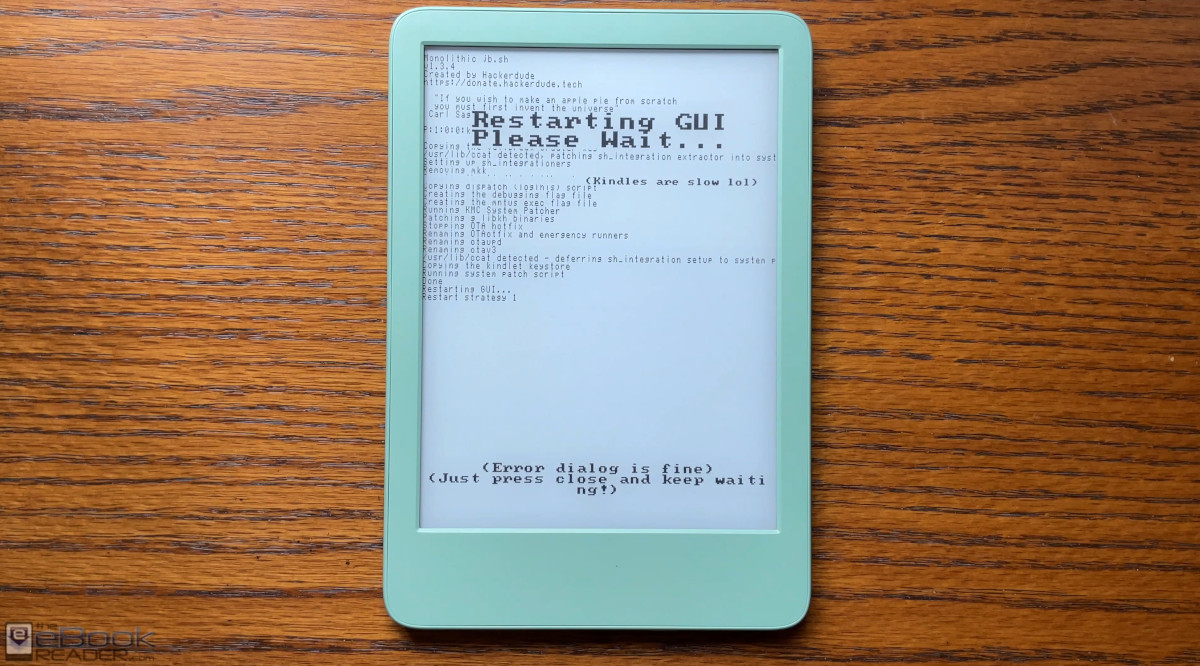
After the new Vera Jailbreak got released earlier in the week, it looked simple enough for me to finally give jailbreaking a shot. It turned out to be even easier than it looked, and I recorded the process to help show others how jailbreaking works.
The cool thing is everything can be done from the Kindle itself; a computer is not required. It also works on unregistered and blacklisted Kindles. And the jailbreak is compatible with the latest software update that Amazon just released so you don’t have to worry about your Kindle being updated, which makes the whole process easier.
Before we get started, it’s important to note that jailbreaking isn’t for everybody and you can brick your Kindle if you don’t follow the directions closely.
Personally, I think jailbreaking is overrated; a lot of people jailbreaking their Kindles have no idea what they’re really trying to accomplish, but they see people doing it online and they want to join in on giving the collective middle finger to Amazon. If you don’t have a specific reason to jailbreak your Kindle, you’re better off just leaving it alone.
If you really want to jailbreak your Kindle, make sure to read this Jailbreaking Your Kindle Guide first so you know exactly what you’re getting into.
I wanted to test out using KOReader on a Kindle so that’s what led me to jailbreaking, and I want to see if I can get KOReader to sync between the Kindle and my Xteink X3 and X4.
Kindles That Support Vera Jailbreak
According to this reddit post by one of the developers, these are the Kindle models and firmware versions supported by the Vera jailbreak as of August 2026:
- KT5 (Kindle Basic 11th Generation 2022 Release) 5.17.1 – 5.19.2
- PW5 (Paperwhite 11th Generation) 5.17.1 – 5.19.2
- KT6 (Kindle Basic 11th Generation 2024 Release) 5.17.1 – 5.19.6
- PW6 (Paperwhite 12th Generation) 5.17.1 – 5.19.6
- CS (Colorsoft) 5.18.1 – 5.19.6
- KS (Scribe 2022 Release) 5.17.1 – 5.19.6
- KS2 (Scribe 2024 Release) 5.17.3 – 5.19.6
Vera Jailbreaking Guide
Head over to the Kindle Modding website and follow this Vera Jailbreak Installation Guide.
The part about filling up the Kindle’s storage space seems to confuse a lot of people, but that step is not necessary if your Kindle is already on the latest 5.19.6 software version like mine was, and it’s not something you need to worry about after jailbreaking because newer methods automatically block OTA software updates.
Below is a video guide showing how everything works along the way, including how to install KOReader after jailbreaking.
Question from a total newbie and never to be expert on jailbreaking : If you jailbreak your Kindle, do you lose the “Send to Kindle” option ?
Nope! Your kindle will retain all of the functions it currently does! Jailbreaking simply allows you to install third-party apps on it, like KOReader.
No, but Send to Kindle converts the sent document in an encrypted format you can no longer read anywhere else.
If you jailbreak your Kindle you can use the multi-platform freeware LocalSend and send everything from Windows or Linux or Mac to your Kindle – via WIFI!
Koreader has amazing layout options. Without trying what suits you most reading eInk, you don’t know what you are missing, i fall you know, is the very limited Kindle layout options (for example: much faster reading and much better memorization – the layout and fonts impact the subconsciousness).
Interesting.
My ebooks are all on my computer and saved to the cloud, so it’s not a problem for me ro use Send to Kindle.
I consider KoReader overly complex and somewhat unattractive. The sole feature I would value in KoReader is adjusting text width. Yet I also appreciate how the Kindle manages this. Indeed, while using a Kobo, I adjusted the width in that manner.
Send to Kindle was great to read web articles anywhere. I just bought the Paperwhite for that. Then the 3rd worldists running the Kindle devlopment broke it, by making it mandatory to be online to zoom graphics in documents…
I felt the same about Koreader, btw. It took some time to get used to Koreader.
To me things changed, once I really started to adjust the layout in earnest and worked through the menues and how to save my layout. After having gone often enough through the menues and adjusted the settings I developed the same feeling of familiarity.
I noticed that especially the spacing between words is very important, to be able to read groups of words, as I do in books.. Especially with smaller fonts used in paperbacks, I noticed with a certain spacing between the words (I mimicked it from a real paperback), the negative feeling of the small font vanishses.
If you use the Zen UI plug in, for Koreader, it is no longer ugly and overly complex.
“LocalSend” is the plugin I was missing on my Kindles to transfer files wirelessly from my smartphone to KOReader. I’ve finally sorted out the battery drain issue (deep sleep mode wasn’t activating) and have left KOReader installed on all my devices.
Wow! Thank you so much for the walkthrough & video; incredibly helpful! It’s amazing how easy it all is. I’m grateful the creators spent so much time on these different versions. I will be trying this on mine and also installing Koreader, as that would be the only reason for me to jailbreak as well. I have thought about doing it in the past but I was hesitant due to the possibility of updates getting rid of everything & potentially messing up the kindle, but they’ve made it all so easy to do! How have you been liking it so far on the Kindle?
BTW – that Joe Hill bundle is 🔥I love his work. Have you been liking the bundle so far?
So far KOReader is working well on the Kindle. I’ve only read one book from the collection (Heart-Shaped Box) and wasn’t impressed so I haven’t been eager to read any others, but I’m hard to please as a reader. I’ve been liking Robert Mccammon’s books from that Humble Bundle lately, though, even if they are pretty old.
Understandable. I recently re-read Heart Shaped Box & it was only ok to me this time around. I think my favorite part was the music references, since it seems he likes the same kind of music I do. I’ll be honest, it’s not his best work, but I would recommend giving something else of his a shot even if it’s a short story (if any of those were included in the Humble Bundle). I also really like Joe Hill as a person (seeing him in interviews and getting his newsletter), so that might influence my outlook on his writing too. I really liked Horns and NOS4A2 by him. They are pretty strange but interesting, and I enjoyed them when I read them, although this was also a pretty long time ago. He will be releasing more novels in the coming years, so it will be interesting to see how his writing has evolved. His latest one, King Sorrow, was incredibly long. It has its moments that I appreciated, but I wouldn’t really recommend that as a first read unless you like really, really long novels 😄
I see the Humble Bundle is no longer available for the Robert Mccammon’s books, but what would you recommend by him? I have never read any of his work yet and am always up for checking out authors I haven’t read before. I will see if my local library has anything of his to borrow.
So far I liked Swan Song the best, but I’m kind of a sucker for post apocalypse books. I’ll have to add NOS4A2 to the list; it’s in that book too.
Thank you, this is really helpful. Would you mind showing how to connect this exact device with this jailbreak with a bluetooth remote controller using kindle hid passthrough? Would request you to please pick up right where you left off on this video.
It’s on the schedule but it looks pretty complicated so no guarantees. 🙂
Edit: I just realized I don’t have any remote page turners so that might be a problem. I used to have one but the battery swelled.