
I’ve been using the PocketBook Era Lite lately since it’s one of the newest ereaders to hit the market, and like most things it has some pluses and minuses, but one thing that works great is the ability to adjust the frontlight without having to open a menu and leave the page.
You can swipe up and down along one side of the screen to adjust the frontlight brightness, and you can swipe up and down the other side of the screen to adjust the color temperature of the frontlight.
PocketBook’s user interface can be slow to respond at times (sometimes it takes a few seconds to react after you tap something), but swiping along the sides to adjust the frontlight is one thing that works really smoothly and quickly; you can easily fine tune the dial to the exact percentage you want.
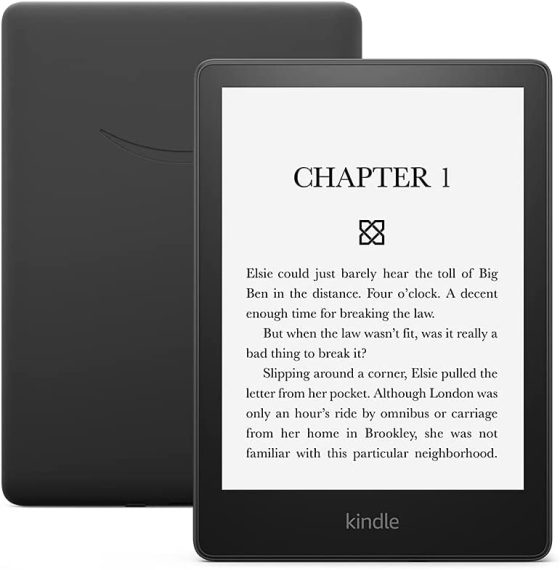
A lot of ereading devices offer a similar feature where you can adjust the frontlight by swiping the sides of the page, but Kindles are one of the few brands that don’t have anything like that.
With Kindles, adjusting the frontlight manually is a multi-step process. You have to swipe down from the top of the screen to open the quick settings menu, which changes the appearance of the screen entirely, and then you have to manually adjust a slider for brightness and a separate slider for color temperature. Then you have to manually close the menu to go back to reading and see if the frontlight is exactly how you like it.
What I especially dislike about that system is it requires you to adjust the light without being able to clearly see the pages of the book you’re reading; it’s much easier to set the brightness and color temperature when you can see exactly how it looks on the page while reading, not while looking at a settings menu with different fonts and different sizes and a different texture they add to the bottom part of the screen while the menu is open.
Several other brands have the ability to easily and quickly adjust the frontlight without having to open a menu and leave the page—Kobo added that option years ago, and so did Onyx—but for some reason Amazon has never added that feature to Kindles. It’s a small thing, but it really does make adjusting the frontlight easier.
Amazon gives nothing and we somehow still buy them time and time again. I can’t wait til my colorsoft breaks down, and I can buy a new device not in the ecosystem!
And then when you try other brands you find out how many things they do wrong as well and you start missing Kindles. None of them are close to perfect.
Incremental sells more….
I mean they all have cons and pros. I’ll be waiting for a long while for the colorsoft to be unusable. Hopefully, it gives other companies time to catch up.
Back with old user interface this was one of the features I really wanted added.
Years later, not only do we not have it but the user interface is worse in so many ways. One of the changes, as you have noted, is to completely obscure the page when adjusting the light.
It is almost as if the people designing the Kindle UI never use a Kindle…
Jordan
Guess the Scribe is different; swipe down from the top of the screen and change light settings .
No, it is the same thing.
On my 1st gen 2024 Scribe, I can change the light settings as described previously.
It is so interesting how people naturally look for negatives and so few look for positives. I was raised with very few things. I was also raised to believe that negative thinking made use I’ll and unhealthy and positive thinking made use healthy. I have always been positive and it has absolutely paid off in spades. I turn 79 in November. I have never been hospitalized or had any illness worse than a mild flu.
I love my Kindles I have tried many other e-ink readers and kept coming back to Kindle. Yes there is always improvements that could be made. But I like that with my Kindles the more things change the more they stay the same
My main gripe is purely for there not being a built in warm light on the basic. Yes I know one reason they don’t do it is so you’ll buy a Paperwhite but still. All kindles should have warm lights.
I’ve used that feature occasionally, but I try to avoid it because it’s difficult to adjust the level to the exact point you want, and sometimes it’s difficult to find the point to trigger that action, while when you don’t want it you trigger the change without meaning to do it.
So even if my Kobos have that option, I prefer changing the light by navigating the menu. It’s not only a problem of Kobo implementation, I have some gestures to navigate common actions on my phone too (a Samsung Galaxy), and sometimes they don’t work as expected.
I find that adjustment on Kobos is finicky too, but on the Era Lite it’s easy to fine tune the levels to the exact percentage you want, and it displays the value as a percentage while adjusting so you can tell what it’s doing, unlike Kobos. If PocketBook can make it work smoothly with their ancient software and low end hardware anyone can.
I was surprised at your statement about Kobos, as they used to display the brightness percentage as you adjusted the brightness by swiping up and down along the left edge of the screen. This feature must have been taken away somewhat recently.
I did some experimenting and it turns out the header has to be turned on for it to show the percentage while adjusting on Kobos, but it’s finicky on my Clara 2E and doesn’t show half the time even with the header turned on, and there’s an odd delay that makes it hard to use. It works much better on the KLC, but without the option to adjust the warm light on the right side it feels kind of half implemented.
Yes, this is one of the features I love about my Pocketbook and also my Kobos.
Also, you don’t have to have both sides be frontlight adjustment! You can customize. I have frontlighting on the left, to match my Kobos, and font-size on the right.
Yeah, I give up color temp adjustment, but I don’t adjust that as much as the other two.
It’s a crazy nice feature! And, on the Pocketbook, swiping up and down to adjust font size, you get an actual point number, so it’s super easy to dial in exactly for how my eyes feel. At night, it’s likely to be 15 or 16, during the day, 14.
I rather wish Kobo would do something similar with their slider bar. Still, I suppose most “set and forget”. But my eyes are touchy, tire easily, Also, I use my readers to do a fair amount of proofreading, and that I deliberately set larger, in the 16-18pt range, in order to see punctuation clearly to catch mistakes with that.
It’d be nice if Kindle ever implemented this sort of gesture, but they’ve had ample opportunity, and haven’t, so clearly not a priority. It’s been part of Kobo for ages and ages.
If you install KOReader on your kindle, you can add frontlight adjustment as a gesture.
I love the auto-brightness adjustment on my Colorsoft. I never have the urge to adjust the light. It works really well. In conjunction with the automatic warm light adjustment I think it is quite a perfect system.