
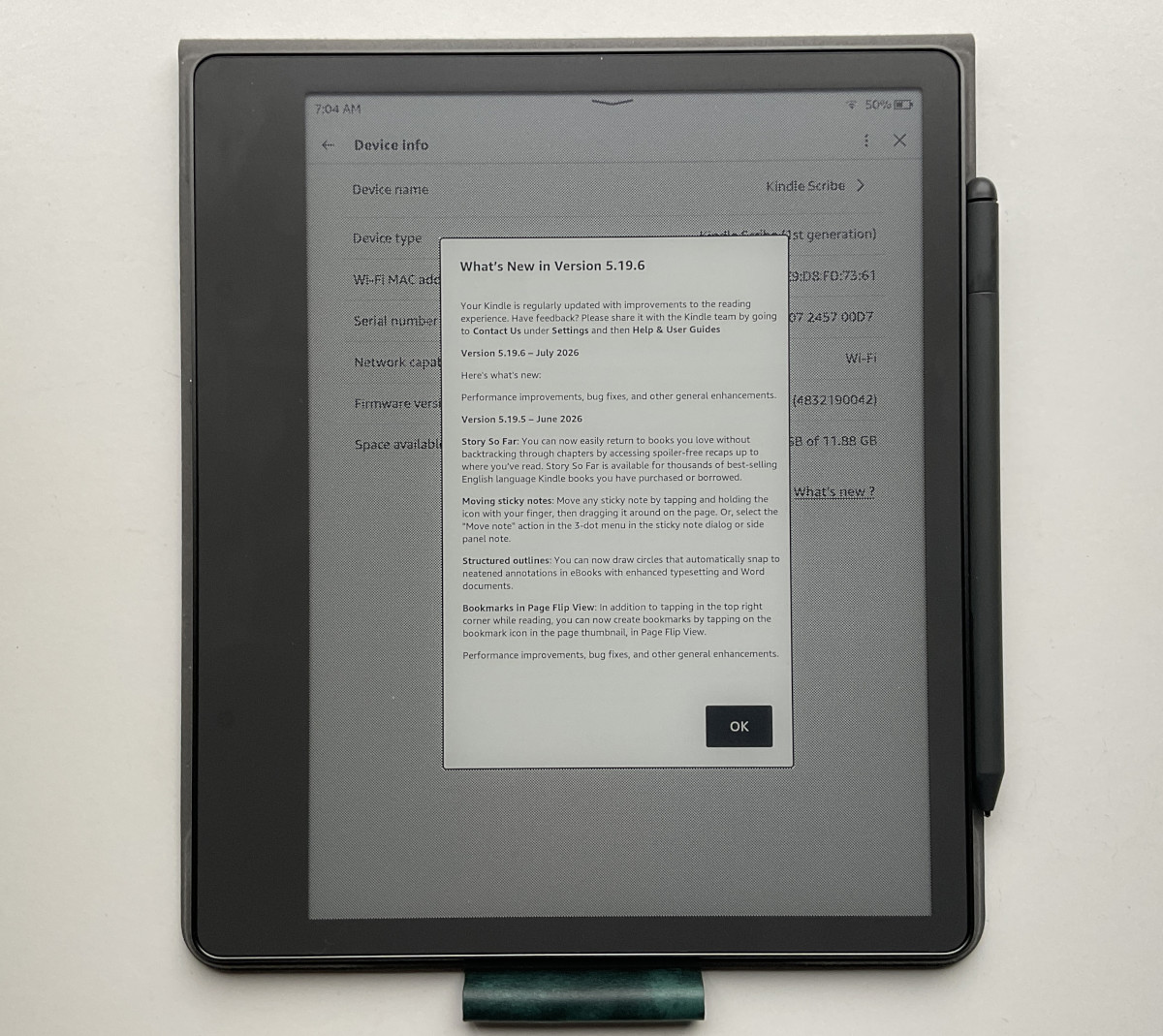
Step right up. It’s time for another mystery update for Kindles. Nobody knows what the update does or if it really improves anything, but if you like being surprised by random changes being made to your Kindle device without warning, then this update is for you!
The 5.19.6 software update is available for all current Kindles, including the Kindle Colorsoft and all versions of the Kindle Scribe. You can download the update and install it manually from the Kindle Software Updates page at Amazon, or you can wait for it to automatically download and install at some point in the future while your Kindle is connected to Wi-Fi.
Amazon used to update previous gen Kindles for a long time after they stopped selling them, but it looks like they aren’t doing that as much anymore. The previous gen Kindle Paperwhite and basic Kindle are still on 5.19.2 from six months ago.
It’s weird how they stopped updating the 11th gen Kindle from 2022 when it’s nearly identical to the 11th gen 2024 version that’s getting updated regularly.
Anyway, there aren’t any release notes for the 5.19.6 update yet, but sometimes Amazon updates them later. For now, we have no idea what the update does, but if you notice any changes leave a comment below.
Sometimes there are major changes when these updates are released without any release notes. Since Amazon rolls out updates slowly, I guess they don’t want to advertise new features that are included in the update if it’s going to be a few weeks before Kindles start automatically downloading the update. Most companies just say what’s going on, but Amazon always has to be so secretive about everything.
Welp at least us NOOK users haven’t seen an update for close to a year now… so no mysteries for us 😅
I will stick with my Kindles and Kindle Unlimited. The cheapest way I have found to read my favorite series of books from my favorite writers.
I hope when they do finally update the firmware for Nooks, it will be a big one. They’ve had the exact same everything for forever, and it would be nice to see some improvements to the UI, but I also won’t hold my breath on that 😄 I do enjoy reading on my Nook from time to time but am always reminded of the frustrations of it anytime I do pick it up. It’s incredibly slow and buggy, and I have had that issue with several Nook e-readers over the years; it’s always seemed very odd to me.
5.19.6 restores AZW3/MOBI fixed-layouts: no chunky borders, panel-by-panel zoom and proper page scaling.
If only they could get rid of the chunky minimum margins for regular, non-fixed layout books….
I can use a LOT more of my 7″ Pocketbook Era screen than I can of my 7″ Oasis screen, thanks to Amazon’s insistence on chunky minimum margins, sigh…
On my basic Kindle, a new library view appeared with some #tags below the drop-down filters. There was also a pop-up window explaining the changes. A few hours later, it disappeared and reverted to the previous settings.
LOL Thank God Amazon does not program airplanes.
Captain, the control for the flaps has disappeared. It was the a few seconds ago.
“Step right up. It’s time for another mystery update for Kindles. Nobody knows what the update does or if it really improves anything, but if you like being surprised by random changes being made to your Kindle device without warning, then this update is for you!”
I love the opening paragraph here 😆 I feel like this describes their updates as a whole (for the most part, unless they’re feeling generous & give us the actual footnotes of the changes made). It’s one big reason I keep my Kindles on airplane mode as much as I possibly can.
Yes.
And of course the random surprise updates hit only a quarter of users at first,
l eaving Reddit and forums scrambling and confused.
A group gets update with all new features immediately, are hating it – or love it.
A group will be asking why they don’t have it with updated devices. and they will have to be told again how rollouts work..
Another group will say their device says it’s fully updated, so they will have to be told again they have to check the manual download page sometimes if the new update isn’t auto-detected yet.
And on and on.
Then you’ll see some post they have reverted changes and their kindle suddenly is missing the new feature randomly. Fun times.
The wa y Amazon rolls these surprise updates out with hidden features causes internet anxiety.
Since the last update, 5.19.6,, from July 2026, is anyone else having an issue with the Kindle ColorSoft randomly turning itself on with the cover closed?
Since it never truly goes into a full-on shut down mode, nice way to drain the battery!