
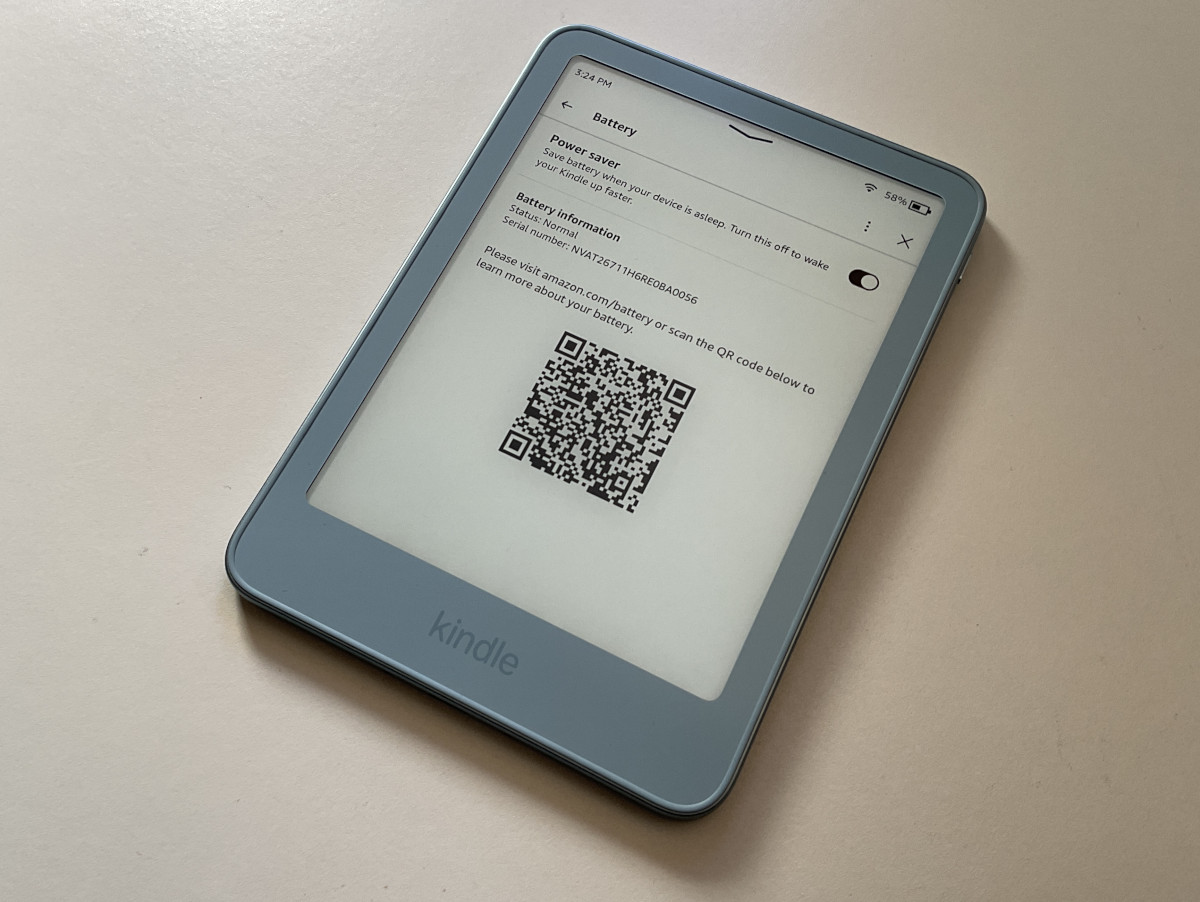
One of the cool things about the new Kindles for 2026 is they were designed to have removable back panels so you can easily replace the internal battery when it wears out.
It’s weird because Amazon seems to be going out of their way to avoid advertising the fact that the new Kindles have user-replaceable batteries—you’d think that would be a positive marketing point to exploit—but so far they’re being coy about it.
There is this new Amazon Kindle Battery Guide page that was recently added to the help section of Amazon’s website. It lists all the new Kindles for 2026, and talks about the new Battery Status section that appears in the settings menu on the new Kindles.
To find the battery status entry on your 2026 Kindle, go to Settings > Device options > Battery > Battery information.
From there, it shows your Kindle’s battery status. There are three possible indicators: normal, battery capacity limited, and incompatible battery.
Amazon doesn’t specifically state the new Kindles have user-replaceable batteries on that page, but that’s the gist of it. And they do specifically state that on the Identify Your Kindle page, where it says “User-replaceable battery (EBR-compliant)” under the description for the new Kindles.
I was able to remove the back panel on the Kindle Ube with surprising ease. At first I was afraid I was going to break something, but then I committed to prying down on the corner with a fingernail and the back popped right off. I recorded the process to show how easy it is (video below).
The aluminum Kindles have two hex screws that have to be removed before you can take the back off of them. I’m not sure what size they are, but they’re tiny. The plastic Kindles (the purple and black colors) don’t have any screws holding the back on, but there are four Phillips head screws holding the battery in place.
I assume it’s the same story with the new Paperwhite and Colorsoft, but we’ll have to wait until they get released to know for sure.
I’ve seen a few posts on Reddit complaining about how the cases are taking apart the Kindles, and people are mad about it. I’m happy that they are able to be tinkered with now though.