
Review unit purchased from Amazon.
Overview
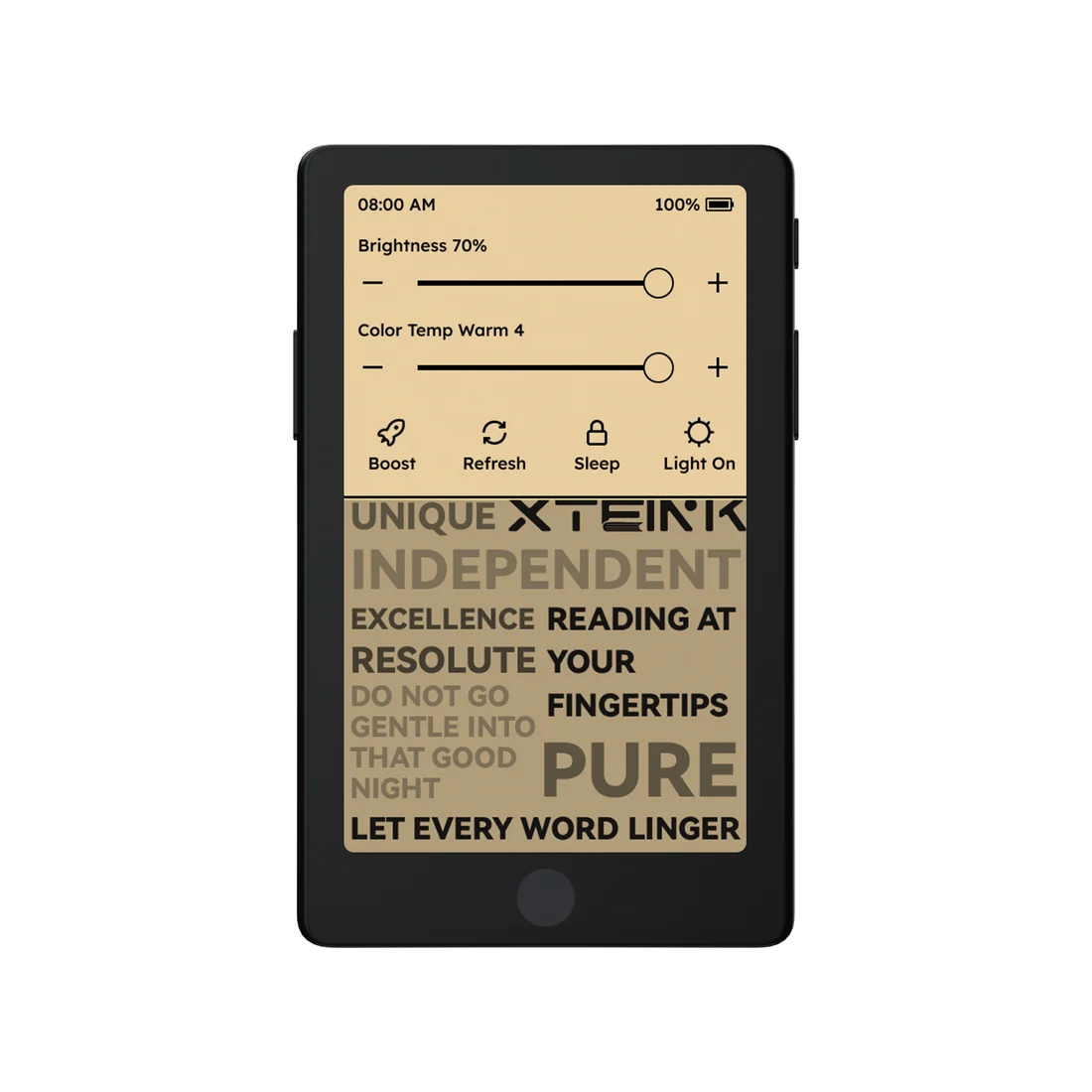
The Xteink X4 Pro is the first Xteink device to come equipped with a frontlight and a touchscreen. It has a similar form-factor as the original Xteink X4 with the 4.3″ E Ink screen, but they did away with the physical buttons below the screen, and they repositioned the side buttons to be like the Xteink X3.
Xteink also removed the USB-C port on the X4 Pro in favor of pogo pins, so it’s a bit smaller and lighter, but you have to use a USB-C to pogo adapter for charging (one is included).
The Xteink X4 Pro has a list price of $109, but it usually sells for $99, and it often goes on sale for less (as of the review it’s on sale for $84.15 from Xteink’s Amazon store). So far it’s only available in black, but there’s supposed to be a mist gray version coming out eventually.
Xteink X4 Pro Review Summary
Pros
- The frontlight works well and it looks decent, and it even has a warm light, unlike the new basic Kindle that costs nearly twice as much.
- The stock software works surprising well now and it offers a decent amount of features.
- The touchscreen and OS is surprisingly fast and responsive for a device with such basic hardware.
- Highly portable design.
Cons
- No USB port.
- With the addition of the frontlight and touchscreen, the overall contrast and clarity of the E Ink screen is a few notches below that of the X4 Classic.
- It doesn’t support ebooks with DRM.
Verdict
The Xteink X4 Pro is an upgrade over the original X4 in some ways, and a downgrade in others. The lack of a USB port is a big drawback for some folks, but with Onyx releasing the Boox Picco that might be a suitable alternative.
What I like most about Xteink ereaders is their small size and physical page buttons, and the open source OS. I don’t really care about having a frontlight or a touchscreen, but they did a good enough job with both on the X4 Pro that I wouldn’t have a problem using this device regularly.
I do like the better contrast on the X4 Classic, and I miss the old page button layout on the original X4, and I don’t really care about the lack of a USB port, but it is good to have options, and the price is reasonable enough.
Xteink X4 Pro Video Review
Xteink X3 Review >
Xteink X4 Review >
Frontlight
The original X4 was a very popular device, but it seemed like the most requested feature was a backlight for night reading. Of course E Ink screens can’t have backlights, so they added a frontlight instead.
I was skeptical about adding a frontlight to such a budget device—I figured they’d do a half-assed job to save some pennies and botch it—but I have to admit it is pretty good, and I’m glad they added the option of a frontlight for those that want it.
The frontlight isn’t as evenly distributed as it could be—my X4 Pro has a brighter area on the bottom right of the screen, but it’s pretty subtle and it’s not enough to distract my eyes while reading.
The frontlight does have a good range of brightness settings, and it’s dim enough at the lowest setting to be usable in the dark. The warm light is pretty good too, and it can be blended with the cool light. I like the “balanced” setting best where it’s a mix of the two.
The only downside with the frontlight and the touchscreen is they combine to make the E Ink screen look less clear and contrasty. The screen on the Xteink X4 Classic (review still pending) looks markedly better. The text really pops off its screen—it’s on another level. On a device like this I prefer better contrast over a frontlight because I’m using it primarily during the day, and I’d rather use something with a larger screen when reading at home at night, but everyone has different preferences.
Stock Software
I’m actually blown away by how good the stock software is now, and how fast and responsive it is when using the touchscreen. It’s crazy how much faster the software is than the software on the PocketBook Era Lite that I reviewed before it, especially considering PocketBook has been around for nearly 2 decades.
Xteink is releasing software updates for the X4 Pro just about every day, which does give off a beta testing vibe, but you don’t have to update if you don’t want to, and it’s crazy how far the software has come along in just a few weeks. The stock software was terrible when I first got the X4 Pro, and I couldn’t wait to flash CrossPoint, but now I’m not sure that’s even necessary.
Everything is relative, of course. It’s still nowhere close to the level of the software on Kindles and Kobos, and the fact that it doesn’t support purchased ebooks with DRM is a huge drawback for the average reader, but compared to how bad the stock software was on the Xteink X3 a couple months ago when I reviewed it, it’s a night and day difference.
Leave a Reply