
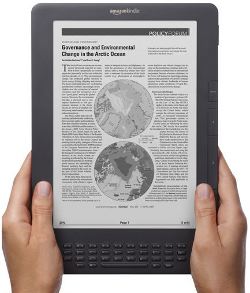
E Ink Corporation, the company that supplies the epaper screens used in the majority of dedicated ebook readers, issued a press release today announcing their new display technology called Pearl.
This coincides with Amazon’s release of the new graphite Kindle DX, which will be the first ereader on the market to feature this new display technology that increases contrast ratio by 50% compared to current E Ink screens.
The new Pearl screens have the whitest reflective displays in the industry, according to the press release, and improved energy efficiency. E Ink claims that Pearl raises the bar for displays used in digital reading, that it allows for dedicated ebook readers to go from a contrast ratio typical of newspapers, to a higher contrast ratio typical of paperback books.
E Ink has the specifications of the new High Resolution Active Matrix Displays made with E Ink Pearl Imaging Film up on their website. They have them in all the typical sizes already used by ebook readers: 5, 6, 7, 8, and 9.7-inch displays.
The contrast ratio of the Pearl displays is listed at 10:1 (min), up from 6:1 for the Vizplex displays. The gray scale remains at 16 levels, with a viewing angle of nearly 180 degrees, and the “White State Reflectivity” is 40%.
The Kindle DX may be the first to implement the new Pearl screens from E Ink, but all the other companies will likely follow suit with their next generation devices. It isn’t color. But it is a step forward.