
If you want to be able to borrow ebooks from multiple public libraries and read them and sync them to your Kobo ereader, there’s a new solution that makes that possible (again).
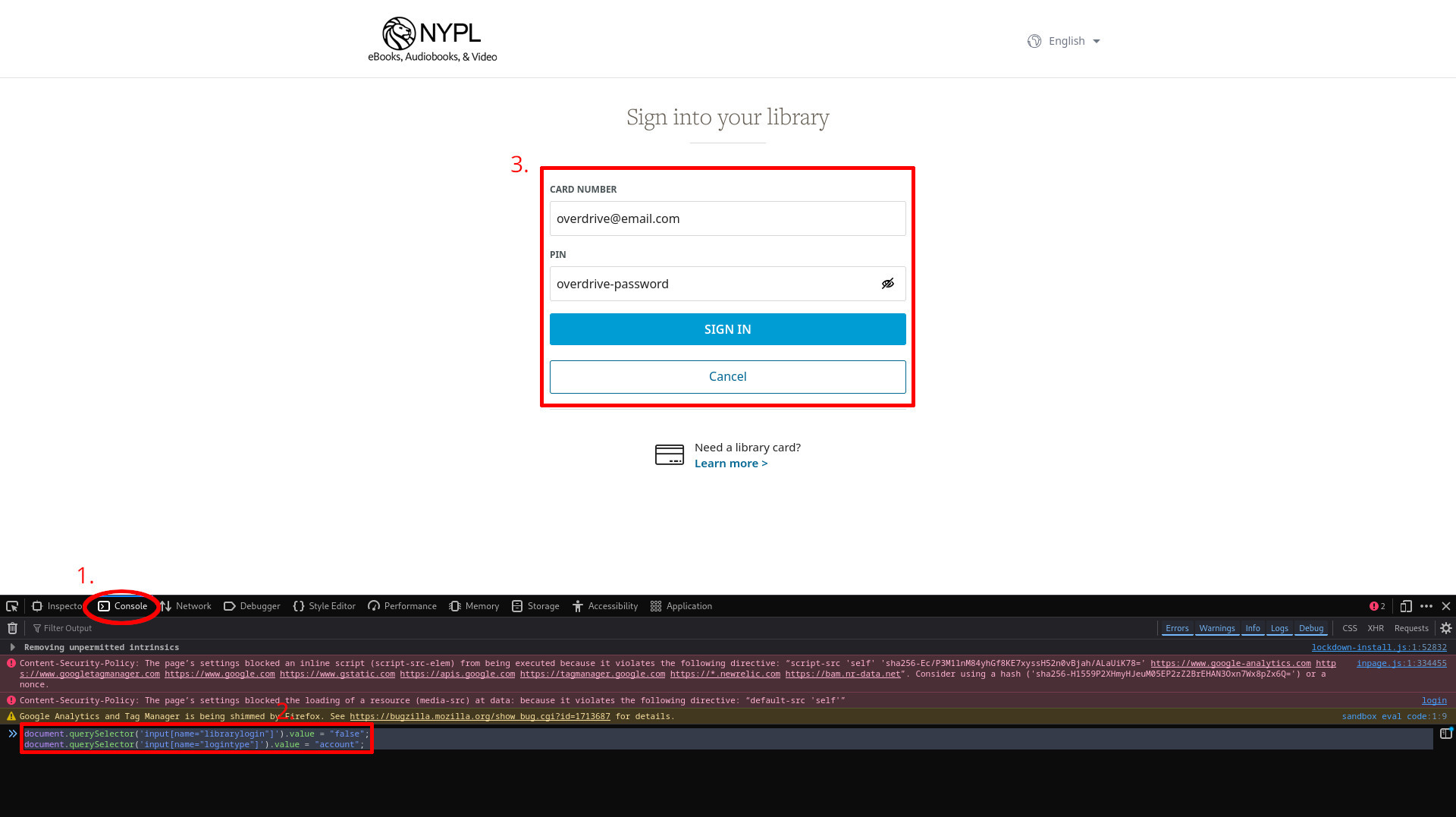
You can find the complete set of directions on how it works and how to set everything up on this Multiple Library Card Workaround for Kobo Devices page at Github.
Kobo’s ereaders used to support using multiple libraries through OverDrive, but then at some point last year the option to sign in directly with OverDrive got removed. Kobo seems to be blaming OverDrive and OverDrive seems to be blaming Kobo. Either way, the option no longer exists, so now you can only be signed into one library at a time on Kobo ereaders.
Luckily, someone smart figured out a workaround to make it work again. There are a few steps involved, and it requires using a computer with a competent web browser and editing a bit of code, but it looks pretty straightforward and it’s something you only have to do once, or whenever you want to add another library card.
Apparently, what it boils down to is the option to sign into multiple libraries using OverDrive still exists on a server level, despite the fact the option to sign in with OverDrive no longer appears on Kobo’s ereaders. You can make the option appear when adding some code using the developer tools menu on a web browser, then sign in from there.
You can still only view one library’s selection from the Kobo ebook store on Kobo’s devices, so the guide advises signing in with the card for the library you want tied to your Kobo device’s store last. You can use the Libby app to manage the other libraries, and the ebooks should sync with your Kobo when you borrow them.
I wonder if this would work for me. I know when I could sign in with Overdrive, it still only ever synced one of my libraries. Both show up in Libby.
Thank you for the article! Just fyi, this worked for my U.S. libraries, but not for my Canadian ones (I still have access to Montreal based libraries). Both of the Canadian ones ask me to leave Overdrive to sign-in on their own website, so I didn’t have the option to use my Overdrive credentials on those.
Hi! Which kobo/firmware do you have? This workaround didn’t work for me with none of my library cards, because even tho I was actually able to sign in with the Overdrive account, I couldn’t add another card on the kobo (the tutorial said to add the next ones as usual, but the window to enter another card just didn’t load at all after the overdrive login). Did you had any of these issues?? And I don’t understand why you couldn’t access the other libraries, cause the way I understand the tutorial, once the first login with overdrive is done, the next step is to add the other cards as usual, so no need to enter the overdrive login info again, right? Or am I wrong and that’s why it isn’t working for me? Sorry to bother!
Did anyone get an answer to thsi because this is what kept happening to me to.
This method only works for those who created their Overdrive accounts no later than 2024.
Sounds like I need to return Kobo while I still can