
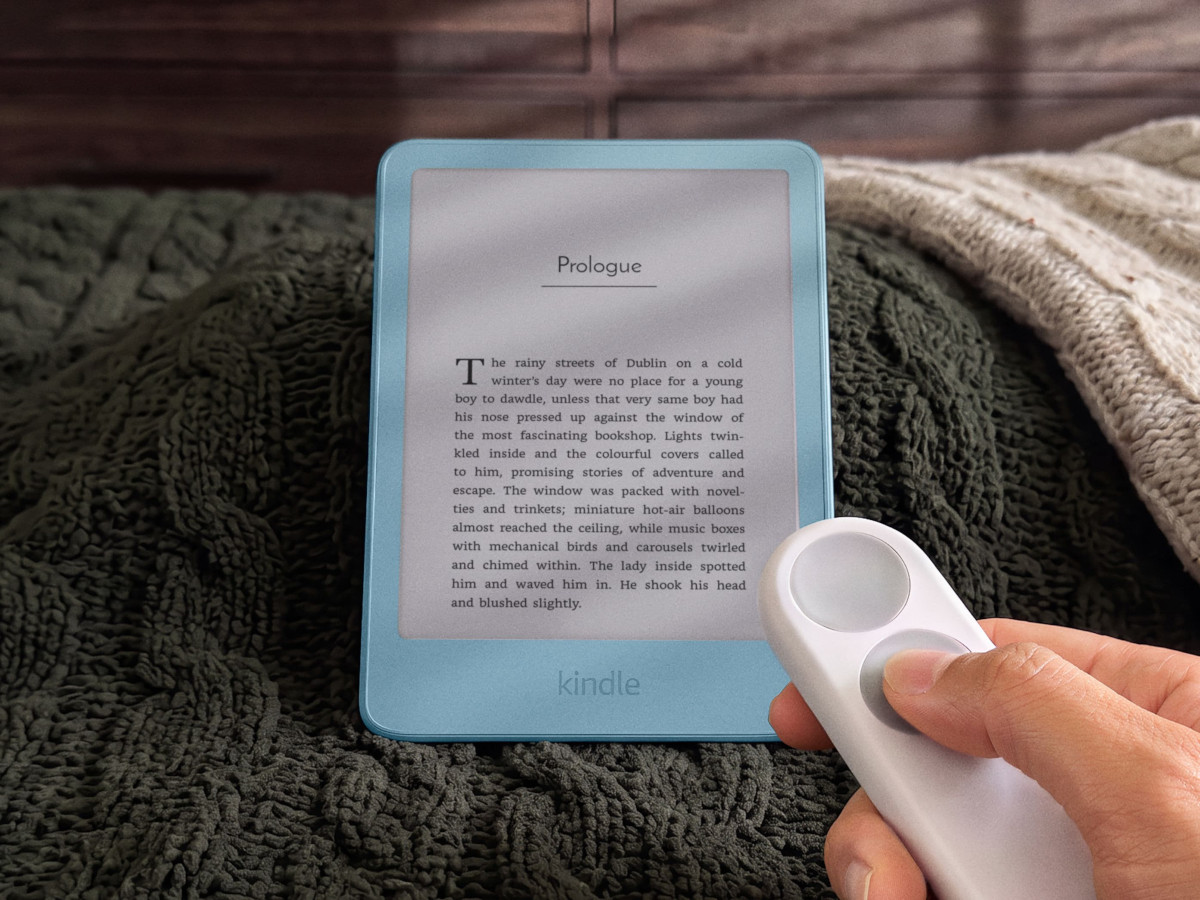
Amazon has started shipping their new Kindle Click remote page-turner, as the official release date is October 28th, and they’ve added a couple of new help articles to their website regarding the Kindle Click remote.
There’s this page with directions on how to pair and use the Kindle Click (the first thing is says is to make sure your Kindle is running the latest software, but they don’t specify a version, and they still haven’t updated the Kindle Software Updates page to show the latest version). The setup process for the remote sounds pretty simple and straightforward, and there’s a description for the various LED states (flashing red means low battery, green means fully charged, orange means charging, and flashing blue is for pairing).
A couple of details worth noting, you can set the page buttons to your preference for forward and back on your Kindle under settings for Accessories, and the side buttons can be used to adjust the frontlight brightness, which is a nice bonus that most remote page-turners don’t offer. You can also hold both side buttons to turn the Kindle off, but the remote cannot be used to turn a Kindle back on.
Another odd detail, it says a Kindle can be paired to multiple Kindle Click remotes, as if that’s a common thing. Wouldn’t it make more sense to put a note about pairing the same remote with multiple Kindles instead?
There’s also a list of Kindle devices that are compatible with the Kindle Click. The list seems rather arbitrary; certainly older models with Bluetooth could support the remote as well, but Amazon is creating an artificial cutoff for the 2024 models and later.
Here’s the full list of compatible Kindles:
Kindle 2026
Kindle Paperwhite 2026
Kindle Colorsoft 2026
Kindle 2024
Kindle Paperwhite 2024
Kindle Colorsoft 2024
Kindle Scribe – 2024 Release
Kindle Scribe (without Front Light)
Kindle Scribe – 3rd Generation
Kindle Scribe Colorsoft (1st Generation)
Update: The Kindle Click does work with the 2022 Kindle Scribe as well.
It’s possible to use generic Bluetooth remote page-turners with jailbroken Kindles not listed there, but that’s not anything new.
Also, a heads-up, there seems to be a bug with Amazon’s compatibility widget that appears on the product page for the Kindle Click remote, so don’t trust what it says. For me it’s shows the following message, which cannot be correct since the PW3 doesn’t even have Bluetooth.
This accessory is compatible with:
‘Amazon Kindle 32GB all new Thinner new aluminum design 6″…’ (Purchased on October 1, 2026)
‘Kindle Paperwhite E reader Previous generation 2015 release …’ (Registered on March 3, 2016)
Thank you, I get my ColorSoft 16gig and remote tomorrow. But have to wait until Monday to get my Amazon cover.
I got my signature paper white edition today (and it is a nice upgrade from both the Oasis and Basic for me)…but the page turn button case doesn’t come until next week! It is actually really annoying-=I got the new kindle specifically for the page turn buttons and the thing that makes it happen comes a week later. I really don’t know why those two things could not have been shipped together.
Amazon botched their pre-orders like usual. I ordered everything within an hour after the announcement, and then yesterday they delayed my Paperwhite SE until November 2nd, so I canceled the order and reordered and it’s arriving Friday. The cover initially showed a date of November 8th, I think, but I noticed a couple weeks later the product page said it would arrive on the 28th so I canceled the initial pre-order and reordered it and now it arrives today (so they say; it’ll probably be tomorrow). The Kindle Click initially had a November ship date as well, but after a week or two it automatically updated to the 28th, and it is arriving today so you never know what you’re going to get with Amazon’s pre-orders.
The Kindle website doesn’t show the update version that my ColorSoft has that I have presently, 5.20.1.0.2. And there are no notes about what changed, which isn’t uncommon.
I saw ne claim in Reddit that supposedly it works with the 2022 Scribe. I wonder if this is true. Sadly, It still doesn’t come up in Amazon Mexico, even though the description of the new kindle mentions it.
I read elsewhere that Scribe 2022 is also supported. If not I’m gonna be pissed, because it’s internally the same device as Scribe 2024. And it’s also the main reason why I ordered one. Fingers crossed it will work.
I just tried it with the 2022 Kindle Scribe and it does indeed work. It’s weird how they didn’t include it on the list.
Thank you so much, now I can sleep easy :)) I wonder if it was intentional on their part so that people are more “motivated” to upgrade their Scribe. I might be just paranoid, but it’s Amazon so I wouldn’t be surprised 🙂