
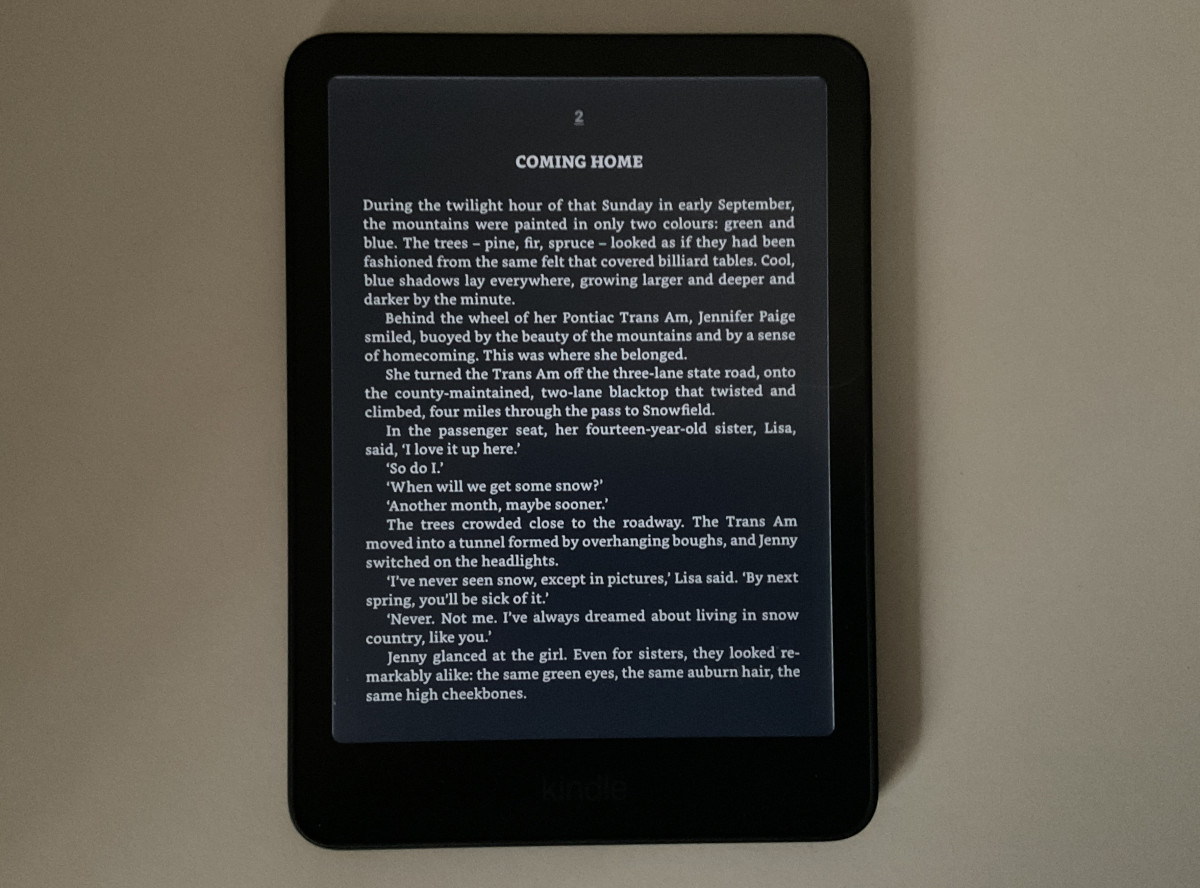
The new 2026 Kindle Colorsoft was officially released today, and my pre-order actually showed up on time (unlike my Paperwhite pre-order that got delayed).
Fortunately for me, I no longer have a first gen Colorsoft so I don’t have to compare them to try and detect minute differences with the E Ink screen (yeah, that gets old for me too). But unfortunately, it didn’t take long to notice an obvious “light bleed” issue with the screen on the new Kindle Colorsoft.
It’s different than what some people are calling “light bleed” on the new 6″ Kindle; frankly, it’s a lot worse. Neither are really light bleed in the traditional sense since Kindles have frontlights instead of backlights, but that’s what people are going to call it so I might as well fall in line.
Basically, what’s happening with the Colorsoft is the frontlight “bleeds” past the edge of the inner bezel, creating a brighter line of light along the screen, particularly in the lower right and lower left corners. It’s noticeable in both Dark Mode and normal mode.
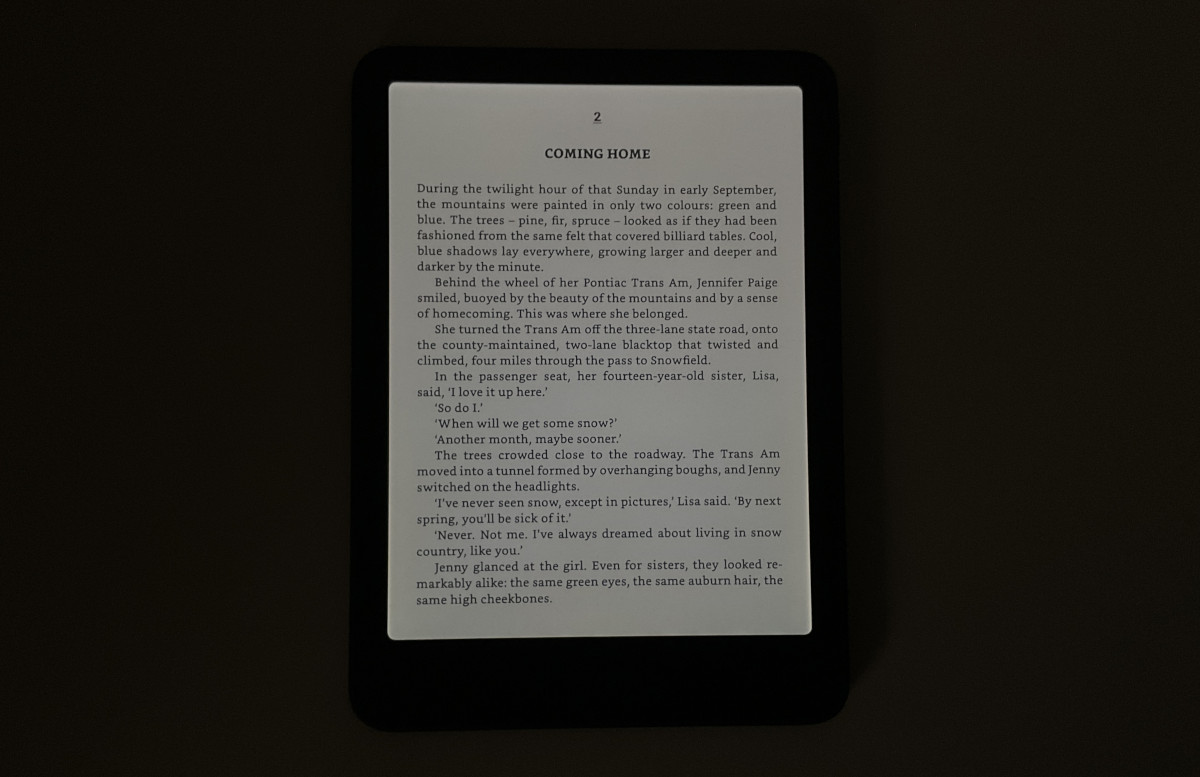
The light isn’t bleeding through the screen like it does with LCD panels, but there is a brighter edge that’s clearly visible at all times when using the frontlight.
On the previous 12th gen Paperwhite (which has the same design as the 1st gen Colorsoft), I have to tilt the screen to extreme angles to see the light line. On the new Colorsoft, I can clearly see the brighter line while viewing the screen straight on in a normal reading position.
I’m hoping this is an isolated quality and control issue since neither of my new 2026 Kindles with a similar flush-front design have this bright line problem (the light reflecting off the bezel is completely different with them and is much less noticeable), and that’s the first thing I’m going to check on my new Paperwhite when it arrives.
Actually, my first impressions of the screen on the new Colorsoft were quite positive. Colors look nice, text is sharp and clear, and the reading experience is fine as long as you have the frontlight cranked up (even I still get surprised by how dark color E Ink screens are after years of reviewing them). But I can already tell that line of brighter light is going to be distracting to my eyes, and I’m hoping my Paperwhite SE doesn’t have it.
Update: After doing some reading last night, I have to admit, the bright line was less annoying than I thought it would be (in normal mode; in Dark Mode I could see it being more of an issue, but I don’t use Dark Mode). The frontlight is quite uniform otherwise, so the text itself all looks the same, and I find it far less distracting than the yellow band issue on the first gen Colorsoft and Paperwhite. I was more distracted by the book I was reading using single quotation marks for dialog instead of double. 🙄
Soon as I set it up I saw it. Posted on Kindle Forum about it.
I saw your post just as I’m watching a review of the new Colorsoft, and she also has the light bleed in lower right corner. It’s really a shame Kindle cannot seem to nail down the quality control issues with them.
Fortunately, the new PW Sig seems to not have this issue and is pretty rad, particularly with the page-turn cover. Gonna sell my Scribe and Kindle basic as I think this one will suit all my needs for a good long time.
I finally received my new ColorSoft late last night it seems UPS was running way behind. Yes I noticed the light at the lower half of the screen at the bezel. It isn’t distracting., but noticeable.
I haven’t had time to check it out, will compare to the ColorSoft that I got earlier.
Oof. I’m still super happy with my first gen colorsoft. I mostly read in darkmode, so that would bother the crap out of me. I don’t think I’ll ever preorder an ereader or any device/game at all again with out poor QC is getting.
After some time to read 9n my new ColorSoft 16gig, I have a few comments. First it definitely is a little faster, I tried locking up the screen the way my older ColorSoft 16gig will lock up at times and the new one never locked. Screen the screen is about the same color as my older ColorSoft with a warm setting of 1. Third the text is bolder. The readability at least for my eyes is better than the older ColorSoft. The new ColorSoft updated to 5.20.2 this morning. Last night it did an update to 5.20.1. The Kindle Click was a simple setup. It works great.
Overall I do prefer the new Kindle ColorSoft 16gig even with the light issue in the lower half of the screen. I never use the night m9de screen as it just isn’t readable for my old eyes
The screen color is actually easy on my eyes. Now if my case for it will actually get delivered.
Well it looks like I get the cover for my new ColorSoft tomorrow.
I just got the new Colorsoft and Paperwhite and noticed the same light bleed around the edges on the Colorsoft. Returning the Paperwhite because I love color, but the paperwhite doesn’t have the issue! I originally contacted Amazon planning to request a replacement Colorsoft, but support first offered me a 20% partial refund to keep it, then increased it to 25%. They also confirmed that accepting the partial refund would not prevent me from returning the Kindle later within my normal return window if I decide I can’t live with it. I screenshotted that just in case I’ll need it later.
So since you’re seeing this issue too, it may be worth contacting Amazon support and asking whether they can offer a partial refund. At 25% off, (~$88 back) I’m now on the fence about even bothering with a replacement, especially since it looks like so many new units may have the same issue. I’m going to use mine for a little while and see how distracting it actually is during normal reading. Tbh I forgot about it last night while deep in a book, and my Kobo Libra color looks great and has some light bleed too. (Given to me as a Gift)
That’s sounds like a good plan instead of just automatically returning it like some people do over minor issues like a single dead pixel. For me I’ve determined it’s not a problem. I don’t notice it at all while reading. I find gradients and bright spots that overlap the text to be far more distracting. But I might feel differently if I used Dark Mode.
>Fortunately for me, I no longer have a first gen Colorsoft
Why fortunately?