
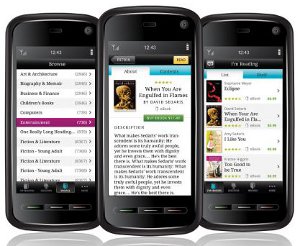
Kobo just released their new app for Android, adding to the other smartphone apps for Blackberry, iPhone, and Palm Pre.
If you have already have a Kobo account you can simply login with the new Android application and read or download any ebook that you have already purchased. If not, it’s easy to sign up and then start downloading ebooks right away, even freebies.
Reading on the Kobo Android app is similar to the other Kobo apps. With a book open, you tap on the right side of the screen to turn pages forward and the left to go back. Tapping in the center of the screen will bring up a menu with the chapter, title, page, and percentage read in the ebook. There’s also a slide bar for jumping to a page at the bottom of the screen.
There are 5 font sizes and three font types, serif, sans-serif, and monospace. And there’s a night reading mode with white text on a black background.
The Kobo Android app automatically syncs your ebooks and bookmarks across all platforms with Kobo software installed, so your ebook is always where you left off no matter the device you are reading on.
The Android app is free for download from the Android marketplace.
Here’s a look at the Kobo Android app in action.
In other Kobo News, Kobo CEO Mike Serbinis posted an article on Kobo’s blog that mentioned they are working on a software upgrade for the Kobo eReader that will be released on the week of June 28th.
The update will address some of the issues with the reader like EPUB font scaling, installation issues for the desktop program, and battery draining problems.
They are also adding a new sleep mode for the reader that puts it to sleep after 5 minutes of inactivity, along an option to hide the 100 free ebooks.
And lastly, Kobo has a program that you can sign up for to test beta versions of their apps and offer feedback. Here’s the form to sign up for the Kobo beta program.