
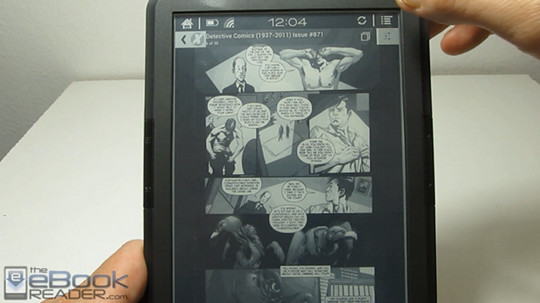
I wanted to see if the new Onyx Boox T68 Lynx could pull off being an E Ink comic reader using the Comixology app for Android.
The app is of course designed for Android tablets and phones with LCD screens, so you never really know what to expect on an E Ink screen.
For the most part, the Comixology app actually works quite well on the Boox T68. I was able to login to my account and download a couple test comics without any issues or crashes.
The app is fast and the store and menu items display correctly so that you can read them; the color scheme translates well to monochrome E Ink, unlike the Kindle app for instance.
Going into settings and turning off animated transitions helps make page turns smoother. Pages load quickly, but tapping the touchscreen is a must because none of the Boox’s page buttons work with the Comixology app. Pinch-zooming works too, but there’s lots of flashing with the E Ink screen.
Comics are easily readable with guided view, so there’s really no need for pinch-zooming anyway.
The one problem is the E Ink display doesn’t fully refresh when turning pages so there’s lots of ghosting and afterimages from previous screens. I found that going into settings and changing it to no letterboxing helps minimizes this because the overall page tends to refresh more than with letterboxing enabled (in the video I misspoke and said the opposite, but after further review no letterboxing does indeed look better).