
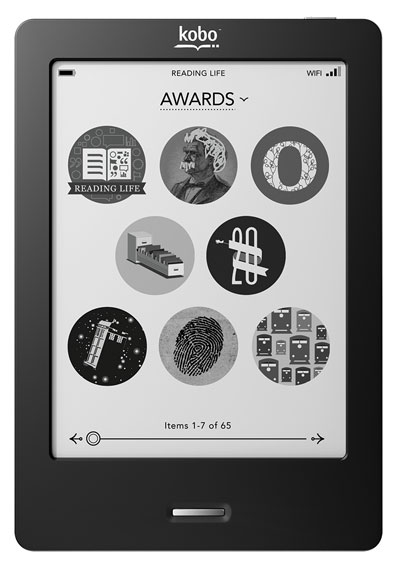
With Amazon making news about their decision to stop supporting the first five generations of Kindles, Kobo is still supporting most of their ereaders going back 15 years.
Not only is the Kobo Touch from 2011 still being supported, it’s still getting occasional software updates that add new features. In fact, Kobo just released another software update, version 4.38.23684, for most Kobo models going all the way back to the Kobo Touch.
According to the release notes, it’s a minor bug fix update:
Store
Addresses an issue that prevented credit card information from being added or updated on your eReader when completing purchases
I’ve been critical of Kobo for slacking off on software updates in recent years, and the frequency of new features getting added has gone way down compared to years back, but at least they’re still supporting their older models and releasing bug fix updates for them when needed. Amazon stopped updating the 5th gen Kindle Paperwhite, the latest model to get the unsupported designation, in 2015.
Kobo did stop supporting their first two ereader models back in 2019, nine years after their initial release. The Kobo Mini was also dropped, but Kobo is still supporting all their other E Ink ereaders.
I don’t think that Kobo can realistically keep supporting some of the older models for very much longer, and things seem to be winding down some now with the Kobo Libra Colour, Clara Colour, and Clara BW all on a newer firmware version with some exclusive features that haven’t been ported to the older models, but it’ll be interesting to see how long they can keep support going for some of their earliest models.
People are longing for a Kobo Libra 3 or a new Kobo Sage (even though their predecessors aren’t even five years old, and the three-year-old Kobo Elipsa 2E is being dismissed as ‘obsolete’), and here we are talking about support for e-readers from 15 years ago that practically nobody uses. Well, never mind, let’s give Kobo a well-deserved point for this.
“we are talking about support for e-readers from 15 years ago that practically nobody uses”
How do you know that?
By the way the small updates kobo releases probably are not a big deal to tailor them to every single unit. Kobo software is a modified Linux, most of the devices are running on the somewhat same Freescale / Allwiner hardware. Only the 2023-2024 kobo models are running on MTK, so basically they need to give support for like 2 or 3 types of hardware.
The same could be done by Amazon as well, but they are delibaretely disabling older devices just to prevent DRM removal. So yeah, at the end of the day, let’s give another 2 points for Kobo and none for Kindles.
I’m currently reading a book that’s been very well formatted for EPUB 3. Neither Kobo nor Kindle (in the same publisher’s version available on their respective stores) can display it properly; only PocketBook does it correctly (so I bought it from them). Personally, I prefer e-readers to be able to support what is “currently” available. So three points to PocketBook, although I admit this is an extreme case and that most e-books don’t cause any problems with their format, either on Kobo or Kindle. This isn’t about turning a minor issue into a drama, which is what I think is happening with this whole business of support for old e-readers (the ‘blog’ format isn’t the best way to explain rationally why I think most people don’t use e-readers from 15 years ago, but it is not a criticism of Kobo for supporting those e-readers that are now obsolete, although the impact would be minimal if they stopped doing so).
I agree with that. Although I prefer Kobo over other brands, that doesn’t mean I’m not critical of Kobo. As you said, epub3 should get better support instead of pushing the kepub format. The same functions that kepub has could be brought to the epub renderer as well.
What I still need from kepub is image enlargement and popup footnotes. Also, when I change fonts, the name of each font is displayed in its own style, whereas if you do the same in an epub book, all the fonts look the same in the dropdown menu. These are the little things I’d miss if I ditched kepub. Silly, I know, but still.
Big deal. I guess it is a dig at Amazon, but rather toothless in my opinion. Tech gets old.