
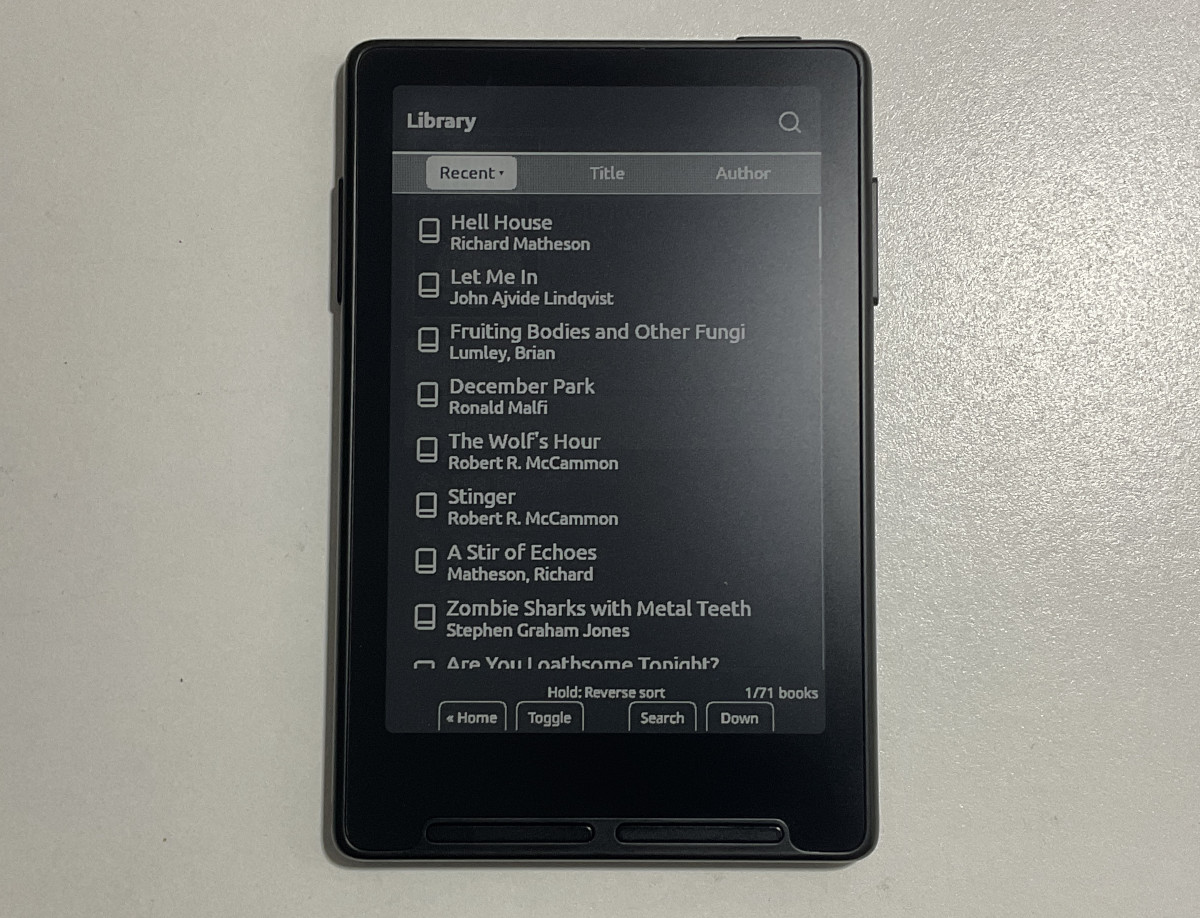
It’s been over a month since I last updated CrossPoint on my Xteink X3 so I went ahead and did that today. They’ve added some useful new features over the past couple weeks, and they also added support for some new devices, including the new X4 Classic, the X4 Pro, and the M5Stack PaperMono.
CrossPoint 1.6.0 was released 2 weeks ago (it’s the latest official release), and it adds Night Mode for white text on a black background, and it’s a proper dark mode that inverts everything, including the menus, the library, the dictionary, and the user interface. It doesn’t even flash white when fully refreshing the page—Kobo’s ereaders have had Dark Mode forever and they still can’t be bothered to get that right.
CrossPoint 1.6.0 also added support for transparent sleep screens so you can have a transparent image overlaying the page of your book when it’s turned off. You just have to add transparent PNG or BMP images to the .sleep-overlay folder.
There were some other changes with 1.6.0 as well. You can find the full release notes at GitHub.
I decided to install the latest release candidate for CrossPoint 1.6.5 on my Xteink X3 after I saw they added a new library view. It has the ability to sort by recent, title and author. There’s also a search option for the library if you have a lot of books and are trying to quickly find something. The list view also displays authors’ names, instead of just showing the title of the book like when using the folder view. There still isn’t a cover view, but it’s a pretty big improvement.
The rate the developers are adding new features to CrossPoint is impressive. It’s crazy how much faster and more competent open source developers are than the people that are getting paid to do this stuff as their job.
To install the latest version of CrossPoint on your Xteink ereader or other compatible device (there’s a full list on the linked page), just head over to the CrossPoint website and follow the directions for flashing CrossPoint.
Dang that’s a lot of nice updates! Makes me want to go back to Crosspoint from CorssInk.