
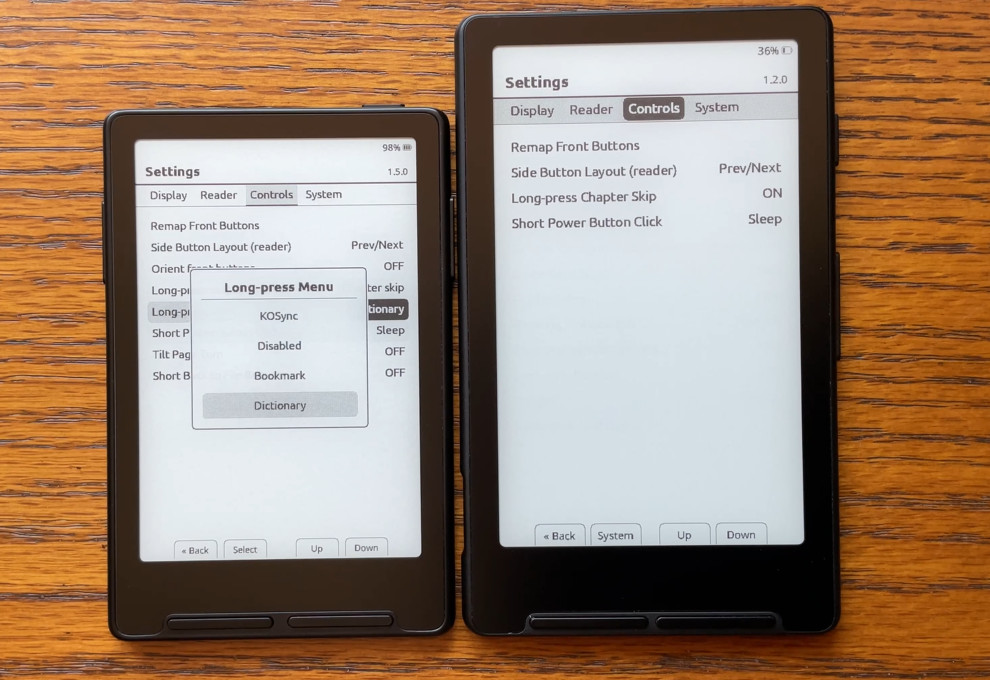
The CrossPoint devs have released another software update for the Xteink X4 and X3, version 1.5.0, and it includes a number of changes, most notably they added support for dictionaries in StarDict format.
You can update your X3 or X4 directly from the CrossPoint website. Software for the new X4 Pro is still being Beta tested; it does not support this version of CrossPoint.
The release notes list all the changes with the 1.5.0 update. Large files are supposed to open faster now. The text settings menu has been reworked, and it’s available from within ebooks now in addition to being in the main settings menu. They added an end-of-book screen that recommends your next book. KOReader sync has been improved. And there are a lot of other changes too.
Setting Up Dictionaries
CrossPoint 1.5.0 adds support for dictionaries, but it does include one so you have to set that up yourself.
See this page for directions on setting up dictionaries on CrossPoint. Basically, you just have to create a “dictionaries” folder on the SD card and place your dictionaries in there.
They need to be in StarDict format, and there are links where you can download some at the bottom of that page. I pulled one off of my old Boox Note2, so if you have another device that also uses StarDict dictionaries you might be able to do the same.
One thing to note, you have to “set” the dictionary after putting it on the SD card; it doesn’t work automatically. You have to go to the main settings menu and select the dictionary under the Reader section, and the “Dictionary” setting won’t appear until one is installed on the SD card.
Check out the video below if you want to see how the dictionary works on the X3 and X4. I also compare CrossPoint 1.5.0 with 1.2.0 to show some of the changes, and I explain why I still prefer the older version.
How is your battery drain? I hope it’s just the new indexing and dictionary that are draining the battery. I know the X4 is notoriously bad at “reporting” the battery percentage (it’s basically just estimating it based on the voltage), but my battery is draining noticeably faster.
I haven’t used the X3 since Friday when I shot this video, and it still says 100%, for what that’s worth.
On my X4 I tried 1.5 and immediately had to roll back to 1.4.1 because:
– Device boot time is MUCH longer
– Button response time is weirdly delayed / buttons are less responsive
– It takes so much longer to launch any book, even ones with simple formatting. There is So Much Indexing and it takes almost as long as stock firmware. It does this for EVERY SINGLE BOOK, even for books you opened and currently reading. I’m reading 2 books and they launch fast on 1.4.1, but on 1.5 I had to wait and wait and wait.
– Font rendering is different somehow. At least to me it looked subtly worse than 1.4.1, I even checked if font got switched by accident. That’s how I learned re-launching book takes as long as opening it for the 1st time.
Of course YMMV.
Basically, for me this new update ruined the whole experience.
I’ll be sticking to 1.4.1 for now – it’s good enough for my needs.
In other related news – X4 (not Pro) is a lovely little device and I find I rather enjoy it for the shorter reads, especially in places where I generally do not expect to be reading. Or even when I just can’t be bothered to pick up a bigger device.
The X4 is being discontinued:
https://www.reddit.com/r/xteinkereader/s/94mgJV9ag4