
• Skip to main content
  • Skip to secondary menu
  • Skip to primary sidebar
  • Blog
  • Kindle
  • Onyx Boox
  • Kobo
  • Comparisons
  • Contact
  • About
  • Disclosure
The eBook Reader

The eBook Reader

The eBook Reader Blog

  • News
  • eBook Readers
  • Sales & Deals
  • Reviews
  • How To Guides
  • eBooks
  • Free eBooks

The Apple iPad Gets a Firmware Update

July 16, 2010 by Nathan Groezinger

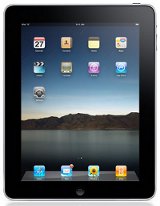
Apple iPad

As far as first-generation electronic gadgets are concerned, the Apple iPad has experienced a relatively smooth launch up till now. No major issues or bugs or faulty parts—new iPhone owners haven’t been so lucky.

The iPad’s main issue has been with Wi-Fi. While many iPad owners haven’t experienced any issues using Wi-Fi, there’s been a number of reports from people having trouble with the strength of the iPad’s Wi-Fi signal, dropped signals, and Wi-Fi being too slow at times, especially when streaming video.

Fortunately, Apple released a new version of firmware for the iPad this week, version 3.2.1, that promises to improve Wi-Fi connectivity, among some other minor changes such as adding Microsoft’s Bing as a search option to the Safari web browser, a subtle political move, no doubt.

Here’s the list of bug fixes and improvements according to Apple:

  • Improved Wi-Fi connectivity.
  • Fixed an issue that could prevent copy and paste of single-page PDF attachments in Mail.
  • Addressed issues that causes video playback to freeze.
  • Improved reliability of video-out when using iPad Dock Connector to VGA Adapter.
  • Added Bing as an option for Safari’s search field.

The update applies to all models of the iPad and is now available for download through iTunes.

Filed Under: Apple iPad, News Tagged With: apps, firmware update

Disclosure: This website earns commissions using affiliate links through Skimlinks and Amazon's Associates program.

Primary Sidebar

Kindle Broken Home Screen

New Bug Breaks Home Screen on Kindles and Hides the Ugly Ads

Send Kindle Feedback

How to Complain to Amazon About Broken and Missing Kindle Features

Kindle Scribe Dark Screen

Why Did Amazon Make the Kindle Scribe’s Screen Look So Bad in Pictures?

Kindle Scribe Notebook Search

New Software Features Aren’t Coming to Older Kindle Scribes

Buy Old Kindles

The Secret to Buying Older Kindles for Cheap

Navigation Menu

  • Homepage
  • The eBook Reader Blog
  • Comparison Tables
  • Kindle Comparisons
  • Best eBook Readers
  • Reviews
  • How To Guides

Follow

Site Search

Copyright © 2026 · Magazine Pro on Genesis Framework · WordPress