
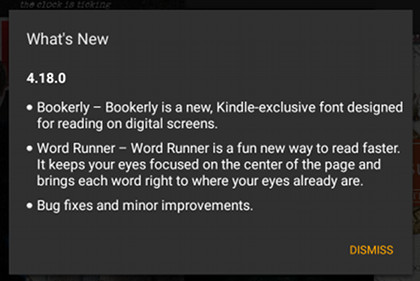
Amazon has started rolling out a new software update for their Kindle Android app. The new update version is 4.18.0.
It’s a fairly significant update that adds some new features, including the addition of the Bookerly font and the Kindle’s new speed reading feature, Word Runner.
Support for Amazon’s new KFX format that uses the enhanced typesetting engine has been added as well, even though it’s not mentioned in the release notes. But it’s pretty easy to spot the addition of hyphens.
The Kindle Android app now has the option to use Amazon’s custom Bookerly font that was designed specifically for reading on digital screens.
The Word Runner feature was just introduced with the release of the 5th generation Fire tablets for 2015. The way it works is it flashes one word at a time in the center of the screen.
It’s a completely different way of reading. It’s meant to improve reading speed and minimize eye strain by not having to move your eyes back and forth with each line. Check out my Kindle Word Runner review for more details about it.
It’s strange that Amazon doesn’t mention the added support for enhanced typesetting with this update, but the change has clearly been made. It’s easy to spot the added hyphens, but you have to delete and redownload the book if it’s already on your device, and it only works with books that say “Enhanced Typesetting: Enabled” on the ebook’s description page.
Is there an option to turn off hyphenation?
No. It certainly would be nice if Amazon gave users more control over layout options like that.