
• Skip to main content
  • Skip to secondary menu
  • Skip to primary sidebar
  • Blog
  • Kindle
  • Onyx Boox
  • Kobo
  • Comparisons
  • Contact
  • About
  • Disclosure
The eBook Reader

The eBook Reader

The eBook Reader Blog

  • News
  • eBook Readers
  • Sales & Deals
  • Reviews
  • How To Guides
  • eBooks
  • Free eBooks

You Can Now Use Alexa to Manage Your Kindle Content

April 13, 2019 by Nathan Groezinger

Alexa Read Kindle Books

Amazon has rolled out a new Alexa feature to help manage your Kindle and Audible libraries using voice commands.

There’s a new banner at the top of the Manage Your Content and Devices page at Amazon notifying customers about the new feature.

It says: “Using Alexa, you can now send ebooks, audiobooks, personal documents, etc., to your Kindle or remove them permanently from your library.”

To give it a try you just have to say, “Alexa, manage my content”.

Then you’ll get the option to send Kindle ebooks and Audible audiobooks to your device or your default device, and you can also ask to delete specific titles.

There isn’t a command for returning borrowed items from Kindle Unlimited and Prime reading, but you can ask Alexa to delete the title and that accomplishes the same thing.

It does make things a bit faster and easier than having to visit the Manage Your Content and Devices page to send and delete ebooks and audiobooks. Give it a try.

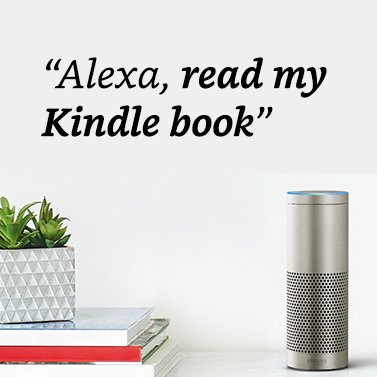
For those that don’t already know, you can also use Alexa to read your Kindle ebooks aloud.

Filed Under: Amazon Kindle

Disclosure: This website earns commissions using affiliate links through Skimlinks and Amazon's Associates program.

Reader Interactions

Comments

  1. Beth says

    May 4, 2019 at 11:05 am

    I don’t use Alexa. How do I manage content?

Primary Sidebar

Kindle Logo

Some Kindle eBooks Available in EPUB Format Starting Today

Kindle Colorsoft Discount

Kindle Colorsoft and Like-New Kindles On Sale

Kindle Scribe Colorsoft Fig Release Date

Fig Kindle Scribe Colorsoft Release Date Confirmed

Kindle Broken Home Screen

New Bug Breaks Home Screen on Kindles and Hides the Ugly Ads

Send Kindle Feedback

How to Complain to Amazon About Broken and Missing Kindle Features

Navigation Menu

  • Homepage
  • The eBook Reader Blog
  • Comparison Tables
  • Kindle Comparisons
  • Best eBook Readers
  • Reviews
  • How To Guides

Follow

Site Search

Copyright © 2026 · Magazine Pro on Genesis Framework · WordPress