
Ever since I started using the Xteink X4, a super basic mini ereader, I’ve been surprised by how much I don’t miss most of the extra features that are available on modern ebook readers.
There’s nothing wrong with having a bunch of features that you’re rarely going to make use of, but I feel like there’s also a place for basic ereaders that just keep things simple.
Most modern ereaders are loaded with features I never use. I just want to read text; I don’t need things like color filter layers, wireless charging, waterproofing, SIM card slots, fingerprint sensors, textured writing surfaces, and endless AI nonsense.
Just give me a basic ebook reader with a clear, crisp E Ink screen, a lightweight and comfortable-to-hold design with page buttons to easily turn pages one-handed, and that’s all I really need.
Frontlights are nice to have as well, but they’re also a nuisance because they still haven’t perfected them. The light layer makes the E Ink screen look worse, and the light distribution is often uneven and plagued with weird color gradients and bright spots.
Touchscreens: Of all the modern features, the thing I miss the least on the X4 is the touchscreen. I’ll take physical page buttons over a touchscreen every day of the week. I don’t highlight, I rarely use a dictionary, and I don’t spend much time navigating the interface. When I’m using an ereader, I just want to read 99.9% of the time, and I don’t need a touchscreen for that.
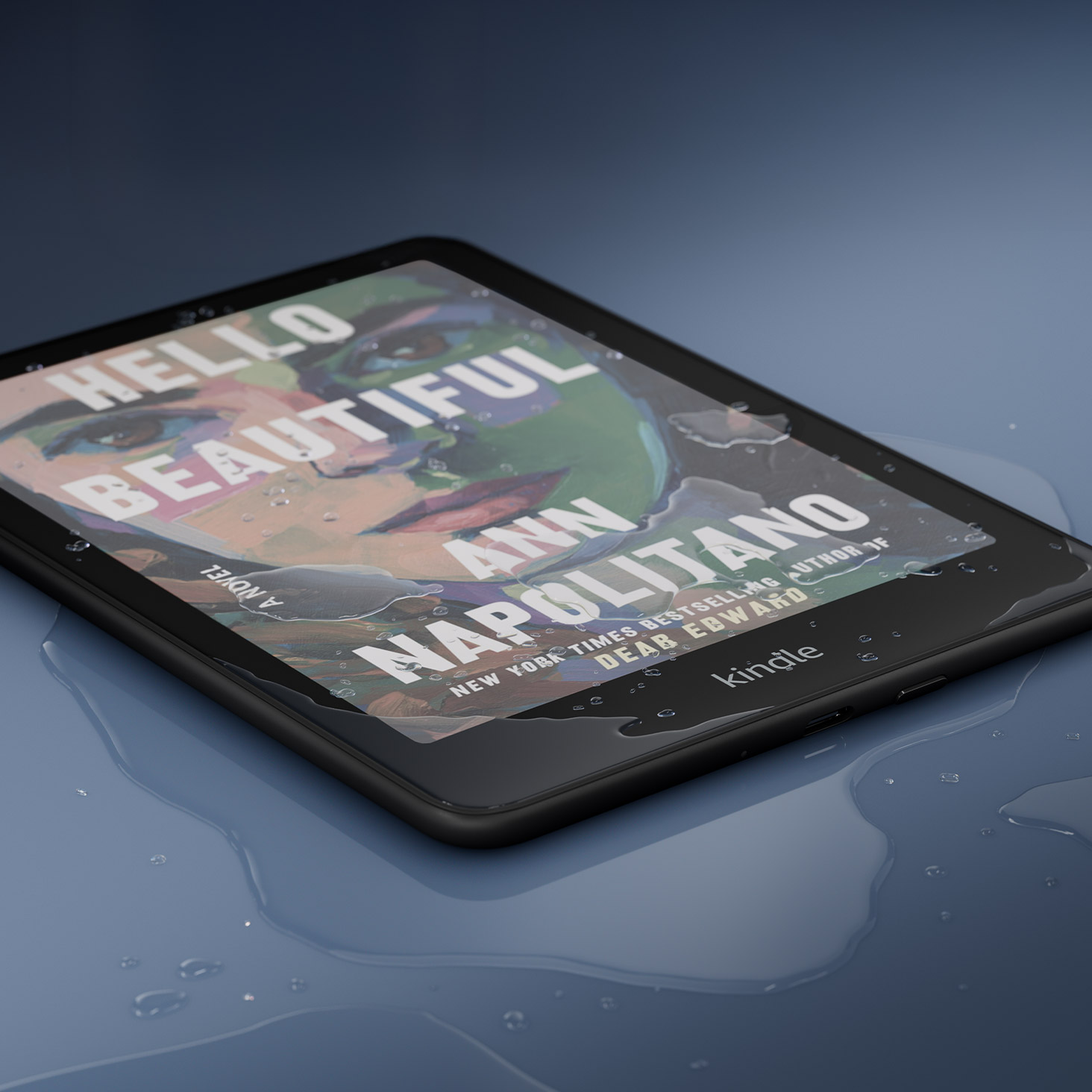
Waterproofing: I’ve made this arguement before and most people didn’t agree with me, but waterproofing is the most pointless feature ever. First off, the term is a complete misnomer. Most ereaders that advertise this feature are water-resistant at best, and only for short periods of time. We all get stuck paying more for every “waterproof” ereader when maybe 1 in 10000 will get broken due to water damage, and in most cases that’s because of the owner’s negligence.
Wireless Charging: I think wireless charging is a great feature to have on a number of products, but on something like a Kindle that only needs to be charged once every month or two, it doesn’t make sense.
Frontlight Sensors: Does anyone actually like using the auto-adjusting frontlight on Kindles? I only ever hear people complaining about how it doesn’t adjust the light level how they want it to, even though it’s supposed to learn your preferences. Anytime I notice the light adjusting it takes me out of the book so I don’t use it, and it only takes like three seconds to manually adjust it anyway.
Color E Ink: This is the thing I like least about modern ereaders. Color is great for things like highlighting, notetaking, and reading comic books and cookbooks and such. But color is totally pointless when it comes to reading regular ebooks with black and white text. The color layer makes the E Ink screen look darker and less clear. I’d be fine with color E Ink devices as an alternative, but I hate how color E Ink is now replacing BW devices, like how Kobo released the Libra Colour and never released a Libra BW.
We Need More Basic eReaders
Using the Xteink X4 has made me realize there’s still a place for basic ereaders in the modern market. I wouldn’t want to use it as my main and only ereader, but as a secondary device it’s great. Not everything needs to have a frontlight, a touchscreen, 2TB of storage space, an octa-core CPU, waterproofing, and a million different features I’ll never use. Sometimes simple is better.
I agree with many of your points. Another is the current trend to make an e-reader a note taking device. Often, it seems, at the expense of proving a wider range of page formatting options and a bug free reading experience. Reading e-books is, after all, the primary purpose of the device. I do find touchscreens much more valuable than you. And KOReader “gestures” are a wonderful feature. And user definable to boot.
I agree that color makes the screen darker and harder to read, but even in a black and white book I appreciate the color highlights that you can add, and the color headings and hyperlinks even in a basic book. I think color e-ink is a great thing. They should keep offering both B&W and color models.
Waterproofing is quite handy to me as I frequently read my kindle in the pool. But I can understand that this may not be something everyone wants.
I’ve owned e-readers for a long time, going back to my Sony reader. I’ve been happiest I think with the Kindle Voyage, had they come out with a waterproof version of that ,I’d have been (and would still be) very happy with the feature set.
What, you’ve never wanted to read Jaws while lounging on a coral reef 25 feet under the sea?
Hate to say it, but it’s why I stick with B&N NOOK: crisp b&w reading with page turn buttons that is simply an ereader that helps me read books and sync positions across devices. That’s it.
No touchscreen?! Are you mad? 😂 I don’t need any buttons. They just make the ereader too large. I prefer to put a pop socket on the back. That should be something to have out of the box.
Of course I want my electronic stuff to be waterproof. At least dustproof.
I don’t care either for wireless charging. But I’m not against it.
Frontlight sensor, No need.
Colors? I bought the Kobo Libra Colours, liked it for a bit, but finally decided to go back to a Kindle Paperwhite. I hope the technology will get better someday. I prefer the sharper black & white screen.
And I use the dictionary often. I also like to underline phrases. So, hurray for touchscreens. 😎
I agree on waterproofing, wireless charging and frontlight sensors.
Totally disagree on touch screen, especially as it facilitates dictionary use-along with using index functions. I research things along with fiction. I don’t have a color reader, but Want One. Unfortunately I like large readers
Everyone’s logic and buying motivations are different.
Great post! Are you and good-ereader the same blog? I notice many article posted here ends up on good ereader almost word for word afterwards.
Good ereader steals Nathan’s news and articles and posts them as their own. It’s kind of pathetic. This is the place to be for ereader news and opinions.
It all makes sense now….
I might like page-turn buttons if there wasn’t so much extra space on the side. I bought a Gen 3 Oasis for stripping DRM. Screen is nice. The material is nice. Hate the thick bezel on the side for the buttons. Don’t like using the buttons. I don’t care for a Kobo device for the same reason. The Voyager found a nice balance, IMO, of space for buttons but without such a massive bezel. I don’t even use the volume buttons on my phone for page turning when I’m reading on the Kindle app. Swiping on a touch screen is fine by me.
Love the front light. Love the warm light. I need both in an e-reader. I use the dictionary all the time, and I appreciate the built-in Wikipedia and basic language translator.
I like waterproofing for peace of mind. I’ve had print books ruined by water damage when carried in a backpack or messenger bag because I got caught in the rain. So if waterproofing protects my device from rain damage, I am all for it.
I don’t see a need for wireless charging and I especially don’t like auto-brightness on any electronic device. It’s more of a battery drain than anything useful.
I like color e-ink and I hope there’s more improvements in the future but I insist we also need black-and-white models available for those who want it. If color e-ink is a simple filter inside the device, there’s no reason why companies can’t offer non-color options as well.
I *love* a touchscreen. AFAIC, my Paperwhite 2 is perfect. Which, of course, means it will be unsupported any second now.
I wish someone would create an ereader with programmable buttons and a touchscreen. When you go thru setup it would ask if you want the touchscreen or the buttons. If you choose touch, you’d get a menu to choose what commands you want for each button including deactivating them. If you choose to use the buttons, the buttons are limited to forward and back while deactivating forward and back on the touchscreen. Otherwise, the touchscreen works just as always.
Water-resistance is necessary, but it seems like waterproofing should also just be standard. It’s a handheld electronic device; people will use it near/in water and, eventually, drop it in. Maybe not me, maybe not you, but your kid or an accident?
It took MK two hours to rip-off your content, file off the serial numbers and post it to his site. He even mentions the XTEink
I’d take buttons over a touch screen. I prefer a long cord to keep reading instead of wireless charging. Don’t need frontlight sensors or even warm lighting since I barely use the frontlight. Prefer B&W because I don’t like the darker screen that makes me feel like I need to always use the frontlight. I do like water resistance for reading in the bath or pool.
Hmm … FIRST it was that incident a few weeks ago where both this site & the Good-Ereader site happened to run the same-themed story about Kindle-users not using their Kindles “correctly” and NOW the same sort of coincidence about the joys of basic e-readers and the XTeink X4?? It’s not the praise of that product which is suspicious, it’s that other part about modern e-readers having too many features, both said in the same way.
The articles across the sites aren’t identical but they certainly share the same — and super-odd — topics, with the exact-same conclusions: Kindle users “doing it wrong”?? Modern e-readers “too complicated”?? AND BOTH just happen to benefit specific manufacturers?? Similar NEWS stories are to be expected, but that’s not what these are.
Gee, it’s almost like these sites are being paid for their content by manufacturers … isn’t it? Without, of course, disclosing such. That would be called propaganda and whether it’s Fox, ABC & CBS bending their knees to Trump or this kind of (suspicious, at least) behavior, media perversion should make you angrier than it evidently does because if you can’t trust the media, you can’t trust *anything*.
Angry or not, you should at least question the integrity of any media site which pushes propaganda. Maybe that’s not what this is: Judge for yourself by comparing these articles (on both topics): I’m guessing that you’ll agree that it ain’t coincidence.
It’s not paid-promotions which are wrong, it’s wrong in not disclosing that you are being paid by a product you mention, for the content you publish as an opinion-piece. I don’t KNOW that’s what’s happening here, but how else can you explain it? Now would be a good time for this site to attempt that alternate explanation cuz it’s lookin’ REAL bad for you, dude.
The irony is that the badereader site copies this one and not vice versa, and on top of that they’ve always had shady, scammy behaviour in the first place. They’ve never had an original idea. You’re defending the bad guys.
Also, don’t promote them or give them any clicks. They have a bad reputation for a reason.
That site has been ripping off my articles for 16 years. Not everything is a conspiracy.
They’ve been conspiring against you for 16 years ;-P
Nate (the great) has been helping us understand e-readers for two decades, on forums like mobileread and xda even before this blog existed. He is one of the most reliable people on the internet and consistently the best source on electronic reading. He deserves better than these baseless accusations.
You’re confusing me with someone else. Nate had a different website that he sold some years back.
Wow. I have conflated your work with his for many years, and I appreciate you taking the time to correct it. Your own blog and videos demonstrate your integrity and hard work in the public interest. The plagiarism should stop. But I retract my earlier post, as it was based on a fictional character.
I must ask, if you feel this way, why don’t you use a different site?
You really need a better medication, because the tinfoil hats are not working. They’re after you, run!
I think my current favorite is the Oasis. It does everything that I want it to do… frontlight, buttons, auto-rotates, and a touch screen, if I need it. I lucked out with this refurbished unit because the screen is perfect. It’s my outdoor/travel/living room kindle. (I do miss my Voyage though.)
My other kindles are touch screen only.
I agree with you, although the frontlight is a nice to have. But I could give up on it if we could get a nice clip-on light like the one Kobo made for the Touch and Mini.
But if we have a frontlight anyway, it could just be a warmer light rather than making the screens more expensive with adjustable warmth. Humans don’t really need bluish light for reading anyway.
I also don’t like the touchscreen. People are hypnotised by it, along with all those fancy features. The dictionary can be helpful, but it’s more effective to use another device, or pen and paper. Same with highlights, why make this digital too, when pen and paper does the job better? If you write things down yourself, you actually learn them, or at least remember them long term. While collecting highlights into a file on a digital device will be easily forgotten, especially in this world full of distractions.
Buttons are more reliable and effective, and won’t cover the screen in fingerprints.
Frontlights: never use them, so could quite happily do without (ditto frontlight sensors).
Touchscreen vs page-turn buttons: I used to be a fanatic for the latter, but never actually had a reader whose specific buttons I actually liked. Also, they seem to have been the main points of failure on my earlier ereaders. The last couple have had touchscreens, and I can live with that — particularly as physical buttons seem to mean a wider (and thus less easy to hold) ereader (they tend to give a 7″ ereader the width of an 8″ tablet) these days.
Wireless Charging: this is one feature I would like. Far easier to toss a device onto a wireless charging pad than to fiddle around with cables.
Color: I use my ereaders exclusively for text — so actively avoid color readers (and their lower contrast).
Waterproofing: I don’t read outside in the elements, so likewise unnecessary.
I only want a device like kindle Paperwhite or Kobo Libra 2 for reading.
They are trying to turn the ereader devices on IPads e-ink which I dont care not I will buy those.
Even if I have to buy an ereader that allows taking notes I will not buy the pen nor care about it !
The basic models fulfil that role today, but without some of the limitations you mention. They are affordable, in high demand and very well-regarded. In my country, the basic Kindle is the best-selling, highest-rated and most affordable e-reader. Almost nothing. (Interestingly, finding a reference to the basic Kindle in e-reader forums is like looking for a needle in a haystack, such is the current disconnect between the reality of e-reader users and what is discussed in the forums). I don’t think the e-readers you’re talking about are necessary and will gain wider acceptance among users.
I think the early Kindle models are fantastic especially the Kindle Keyboard and K5 and prefer them to the newer Kindles. Their only downside is Amazon discontinued them.
The only “must haves” for me are 300 ppi, dark mode, warm lighting, page turn buttons and decent font sizing. I never have used auto brightness, do not need wireless charging, doesn’t matter if the device is b/w or color as long as it has a good screen. I do not take notes or highlight. I just want to read without eye strain. I read hours a day due to health reasons making it difficult to do crafts or anything else but read so a backlit device is out of the question and front light a must. I am not interested in AI functions and feel we are starting to have it forced on us whether we want it or not. My iPad is older, still supported but Siri and AI is turned off so to have these capabilities added to an e-ink reader is something that would definitely put me off buying one. I have most of my Kobo books downloaded to two Pocketbook readers that have never been connected to the internet so hopefully they can be my backup plan if my Kobo dies and Kobo goes to super charged AI bells and whistles ereaders.
Since I read non-fiction I am going to have to disagree with the touch-screen; if you are reading non-fiction and not highlighting you are doing it wrong. The dictionary is also helpful.
Basic is great. I have the 2024 basic kindle, and I find that I use that kindle the most because it is so simple. The screen is nice and sharp for the price point, I don’t really miss the warm light (and I’m just happy that I can adjust how bright the screen is). I like the touchscreen because I navigate faster on it, and I do get good use out of the dictionary ( comment to one of the people above, I am not carrying a separate dictionary with me if I”m on an airplane, thank you). Basic, even with less customization, is nice, because I just want to read my book on the darn thing (and only read!).
I will say though, the waterproofing has been great on my kids’ kindles because that is just extra peace of mind.
“charged once every month”
How much do you actually read? I’ve had to recharge mine during a 3-day weekend.
It is eternally annoying to me that no one will provide real battery estimates. It’s all this nonsense with time in weeks. Not the way I use it, it isn’t. I would like the actual battery time, please.
Seconded. Hours would be more helpful, although batteries are also depleted by indexing.
Would love to see the Lenovo 8.9 inch and 8.1 inch, along with the new ONN 8.1 inch (all tablets) without the cameras, lighter frame structure and larger batteries along with a matte screen to be primarily used as a reader .and for occasional video Their chromatic and grayscale software works well for emulating e-ink.
I agree that the wireless charging, auto-sensor, and color e-Ink are unnecessary for me. However, I enjoy having a touchscreen where I can hold down the screen to look up a word in the dictionary.
The waterproofing is good for when I’m trying to read while taking a shower or bath. However, I think the Oasis was the best for this because you can disable the touchscreen and still read with the page buttons.
As for GoodeReader ripping off articles here, I’ve noticed that for a while. They’re also pro-book bans. I tried to argue with someone in the comments about an article about book bans. They claimed that “nothing is being banned.”
My comment, pointing out that book bans are removing them from libraries and preventing people who can’t afford to buy them from reading them. Or creating obstacles.
They deleted it. But they let the other person, with virtually the same comment, stay.
I’m pretty sure they’re pilfering from other people, too. They’re shameless.
Lenovo, TCL, and ONN, please no more “add ons”! Just update your tablets, especially the 8 to 9 inch screen range with a version that has NO cameras, a lighter but sturdy framework, textured rear surface, larger battery, and a matte screen. Your reading software, especially with both chromatic and greyscale options for individual reader apps works quite well but I want a simpler, more dedicated unit as outlined above. With current cpu’s, you could still use it for the occasional video. I have my phone and desktop for everything else!
I’m pretty sure they have to have cameras to get Play certified to have Google apps onboard.
There has to be a way around that issue! I cannot be the only one who wants tablet features for specific, targeted use without hardware and software that will never be used!!! But, in this day and age, maybe not.
for me, waterproofing & front lighting are musts. i do a lot of reading while soaking in the bath, when i doze off,.. splash! the other place i read is in bed before going to sleep and a bedside lamp just doesn’t put out enough light for my old eyes.
I can agree with everything other than waterproofing. I like to read in a bath, by the pool and I don’t stop even in light rain. So that is actually very useful to me and I would not buy ereader without it. The rest I can live without easily. Just give me indented screen with white light (I don’t like warm, as the light is usually warmer overall) and I’m happy. No wireless charging, no touch screen, no note taking layer (wacom), nothing like that. I want display with really good contrast so that it doesn’t drain my eyes like most ereaders do.
Waterproofing for me is huge as I’m a big water reader. It was one of my most wanted features years ago. I also love buttons. My Oasis 3 is my favorite device, otherwise I own a Paperwhite 3 and Paperwhite 5 Kids. My eyes love warm light and I can only use the Paperwhite 3 outside on rare occassions without the front light. Otherwise I always have frontlight and warmlight on Oasis 3 and Paperwhite 5 no matter time of day.
I’m wanting to find a button orientated android based reader with the frontlight and of course warmlight to replace the Paperwhite 5 as my secondary primary reader. I’ll just keep the 3 for travel or whatever as it’s cute and quirky little thing. I like the Paperwhite 5 but I just don’t find that form factor comfortable for extended reading, really miss the Oasis buttons, hate it doesn’t auto-rotate since I read laying down one handed so much, and I like 7 or 8 inch screens and find 6 too small.
The reason I’m wanting my secondary main reader to be android based is because I still want to easily access KU and Kindle books via app, but I have been using the library tons for two years now. It is so annoying when the only way I can find one of the old books in an affordable way is Hoopla. I then have to use the giant Fire tablet that is not waterproof and can’t be read outside or in certain lighting due to glare, can’t be held one handed like e-ink, and tires the eyes. Also some of my Libby borrows don’t have Kindle versions. Bad thing on the Android readers that fit all my boxes though is no water-resistance, but I suppose I can’t have everything all in one. Have been eyeing the Ocean Musnap C. Reviews are great, form factor ideal. I am not chasing color all the time but if it’s android reader it makes sense a bit as I also want to get into more library comics/graphic novels, do cookbooks, and also have been getting back into Libby Magazines.
I didn’t need waterproofing until I needed it – my eReader ended up churning in the soapy water of a washing machine. It was in there about 1 full minute when I realized it. Still works fine several years later.