
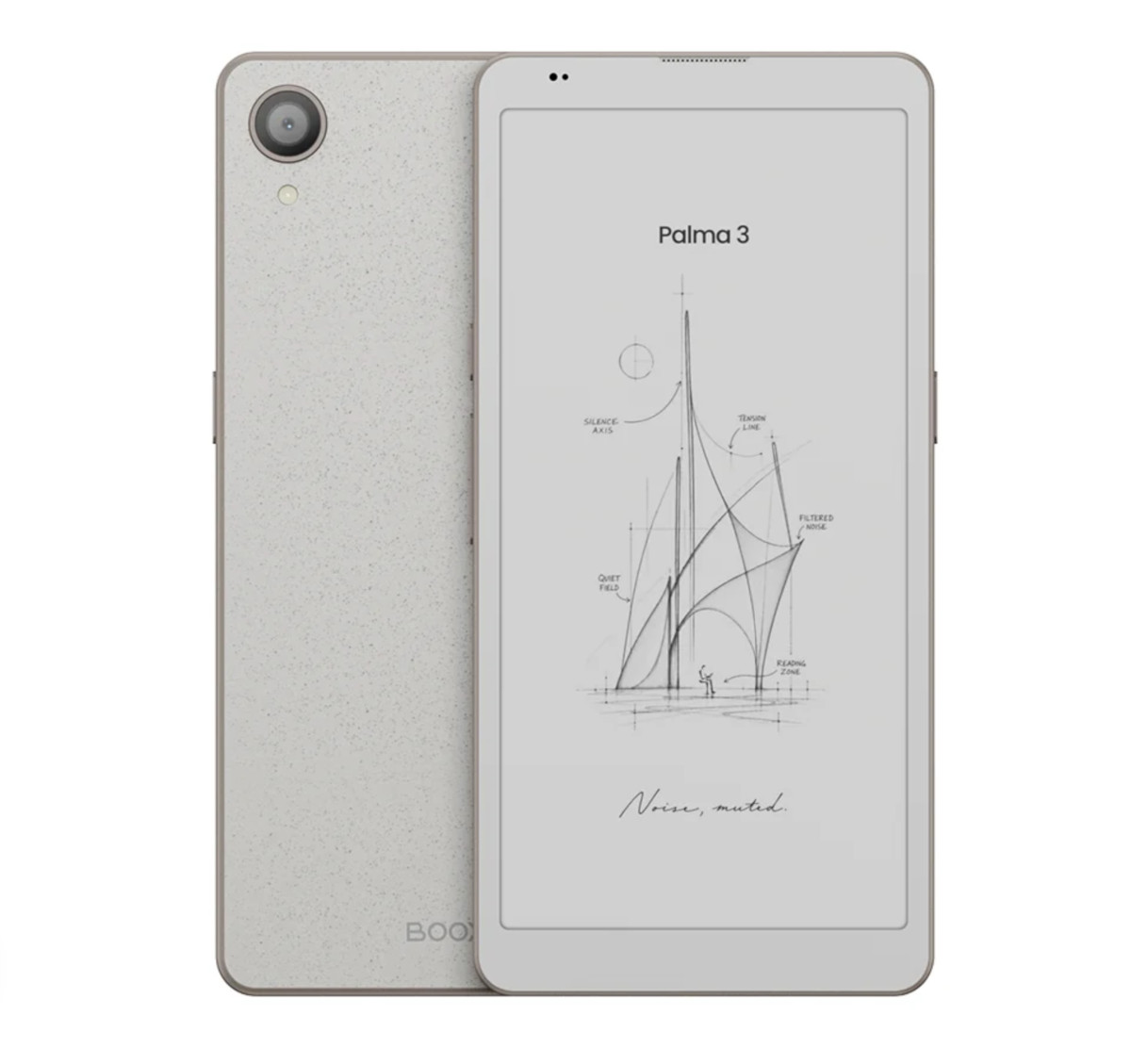
Onyx has announced the upcoming release of the Boox Palma 3, their latest phone-shaped ereader with a black and white E Ink Carta 1300 screen and 300 ppi.
They stopped selling the Palma 2 several months ago, and I was starting to wonder if they were only going to sell the more expensive Palma 2 Pro with a color E Ink screen moving forward. It’s good to see they brought back a BW option.
Details are still a little thin at this point, but the Palma 3 appears to use a new design, which is a good sign they aren’t just re-releasing the Palma 2 again with a new name and minor changes (that’s what they usually do). The back and borders are different on the Palma 3, and the buttons and camera and speaker look different. The dimensions have changed as well—it’s slightly thinner and narrower than the Palma 2—but the weight has gone up by 25 grams to 195 grams.
For the most part, most of the overall features appear to be the same as the Palma 2, but the Palma 3 runs a newer version of Android (16), and Onyx added stylus support, which was only offered on the color version of the Palma 2. It supports Onyx’s InkSense stylus, not EMR, and a stylus is not included.
I thought the Boox Palma 2 was one of Onyx’s best models when I reviewed it. The main thing I didn’t like about it was the high price, and unfortunately, the Palma 3 is even more expensive. The price is listed as $339.99 on Onyx’s website, with that price crossed out showing $319.99. Considering the Palma 2 sold for $279, that’s a pretty big jump. There’s no word on an official release date yet, but it’ll probably show up on Onyx’s Amazon store in a week or two.
If you want something simpler and cheaper that doesn’t run Android, the Pocketbook Q has a similar form-factor, and it’s expected to hit the market soon for $199.
Boox Palma 3 Specs
- 6.13-inch E Ink Carta 1300 display.
- Resolution: 1648 x 824 (300 ppi).
- Frontlight with warm and cool temperature control.
- OS: Android 16 with Google Play.
- CPU: Octa-core + BSR.
- 6GB RAM.
- 128GB storage space.
- MicroSD card slot.
- WiFi (2.4GHz + 5GHz).
- Bluetooth 6.0.
- 16MP rear camera with LED flash.
- USB-C port with OTG support.
- Battery: 3950mAh Li-ion Polymer.
- Rotation sensor.
- Light sensor.
- Fingerprint reader.
- Built-in speaker and mics.
- Text-to-Speech support.
- Supported document formats: PDF, CAJ, DJVU, CBR, CBZ, EPUB, EPUB3, AZW3, MOBI, TXT, DOC, DOCX, FB2, CHM, RTF, HTML, ZIP, PRC, PPT, PPTX.
- Dimensions: 159 x 78 x 7.8 mm.
- Weight: 195 grams.
I have to wonder what the market for these looks like – these are too expensive to be annual purchases, but I can’t imagine there are *that* many people wanting to spend $300+ on Palmas to justify annual refreshes and multiple models.
These are not meant to be annual purchases. Onyx business model is to manifacture small batches, and to constantly refresh the models year after year, with minimal updates from one gen to the next.
I had the original Palma. I had a few apps on it, such as email sms my news app, but didn’t really use them. I used the Palma for reading. What I don’t like about Boox is having to fiddle around with it. I was able to finally get it to mostly do what I needed, but there were default apps on the home screen I never could figure out.
Given my Palma experience, how do you think Boox compares to Viwoods?
I haven’t tried any Viwoods models yet, but they seem to be gaining positive traction in the Android E Ink space, along with Musnap.
from what i learned it also has a 4 nm processor called dragon wing 6690 which share similar core configuration as the snapdragon 7s gen 3 so the palma 3 will be faster and more responsive than the plama 2 and palma 2 pro , people already impressed with the performance of this processor in the new Boox note air 6C (same processor).
yeah, this device stands to be a quantum leap ahead of a lot of the rest in the market — to my knowledge there’s nothing else combining this kind of quality screen (and, blessedly, BLACK AND WHITE instead of more Kaleido nonsense), high quality writing (almost certainly the same USI configuration as in the Go 6 II and Go 10.3 II) and raw horsepower. out of everything they revealed it was the thing I was actually excited about.
Where were you able to confirm the 3 uses the Carta 1300? I wasn’t able to find that info anywhere.
An Onyx rep confirmed it on the Q&A section for the Palma 3 on the Boox website.