
Amazon has started rolling out another software update, version 5.20.2, for the new Kindles and probably the 2024 models as well.
Once again the update does not include any release notes, but the update does include at least one major new feature, one that Amazon has been saying would be coming to Kindles for over a year now.
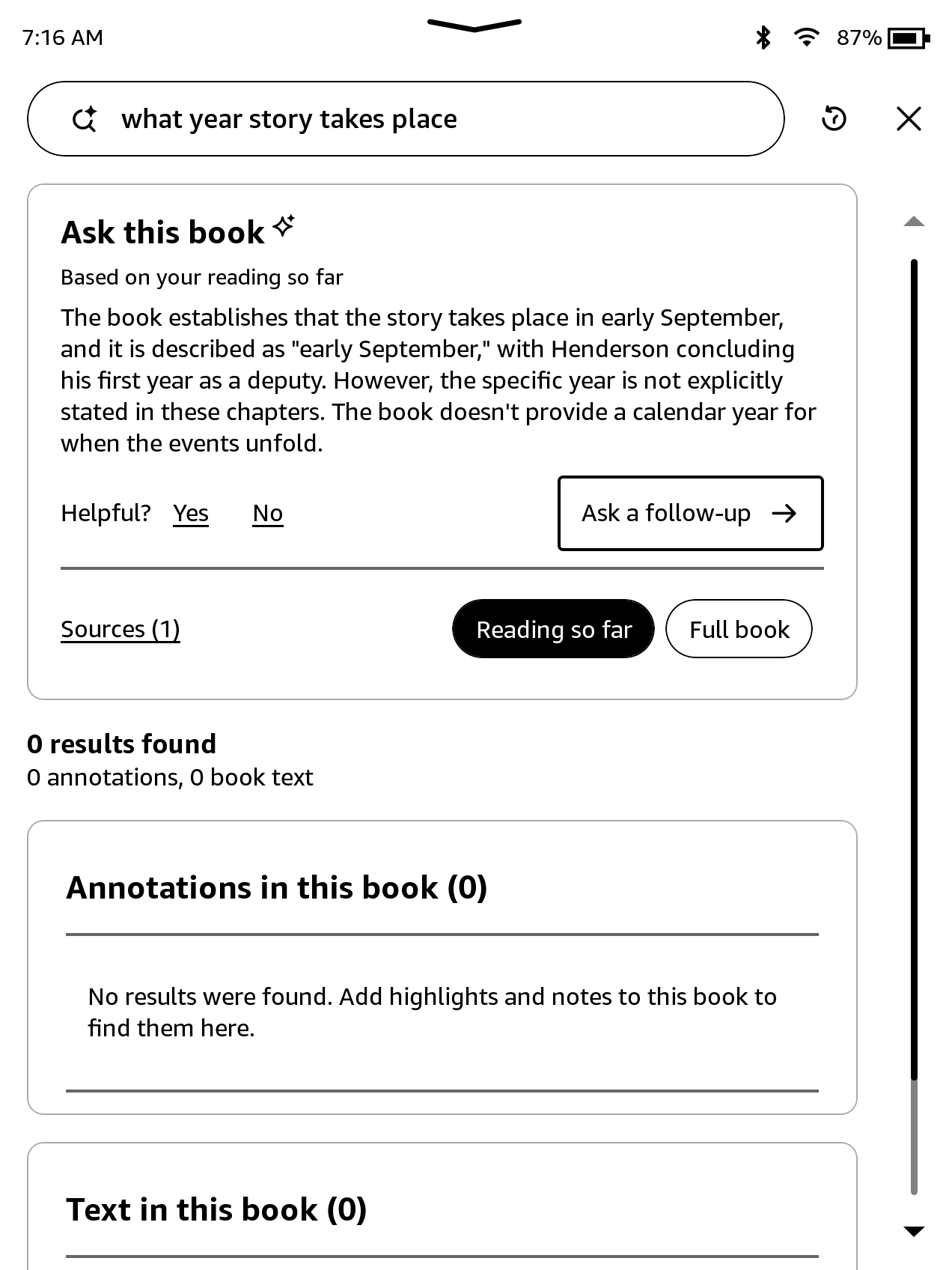
The 5.20.2 update adds the Ask This Book feature that’s been available on the Kindle iOS app since last December.
The way it works is you can ask questions about the book you’re currently reading and it will give spoiler-free answers about the plot, characters and other details up to the point that you’ve read. Or you can ask questions that include the whole book, and there’s a note saying those may include spoilers.
As far as I can tell, there are two ways to use Ask This Book. You can run a search, and the Ask This Book option will appear at the top of search results. Or you can highlight a word or phrase and then select the Search tab from the window and you can “get insights from this book” there.
When starting a new chat or asking a new question, you have the option to choose “reading so far” or the “full book”. When selecting the latter it notes the insights may include spoilers.
Obviously an internet connection is required to use this feature. It only works with Amazon books; it does not work with sideloaded books or Send-to-Kindle ebooks, and not all Amazon books are supported yet either. You can tell if a book supports the Ask this Book feature by looking at the search icon on the top menu with the book open. There’s a + symbol added on top of the search icon when Ask This Books is available.
So far the 5.20.2 update is only available via automatic updates; Amazon’s website isn’t showing it yet.
This is concerning because the last three updates have not appeared on the Kindle Software Updates page at Amazon, and they still haven’t added any of the new models to the page yet, despite the new 2026 Kindle being out for almost a full month now. Are they going to stop offering downloads and manual updates?
There haven’t been any useful updates in the last couple of Scribe (2024) updates, so I’m not sure it is worth updating my jailbroken Scribe. On the other hand, I haven’t found anything useful to do with a jailbroken Scribe either.
Probably another reason Release Notes have no useful information.
As a retired IT professional I always do the updates as there always security patches that protects the devices.
As discussed previously on another thread, the risk is extremely low especially once the device has had a couple of updates.
The threat environment for Kindle ereaders is itself fairly limited also.
I still prefer to keep my devices updated as possible when updates are available. My devices stay connected to Wi-Fi all the time. But I admit that my wifi has multiple layers of filters, to remove ads, and malware.
My new paperwhite signature has been update to 5.20.2 OTA several days ago, but my Kindle Scribe 3rd generation has not, and the download site is not listing the latest update. It’s really frustrating to deal with Amazon Kindle team over the years, and this is another instance that adds to the frustration.
I find it interesting that the Amazon website hasn’t been updated to show the latest firmware updates.
They briefly updated the page today with the 5.20.2 update, and they added the new Kindles to the list, but then I checked back a few minutes later and it was all gone.
That’s because all the file downloads have not been updated. I kept getting 5.20.1, not 5.20.2. Sigh!
Mine just updated this morning to 5.20.2.0.1 so there’s been another firmware update.