
Review unit purchased from Amazon.
Overview
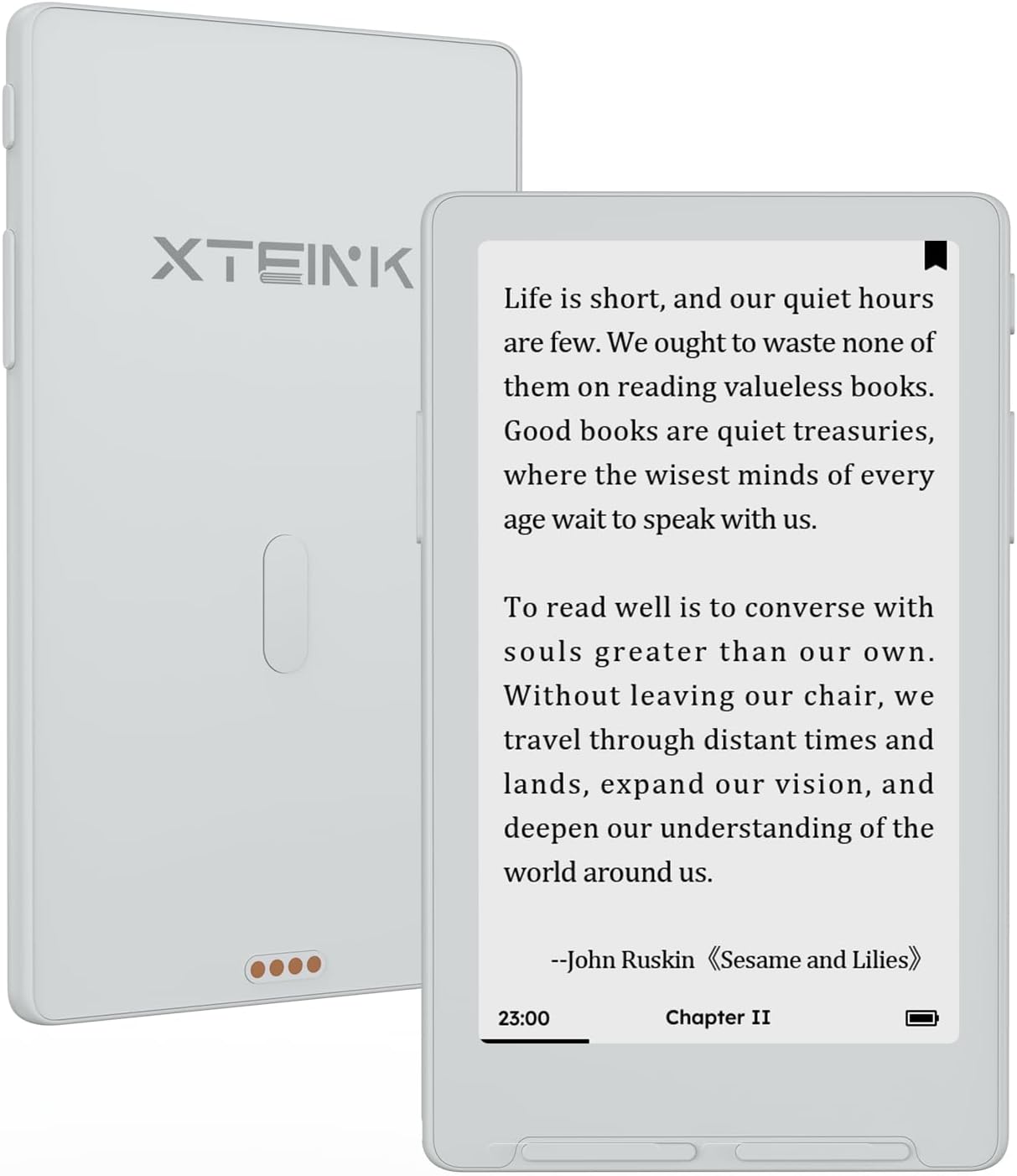
The Xteink X4 Classic is a replacement for the original Xteink X4, and it comes with some controversy because they removed the USB-C port and replaced it with pogo pins for charging.
Xteink also changed the button placement on the new model. Instead of having of a single rocker button on the right side for paging forward and back, the X4 Classic has single buttons on each side of the screen.
The X4 Classic has some upgraded hardware too so it’s faster than the first gen model, and there’s more headroom for software improvements and more new features. It also has a larger battery (920mAh instead of 650mAh), and it’s thinner and lighter than the original X4.
The screen is another area of improvement, with a noticeable boost in contrast compared to the original X4, and the sunlight fade issue has been fixed.
The Xteink X4 Classic has a list price of $89, but it often sells for $79. It’s available in Space Black and Mist Grey, and I’d highly recommend the latter.
Xteink X4 Classic Quick Review
Pros
- The screen has outstanding contrast.
- It supports installing custom open source software, and the stock software is steadily improving.
- Highly portable—very small and lightweight.
Cons
- No USB port.
- The build quality feels a little cheaper than the original X4, more plasticky.
- The stock software is still a work in progress, and it doesn’t support ebooks with DRM.
Verdict
The Xteink X4 Classic has quickly become my favorite Xteink ereader, unseating the original X4, even though there are some things I still like better about the original.
The main thing it comes down to is the screen. This time I opted for the Mist Grey color, even though I usually prefer dark bezels, and I’m really glad I went with grey. The grey color is a near perfect match for the background of the E Ink screen. Couple that with the contrast boost with the newer display, and the text just pops off the screen like no other device I’ve used in recent memory.
As I mentioned in the video below, some people prefer better contrast, some want frontlights for night reading, some prefer sharper text, and others prioritize dark mode over everything else. It’s all personal preference, and my eyes prefer superior contrast over the rest.
Xteink X4 Classic Video Review
Xteink X3 Review >
Xteink X4 Pro Review >
The Screen
I’m not sure what it is exactly, but the X4 Classic has a little more magic going for it in the screen department. Maybe it’s an optical illusion with the grey border, but I thought that was supposed to work the opposite way, with darker bezels making text appear darker than lighter bezels. If fact, I’ve experienced that very thing in the past with other ereaders, but somehow it doesn’t seem to matter with the X4 Classic.
The contrast of the black text on the grey background is on another level. I have a black X4 Pro, which I would assume uses the exact same display since they were both released around the same time, but the screen on the X4 Classic clearly looks superior. I attribute that to the lack of frontlight and capacitive layers.
Compared to the new Kindle, the screen on the X4 Classic has a much lighter background color, and the text is darker as well. It’s a double upgrade. But the text does look rougher on the X4’s screen.
The X4 Classic has a lower resolution screen than other mainstream ereaders (219 ppi instead of 300 ppi), and the anti-aliasing isn’t as good as it could be so that just compounds matters, but the overall contrast is on a different level.
One thing to note, at normal reading distance, using smaller font sizes, I don’t notice the jagged edges enough to bother me. It’s really noticeable in the video above because the camera is so close to the screen. The system font type is smoother, but I prefer serif fonts when reading. Some font types look smoother than others.
The Software
When I first got the X4 Classic, I was struck by how good the screen looked, but it was doing weird things like reversing images and text when switching font types (it had a different display variant, apparently). Updating the software fixed that issue.
I used that updated software for a while, and I noticed quite a few differences and improvements over the stock software on the first gen X4 and X3, and the X4 Classic was the first Xteink device that came with some pre-installed public domain books and alternate font types, which was nice.
But then they released the XT Licorice software update for the X4 Classic the other day, and that changed everything. That added support for TTF fonts, with support for resizing, and there’s even contrast adjustment to darken text. It added a USB mode for transferring files. There are reading stats with nifty graphs, and a bunch of new settings and other improvements.
It still lacks some features like highlighting and dictionary support, but I wouldn’t be surprised to see those features added soon since they’re now available on the X4 Pro, which also runs Licorice.
The software is still a work in progress, but they’ve been releasing software updates at a rapid pace lately. I’ll probably install CrossPoint eventually, but the stock software is steadily improving—it’s not the trainwreck that it was on earlier models.
Leave a Reply