
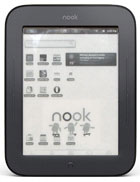
The Nook Touch is the most versatile E Ink ebook reader ever created thanks to its hackable Android operating system. A surprising number of Android apps work exceptionally well on a rooted Nook Touch, including several ereading apps.
Below is a list of apps that I’ve personally gotten to work on a rooted Nook Touch. Some are shown in action in the YouTube video reviews I’ve posted previously here and here and here.
There’s also another list of working apps that others have tested over at XDA. Please feel free to add your own app testing results in the comments section below.
Nook Touch Working Apps List
eReading Apps
- Aldiko 2.0 – Works very well, one of the best ereading apps on the Nook Touch. Can read Adobe DRM ebooks, including library ebooks downloaded with the OverDrive app.
- Kindle – The Kindle app works well. The only downside is that there’s extra black flashing when turning pages because the animated page-turns can be turned off.
- Nook – The Nook Android app works okay. It’s rather slow at times. The main benefit it adds over the Nook’s base reading app is landscape mode.
- Kobo – The Kobo app is buggy. Sometimes it works and other times it doesn’t.
- OverDrive – With this app you can use a web browser (Opera) to browse and download ebooks from the library directly to the Nook Touch.
- Google eBooks – This app works and has more features than the built-in app for the iriver Story HD.
- Beam Reader – A paid PDF app with basic features.
- ezPDF Reader – This is the best PDF app for the Nook Touch that I’ve tested. The one downside is excessive screen flashing.
- Moon+Reader
- Cool Reader
- FBReader
- Mantano Reader
News Apps
- Google Reader – This apps seems to work most of the time. Occasionally it force closes when trying to load an article.
- CNN – Works really well as long as you don’t mind reading white text on a black background. Page buttons work for scrolling pages.
- New York Times – Top news stories works, other sections require a subscriptions. The apps seems to work well but has very small text and scrolling can be a little awkward.
- Fox News – This app works pretty well for the most part, scrolling can be tricky at times.
- Engadget
- NewsRob
- News and Weather
More Apps
- Dropbox – Works great for wirelessly transferring files.
- Amazon Appstore – Ironically this app works great on the Nook Touch. Sometimes a download won’t work at first but it will if you keep trying.
- Opera Mobile and Opera Mini Web Browsers
- Launcher Pro
- Google Docs
- Google Maps – This app works better than you would think. Street View and Satellite View even work.
- Search Market
- Android Market
- Gmail
- ColorNote
- Calculator
- Astro File Manager
- Button Savior
- Go Launcher EX
- Jota Text Editor
- Nook Color Tools
- Superuser
- Advanced Task Killer
- Evernote
I got rid of my Nook Touch, choosing to keep my Kindle3 and PRS-350. The ability to send documents using the free.kindle account was one overriding reason for keeping the Kindle, along with my preference for the Amazon.com’s ebook store. As for keeping the Sony PRS-350, I find the foreign dictionaries superior to anything I could have done with the Nook Touch(hacked or otherwise). I also really like the fact I can create collections easily on the Sony using Calibre.
Now, if Sony’s new eReader has the free email account like the Kindle, I can easily get rid of my Kindle despite my preference for the Amazon.com store. The reason is, that I now know how to get rid of the DRM on .azw files. This means I can still purchase from the Amazon.com store, and then convert it to EPUB for reading on a Sony Reader with its superior dictionaries.
P.S.
I hope somebody is going to come out with a generic Android Ebook reader similar to the Nook Touch, but in a 10″ model for reading pdf and comic books. Preferably one that doesn’t require hacking to sideload apps on it.
P.P.S. Still want to add an Android tablet to go along with my two ebook Readers. Sort of think a 5″ model is ideal for me, although I might have to consider whatever Amazon comes out with the 7″ model.
One last thing, I asked the developer of the ePUB fixer utility to add a feature that would allow the user to add an inline TOC to EPUBs. His utility is all about fixing and creating metadata TOC, but I think having an inline TOC is mandatory given the lack of support for multi-level TOCs with devices. I think he is working on it.
http://code.google.com/p/epubfixer/issues/detail?id=3
Hi, after seeing that the game Four in a Row HD (featuring 200+ solo play riddles and online play) was listed in the XDA thread as compatible app for Nook Touch, and having received feedback, I’ve just released a new version with some features for black and white screens.
Recommended settings for the Nook Touch in options menu:
– Choose the new “Naughts and crosses” skin.
– Disable animations.
– Check “Solid black background”
Please find it for free in the Market at https://market.android.com/details?id=com.mocelet.fourinrow
Thanks, enjoy the game!
You can add DocumentToGo that works really well, even with large files (15 Mo Doc to review).
Hi, have you tested the Adobe PDF Reader App?
It doesn’t work. It will install okay and open a pdf but always crashes when you try to turn pages.
Has anyone tested vudroid for djvu?
I’d like to be able to copy text from a book I’m reading (say in ePub format), and then paste it into a text editor, where I could add my own comments as well. Any idea which eReading app on the Nook Touch would work best for this? Any recommendations for a text editor on the Nook Touch? Thanks!
You can copy and select text with FBReader and then share it with a note app like ColorNote or Jota.
Nathan – thank you!
Got a update available for the Nook app for my Nook Touch from the Android Market, but it wouldn’t install. Uninstalled the previous version and tried again. Still wouldn’t install. Error message: Installation error: Duplicate provider authority.
Rebooted, and tried again, but it still won’t install. Any thoughts?
Weird. I just tried to update and it wouldn’t work either. I guess you’ll have to get an older version from somewhere like Android Freeware.
It was there and it worked. Thank you.
Do pdf readers software after root my nook str dive me allows annotation and bookmarking and zoom for any pdfs (with and without drm) ?
It depends on the apps. EZPDF has a lot of features. I don’t think it will work with DRM though, most PDFs don’t have DRM. There’s more info on the Nook PDF review.
You’re definitely spot on about Aldiko being just about the best reading platform on the rooted Nook Touch. One thing perplexes me, though. I noted on your E-reading apps vid that you mentioned you could change fonts in Aldiko. That’s one thing I can’t do. I have downloaded the fonts when queried, and even checked the Aldiko ‘default.fonts’ folder. There are about 4 there, but I can still only select something called “default”.
Maybe the download didn’t work or maybe it needs to be restarted after installing them. There should be like 13 fonts.
Nathan:
Thanks for the response. Indeed, maybe the download didn’t work, because I certainly don’t have 13. I only see maybe 3, and they’re all in the default font folder. I wonder why nothing gets downloaded (and how I also can’t select the “other” two fonts besides the default).
Thanks again for your site/blog/reviews. You’re timely vids and explanations were the primary reason I got a Nook Touch this week and immediately rooted it.
Might be the version of Aldiko too. Got mine from the Amazon appstore.
Ummm….major Nathan-fan here.
Uninstalled the Android Appstore version (2.02) and installed the Amazon Appstore version (2.01).Guess how many fonts I have now? 🙂 Obviously due to your excellent eye for details. Much obliged!
Strange that the Android Market version doesn’t work. Guess we should avoid updating to 2.02 if Amazon gets it. Welcome to the world of Android, where there are 50 versions of each app ;).
An earlier version of the Kindle for Android App works much better. It just refreshes one time. I tried 2.0.5 and it works great.
Thanks for the tip! I’ll have to give that version a try. It looks like Android Freeware has 2.0.5.
P.S. I realized the word look up is not as good as the newer version, so I tried 3.0.1 and it doesn’t seem to have the double flash, but has the better dictionary.
Well, I guess I should have tried it out a little more before commenting – It’s double flashing again. Oh well, I tried.
Thanks (Nathan) for all the help! I am now happily reading with Aldiko, and copying-and-pasting passages from there into Jota text editor, where I can add my own comments if I want. But a question: Every time I go from Aldiko to Jota (or vice versa), I have to go to the Desktop (home) first. Is there any way to “flip” directly back and forth between these 2 apps, without the Desktop intermediary? Thanks again!
Yes there is a way to jump between apps. Android has a shortcut for that. Holding down the home button will bring up recently visited apps. Since the Nook doesn’t have a home button you have to long-press the home icon on button savior.
Nathan – thanks, actually I didn’t know I could do this! But this still requires 2 presses. I was hoping I could jump back & forth between the apps with just one press…
Does anybody know a way to use the Nook Touch’s buttons to turn pages, with Aldiko Reader? I can only do it via the touchscreen. Thanks …
Hi Nathan,
First of all, I am thanking you for your blog and your information.
I rooted my nook touch and bought the Aldiko premiun app. I wanted to use it to read some library books downloaded with overdrive app. I couldn’t load the files.
I can read the books using overdrive but it isn’t really a good reading apps. I have autorized my adobe ID on Aldiko premium. But my epub file couldn’t be loaded.
As it is a very specific problem, google didn’t help me. So I was thinking that maybe you could describe how you could read with Aldiko library books downloaded using overdrive app.
Thanks
I don’t know, I didn’t have any problems getting library ebooks to work with Aldiko, as described here. After downloading the ebook, I just opened it I think with a file manager and selected Aldiko when prompted to choose a program. I never chose OverDrive as the default so that may be your problem. You may need to go to settings, applications, and clear defaults for OverDrive.
Thanks a lot for your quick answer.
I will try your suggestion.
Thanks for everything.
I just have to use an other file manager.
You’re great Nate
Hi,
I have a working root of NST with firmware 1.1 ([NST]MinimalTouch 1.1beta3 (Automatic/Manual Rooting with Gapps + EXTRAS)). – I did install Aldiko over the Market app. First Aldiko runs properly. But later it isn’t starting anymore. I can deinstall and erase the Aldiko-fonts on the sdcard, then restart the NST and reinstall Aldiko and it works again, but later it isn’t starting anymore. – Is there a workaround for me to use Aldiko properly?
Thanks and regards,
Sabunde
I would say nuts to the Market version and would try an older version of Aldiko if I were you. I use the version through Amazon without those problems.
Thanks for your answer, but I have the same problem with the version through Amazon. eded333 in the xda-thread:
http://forum.xda-developers.com/showthread.php?t=1346748
wrote:
“Its a known issue that alkido dosnt work correctly on the nst, theres little we can do for that.
Anyway thanks for trying my method.”
Nathan, have you any idea? – Are you working with 1.1 firmware.
Thanks and regards,
Sabunde
That’s strange because I’ve always had good luck with Aldiko on the Nook Touch. Sometimes changing a font will kick it back to the beginning of the book, but that’s the worst I’ve experienced, and I use Aldiko primarily. I haven’t had a lot of time to use the Nook Touch since rooting it with the 1.1 update, but the few times I’ve used Aldiko it has worked fine. I might be using this older version of Aldiko since it is the one in my Dropbox folder.
Thanks a lot for your help, – but, no, it’s just the same with this Aldiko version. – What was your rooting method for firmware 1.1? – Perhaps there were differences.
Again, thanks a lot.
Regards.
I’m currently running SalsichaNooter 04, as detailed here.
I had rooted using SalsichaNooter but Aldiko stopped working after a while. Then I tried another rooting approach from XDA and Aldiko stopped working after a while. The developer at XDA told me Aldiko has problems on the Nook Touch. So I stopped using Aldiko and instead use Mantano reader.
Hi Nathan,
I been using 1GB SDCard on my rooted NT for some times, but now I want to replace it with a bigger capacity. Since i have installed some apps that using the card for data, can I just copy everything in it to the new card or I have to reinstall all the apps. Thanks.
Just copy all the contents of your memory card and paste it on the new card. I have to do that often because I have more gadgets than memory cards.
Anyone have a link to the apk for the CNN News Reading App suggested here?
I’ve been trying different news apps the past few days and I don’t really like any of them. Find myself downloading papers from Calibre instead…
There were a couple different CNN News Apps on the market place but none of them seemed to match the one described here…
I am having a great time using Mindjet for Android. Also ServDroid.web is very usable to serve html static files at http:0.0.0.0:8080 or the lan net address.
Any tips on using the native Nook reader to read books downloaded via the Overdrive Media Console? I haven’t gotten it to work. Also OMC only downloads to an SD card-could that be part of it. No probs with the Adobe Digital Editions sideload method.
Not doing so good… did the whole rooting thing (tried 3 times before it worked), but Market won’t work on my 1.1 device, and the Amazon appstore doesn’t let me download the Kindle app. I don’t trust all the millions of .apk’s out there to download. I really just want to be able to read my Kindle books on my NOOK.
Well! I got partway there. Apparently Amazon has locked the NOOK out of running their Kindle app. So I found an older apk, and it works fine. I used the 3.2.0.35.
I’d love to get the Market working at some point, but this will do for now.
Does ISilo works on this rooted system?
I found that there’s a new app called ‘nook pdf’ that is not provided by B&N but works really well; it has no ‘change orientation’ option though, so the procedure of viewing horizontal pdf can be tedious. But still i would recommend this app
For change orientation, there is an option that works really fine, it is call “Orientation control” by coin soft.
Hi … I was trying to copy an .apk file to my rooted Nook Touch’s “system/app” folder (from a location on my SD card), using Astro File Manager. But it wouldn’t copy it there (the “Paste” was greyed out). Anybody know why?
You need to use the root explorer app and grant it superuser access to move files to the system/app folder. Or you might try ES File Explorer. I recently found it has an experimental root option in settings and it worked for doing this very thing with the Kobo Vox.
Nathan — thanks! But, sorry, how do I grant superuser access to Root Explorer? Again, this is a rooted Nook Touch.
It should ask when opening it.
OK, thanks again!
Has anyone got the “Graffiti” keyboard replacement to work on the rooted Nook Touch? I downloaded its .apk file, put it (as instructed) into the system/app folder, and installed it. But when I tried to use Nook Color Tools to choose Graffiti as a “keyboard”, it was not listed there. Thanks…
Hi,
I’m considering buying the Nook to root it. Has anyone tested Cool+ Reader? Any other app that allows you to highlights and make notes and then export them in a .txt file? I do that with Cool+ Reader on my Android Tablet and works fine. The Nook reading app has such feature?
Thanks!
Silvia —
On my rooted Nook Touch, I use Aldiko as my e-reader. I highlight passages, then copy-and-paste them into Jota Text Editor. I also write my own notes within Jota. When done, I can copy the Jota text file to my PC (for further editing, printing or whatever), using a USB connection. I’ve done all this with several books now, and it works great!
TomF, thanks for your answer!
i got the nook and rooted and I’m very happy with it, even though Aldiko is not working at all. I use Cool Reader, which allows easy highlights and notes export (into a .txt file).
Silvia —
glad to hear you have a setup that you like! I have to try Cool Reader sometime. Are you using Jota as your text editor?
Has anyone tried the Instapaper Android App on a rooted Nook? This would be perfect if it worked
Rooted my nook simple touch,but can’t figure how to get a comic reader onto it. Only did this to read comics. . . What am I doing wrong?
Anybody know a way to delete doc’s from a Simple Nook without using a PC? I put dozens of NON DRM pdfs on mine every day and it’s a pain to have to carry a notebook to list the ones I’m done with and can delete.
It’s enough of a PITA that I’m willing to root if I must.
TIA
I don’t think there is a way other than rooting and using a file manager.
I’m having trouble getting the Aldiko reader app to work on my nook touch. I’d tap the button, the screen would flash, and then nothing would happen after that.
I uninstalled with the intent of reinstalling it, but now I can’t find it…
I also can’t use the search function in the android app market, making all of this more difficult…
Any suggestions?
The Nook Simple Touch uses an outdated version of the Android Market, since the NST runs on Android Eclair 2.1 and the Play Store requires 2.2 or higher. As such, the search feature is broken.
Using the Opera Mini browser, install the SearchMarket app from appbrain or something similar. You can search via the app and it links to the Android market.
So far as Aldiko is concerned, the newest official Market versions of it do not play well with the NST. Get the version from the Amazon App Store or sideload an older version with ES File Explorer. The older versions run great.
I’ve been bunning a rooted simple touch for about a month or so and have installed quite a few apps successfully. Google play will not let me install aldiko (ver 2.2)saying it is not compatible. I need a pdf reader that doesn’t butcher pdf tables, graphs in data sheets; would also like landscape mode, Aldiko looked perfect. Cool pdf was reported as incompatible as well. Any suggestions?
I think the version of Aldiko works from the Amazon appstore. Or at least it used to.
Sorry, not Cool pdf- Moon reader was also reported as incompatible.
ez PDF works pretty well. They iffer a free, LITE version to try before you buy the full version.
Sorry, meant to say that they OFFER a free version to try out. Wrote that after being up for 26 hrs… 🙂
The free version doesn’t allow for editing or form filling in any PDF, but it reads PDF files just fine.
I rooted my NST with NookManager. Using Search Market, the Aldiko reader doesn’t show up in the search list, though Aldiko Sync does. Went to the Play Store on my Macbook, searched for Aldiko, and it says that it isn’t compatible with my Nook. Ditto Moon+ Reader. FBReader downloaded, but the install failed. Kindle app works fine, though. CoolReader downloaded, installed, and runs, but I’m not crazy about it. Rather than populating itself with the available books, I have to browse the microSD card for whatever book I want to read. Easier to stick with the Nook’s default reader, which puts everything in the library.
Help me please! I have a problem with Google Maps on my Nook Simple Touch (1.2.1 firmware, rooted and Market installed). At start a window appears with “Loading” word. Then it changes to “Network failure. The application requires a working data connection” and only one “Exit” button. And there is no other menu to try something else to do.
Other applications like Yandex Maps works fine. Even Google Maps opened in Opera Mobile – it finds my location well.
What can I do with it to make it work?
Thank you!
P.S. Sorry for my English
I don’t know what the problem could be but you might try downgrading to an older version of Google Maps and see if it works. Freeware lovers has some older versions.
P.S. Your English is better than most comments I read :).
Hi, does “safari to go” app works?
Hi,
how about the battery life?
can rooted nook stay for weeks?
It just depends on how you use it. With wifi off just reading it will probably last a couple weeks. If you’re using it more like a tablet then “weeks” is unlikely, more like days.
Does the nook have to be rooted for this to work?
(I’m just interested in getting the Kindle App onto the NST… I’m not interested in games/email/youtube/surfing… I just don’t want to lose access to 500+ Kindle books!)