
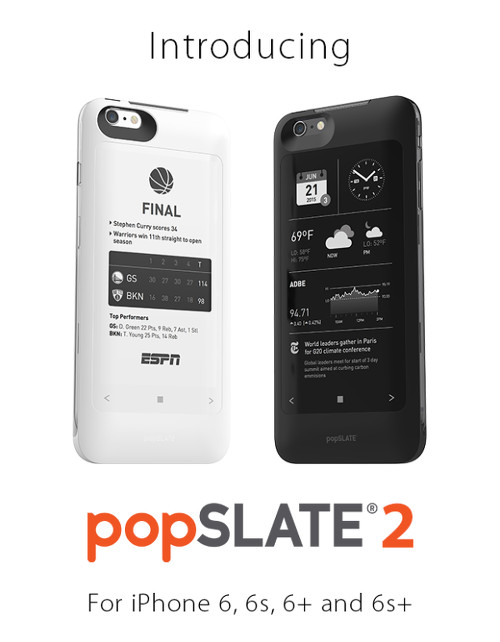
Popslate is back with their second generation E Ink iPhone case. This time around it has a bigger, higher resolution screen than the original Popslate, and it adds some nifty new features like an added battery that can extend your phone’s usage by up to 9 hours.
The Popslate 2 works with the iPhone 6, 6s, 6+ and 6s+ models. It can be used to read ebooks, check notifications, display pictures, news feeds, lists, etc.
Popslate was one of the first companies to release a smartphone case with an E Ink screen embedded on the back that can be used as a secondary display.
E Ink offers some benefits over LCD in that it uses less power and it’s easy to read in bright light outside—in fact the brighter the light the better E Ink looks—so pairing an E Ink screen with an iPhone has some obvious advantages.
The Popslate 2 features a 4.7-inch display with 200 ppi (4.3-inch for the iPhone 6 and 6s). It connects to an iPhone via the Lightning port so both the cover and phone can be charged at the same time. The Popslate 2 also adds multitasking with new capacitive touch keys that allow you to cycle between five different apps.
The Popslate 2 can be pre-ordered from Indiegogo for $69. It’s expected to ship in July. The pre-orders are going fast and come at a considerable discount. The regular retail price is $80 higher.
Wow, this was made for me. I’d lose a lot in a switch from Android to iOS, but this alone is a strong reason to switch.