
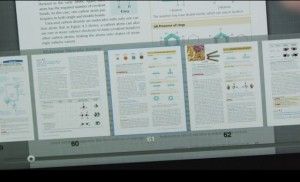
Amazon offers a number of Kindle eTextbooks to rent and buy in the Kindle Store. Many of them are just basically regular nonfiction ebooks, but some carry a specific eTextbook designation that adds some extra features. Many of the eTextbooks are available like regular Kindle ebooks on Kindle ereaders, Fire tablets, and Kindle apps for […]
How To
Step-by-Step Guide for Jailbreaking Kindles Using Serial Port Method
When Amazon released the Kindle Voyage and $79 Kindle Touch last fall, they came with newer software that completely blocked previous jailbreaking methods. It’s the same story with the new Kindle Paperwhite 3, and the older Paperwhites all have the newer software as well. It all started with the release of software version 5.6. To […]
Kindle Dictionary Guide: How to Add, Change, and Create Custom Kindle Dictionaries
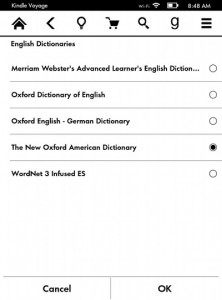
Most people are misinformed on the subject of how dictionaries work on Kindle ebook readers, so I wanted to put together this guide explaining how to change, add, and create custom dictionaries for Kindle devices. Last week someone left a comment complaining about how Kindles sucked compared to Kobos because Kindles don’t allow you to […]
K2pdfopt Can Convert PDFs for Better Reading on eReaders and Phones
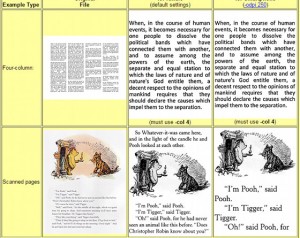
Several readers have left comments over the years about how K2pdfopt is a helpful tool that can convert PDFs, even multi-column PDFs, to better fit on small screens that ebook readers and smartphones use. K2pdfopt can re-flow PDF text, even with scanned documents, and according to the website it can also be used as a […]
How to Tell Kindle Paperwhite Generations Apart
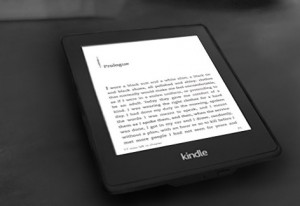
Now that Amazon has released the third generation Kindle Paperwhite, it’s going to make things even more confusing for people that are trying to tell the different generations apart. This is especially important and often comes into play on the secondary market when buying and selling Kindle Paperwhites used, or if you’re buying one in […]
iOS Reading Tip: Using Low Light Filter and Inverted Colors
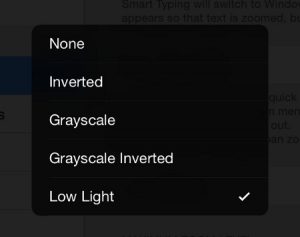
I recently stumbled upon a trick that makes reading on an iPad or iPhone at night a lot easier on the eyes. There are two things you can do: lower the screen’s brightness beyond normal limits and/or use inverted colors. This also reduces blue light so that it helps maintain healthy sleeping habits, as some […]
Kobo Glo HD Memory Upgrade How to Tutorial (Video)
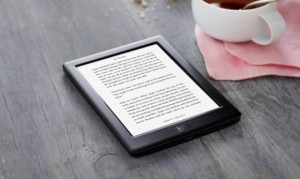
The Kobo Glo HD has a number of good things going for it with the high resolution 300 ppi E Ink screen and the evenly distributed frontlight, but one thing it doesn’t have is a memory card slot, which is a problem for people with large ebook libraries. Luckily there’s a fix. Like other Kobo […]
How to Set Default Kindle Device & Send eBooks to Multiple Kindles
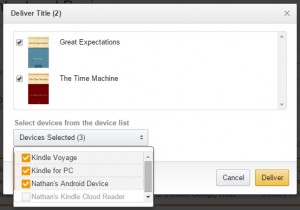
One of the cool things about Kindle ebooks is that you can choose which Kindle device or Kindle app you want to send the ebook to directly from the product page when making a purchase. You can also set things up so that Amazon will always automatically deliver new ebooks to a specific Kindle device […]