
The smart folks at XDA have done it again. I thought there would be little interest in rooting the new Nook GlowLight since it lacks an SD card slot and doesn’t really offer anything new that the older Nooks don’t have, aside from the improved frontlight and higher resolution screen. But that didn’t stop developers […]
How To
How to Set Custom Screensavers on Nook GlowLight
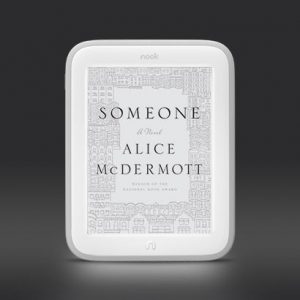
Barnes and Noble’s Nook GlowLight doesn’t have as many nifty features as the Kindle or Kobo ereaders, but one thing it does have that those don’t is the ability to easily set custom screensavers. The process is the same as the older Nooks. All you need to do is use the following steps to set […]
Kindle Lost or Stolen? Here’s What You Need to do
If your Kindle is ever lost or stolen, there are a couple of things that you should do to keep your account safe and free of unwanted charges. The truth is devices like the Kindle that are designed to be taken with you wherever you go can be pretty easy to misplace, especially when kids […]
How to Fix Wireless Issues with Your Kindle, eReader, or Tablet
If you’re having problems getting your Kindle Paperwhite, Kindle Fire HDX, or any other ebook reader or tablet to connect to the internet via Wi-Fi, here are a few simple fixes that you can try to get your reading device to establish an internet connection. It’s not unusual for a tablet or ereader to suddenly […]
Kindle Fire HDX Alternate Launchers and Wallpapers
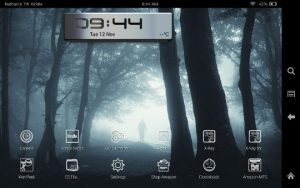
Amazon’s Kindle Fire HDX tablets come with software based on Google’s Android 4.2 operating system. But you would never know it by using the HDX tablets because Amazon has customized the software in a number of ways to better reflect their products and services instead of Google’s. The software for the HDX tablets is called […]
How to Access Hidden Web Browser on Nook GlowLight (Video)
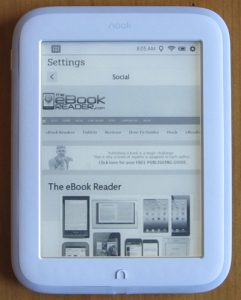
The Nook GlowLight from Barnes and Noble offers a good reading experience for ebooks with its high resolution, evenly frontlit screen, but it lacks a lot of advanced features found on competing brands of ebook readers. Kindle and Kobo ereaders, for instance, have web browsers for light web reading and for downloading ebooks from various […]
How to Expand Internal Storage of Kobo eBook Readers (Video)
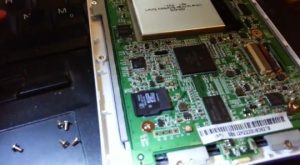
There’s a little-known trick to expand the available storage space on Kobo ebook readers, including the Kobo Aura HD, the Kobo Glo, Kobo Mini, and Kobo Touch (sorry the Kobo Aura is left out). The reason why this is possible is because Kobo’s ebook readers have microSD cards built in for the internal storage (except […]
How to Enable Night Mode (White Text, Black Background) on Kobo eReaders
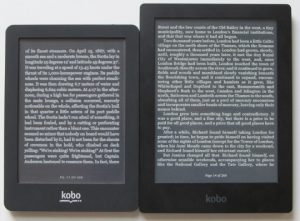
I came across an interesting trick at MobileRead the other day for Kobo’s line of E Ink ebook readers—the Kobo Glo, Kobo Mini, Kobo Touch, and Kobo Aura HD—to get them to display white text on a black background instead of the usual black text on a white(ish) background. It’s a straightforward trick that doesn’t […]