
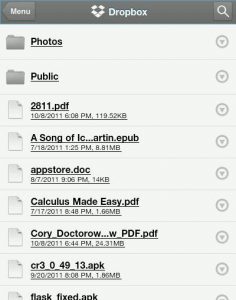
Since I got the Sony PRS-T1 I’ve been transferring ebooks, PDF files, and even MP3 files to it over Wi-Fi using the Reader’s web browser and Dropbox, a free cloud storage utility. Dropbox works well for transferring a small number of files to the Reader. You have to download each file individually so it’s not […]
How To
Uploading Non-Kindle eBooks and Personal Documents for Archiving, Syncing on Kindles
Did you know that Kindle owners can now add non-Amazon ebooks and personal documents to their Kindle libraries and have them synced over Whispernet and archived in Amazon’s cloud for free? That means you can download ebooks from free ebook websites and DRM-free websites that offer MOBI and PRC formats, and a few other additional […]
Tutorial: Kindle Library eBooks, Everything You Need To Know (Video)

Now that the Kindle and Kindle apps for Android, iPad, and other mobile devices can get free ebooks from libraries, it’s time for an in-depth tutorial that explains everything you need to know about Kindle library ebooks. Library ebooks aren’t new. Other devices have had that perk for a long time. But the Kindle does […]
Run Kindle 3 Software on Kindle DX and Kindle 2 (Video)
It turns out that it’s possible to get the Kindle DX, both generations, and the Kindle 2 to successfully run the Kindle 3’s software, and smoothly too. This comes with several benefits because the Kindle 3’s software is superior to its siblings’ in many ways. The web browser is a lot more advanced, PDF support […]
How to Fix Home Button on Rooted Pandigital Nova
If you’ve seen my Pandigital Nova rooting guide, then you’ll know that the one problem I had with rooting my Pandigital Nova was the fact that the home button stopped working. Luckily there’s a quick fix for that. Thanks to Dennis for leaving a comment explaining how to make it work. I tried it out […]
How to Videos for Sony Reader Wi-Fi PRS-T1

Below are four how to videos for the new Sony Reader Wi-Fi that were posted on the SONYHowto YouTube Channel. These videos are pretty basic but at least give a sneak peek at some of the new features. But first, I’ve also included this fifth YouTube video taken at IFA showing a little how the […]
How To Root the Pandigital Nova and Install the Android Market
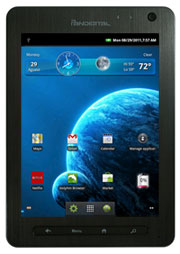
I’ve spent the past couple of days experimenting with rooting the Pandigital Nova and installing Google apps for Android Market access. The good news is that I succeeded, and even put together these two tutorials: how to root the Pandigital Nova, and how to install the Android Market. I followed various sets of directions over […]
Rooted Nook Touch: Fixing Market Search and Other Tips and Tricks (Video)
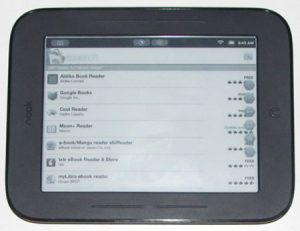
Since posting the Nook Touch Rooting Guide, I’ve received a lot of questions about the Android Market search not working, the buggy stock web browser, button savior, and various other details about getting started with a rooted Nook Touch. So that’s where this post and video tutorial comes in, where I’ll show you how to […]