

Amazon doesn’t want you to know this, but the Kindle Fire supports ePub ebooks just as well as it supports Amazon’s Kindle ebooks. You can load a number of different Android apps that support ePub onto the Kindle Fire, and even download ePub ebooks with the web browser and from the apps directly. Amazon offers […]
How To
HomeCatcher App for Nook Tablet Sets n Button Redirect for Alt Launchers

HomeCatcher is a must-have app for the Nook Tablet if you are like me and want to install third-party apps, including alternative launchers, and need an easy way to access your installed apps and switch to a different homescreen. With HomeCatcher you can set the Nook Tablet’s “n” button to redirect to a launcher homescreen […]
Directions for Rooting Nook Touch 1.1, Includes Android Market and Gapps
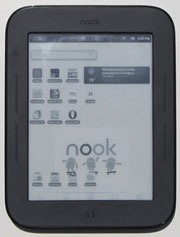
For those of you waiting for an easy rooting method for the Nook Touch with the new 1.1 firmware, today is your lucky day. This new rooting method, called SalsichaNooter, is just like the old Touchnooter, so it only takes a few minutes to complete and doesn’t require any complicated steps. I tested it out […]
Nook Tablet Can Install Amazon Appstore and 3rd-Party Apps Without Hack! (Video)
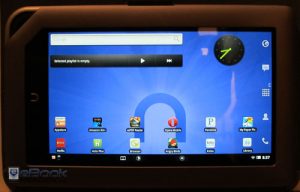
The title says it all. It turns out there is a really simple way to install third-party apps on the NOOK Tablet without a hack, including the Amazon appstore. As you can see from the picture above, I’ve got Launcher Pro installed on my Nook Tablet, along with the Kindle and Kobo ereading apps, ezPDF, […]
Ten Top Free Android Apps for Kindle Fire Not Available from Amazon
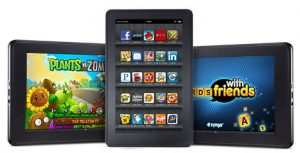
Here’s a list of ten must-have apps for the Kindle Fire that aren’t available in the Amazon Appstore. The Kindle Fire allows for installing apps from sources other than Amazon, luckily, but it can be hard to know where to get them. That’s where this post comes in. First, before you can install apps from […]
How to Unroot Nook Touch to Restore it to Original Firmware
Below you will find directions on how to unroot and restore the Nook Touch back to stock with the original 1.0.0 firmware. You can use this method to fix your Nook Touch if something goes wrong during the rooting process, or if you just want your Nook back to normal, or if you want to […]
Simple Trick to Get Kindle 4 to Not Display Screensaver Ads
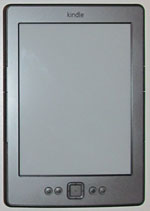
Yesterday while putting together the Kindle 4 shortcuts post, I was experimenting with different things and stumbled upon a way to get the Kindle 4 to display a blank screen instead of showing screensaver advertisements and special offers. It’s an odd thing for Amazon to overlook, but if you are so inclined you never have […]
Kindle 4 Shortcuts
Below is a table that lists Kindle 4 shortcuts. Since the Kindle 4 lacks a physical keyboard, the same shortcuts don’t apply as with the Kindle 3. Amazon posted a table of Kindle 4 shortcuts over on the Kindle help page. Why they didn’t include it in the user guide is anyone’s guess. I modified […]