
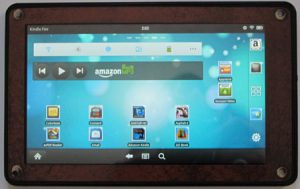
I mentioned installing a new homescreen on the Kindle Fire to bypass the default homescreen and carousel in the Kindle Fire tips and tricks post, but I don’t think most people understand how easy it is and how it doesn’t require rooting or any technical work whatsoever. The number one biggest complaint I’m seeing about […]
How To
Kindle eBooks Can Be Returned Up to 7 Days After Purchase, Here’s How
Did you know that you can return Kindle ebooks you’ve purchased up to seven days after the transaction date? Considering that I just recently found out about this, I’m guessing the typical Kindle owner is unaware of that fact. I’m not sure if it is something new that Amazon just started doing or if it […]
Sony Reader PRS-T1 Tips, Tricks, Shortcuts, and How To’s
This post consists of a list of shortcuts for the Sony PRS-T1 ebook reader, along with helpful tips and tricks and how to tutorials. It covers the basics for those just getting started as well as more complex details for advanced users, and includes a list of places to get free ebooks and where to […]
Kindle Fire Tips, Tricks, and How To Tutorials (Video)
Below is a list of tips and tricks for the Kindle Fire. It includes tips for the beginner just getting started to advanced users looking to install alternate versions of Android such as Ice Cream Sandwich (mmm, yummy). These types of posts work best when you add your own Kindle Fire tips and tricks and […]
How to Restore Nook Tablet to 1.4.0 and Block OTA Firmware Updates
Since Barnes and Noble decided to issue a firmware update for the Nook Tablet, version 1.4.1, that disables the ability to install non-B&N apps from 3rd party sources and kills root, here’s how to revert the Nook Tablet back to the original 1.4.0 firmware and block the firmware update from happening. Unfortunately firmware updates install […]
How To Install an Alternate Homescreen on Sony Reader PRS-T1
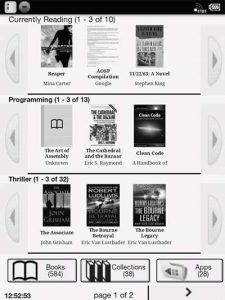
One of the annoying things about the Sony PRS-T1 is the homescreen isn’t customizable. It always insists on showing the last three ebooks you added to the Reader. Who cares about recently added titles? A list of recently read titles would make more sense. Luckily, there’s a fix for that. A crafty developer named “mrspaceman” […]
How to Get Rid of Kindle Ads and Special Offers Without Paying Extra
An anonymous tipster left a comment on this blog yesterday that describes how to completely get rid of the advertisements on the Kindle 4 (and other Kindles) without paying Amazon extra to upgrade. The comment was left on the Simple Trick to Get Kindle 4 to Not Display Screensaver Ads post. But I thought it […]
How to Take Screenshots with the Kindle Touch
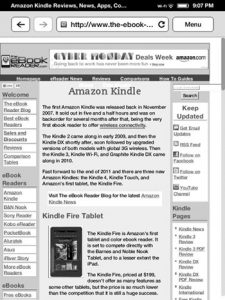
One of the more underrated features of the Kindle ebook readers is the ability to take screenshots, and luckily that feature isn’t missing from the Kindle Touch like it is the Kindle Fire. Being able to take a picture of the contents on the screen at anytime is useful for a number of reasons. And […]