
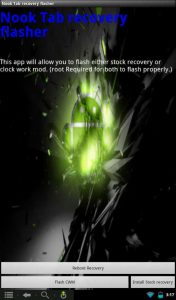
CM7 is free open source aftermarket software for Android-powered devices that is based on Android 2.3.4 Gingerbread. It provides for a more customizable and open alternative to the stock interface of the Nook Tablet that is locked into Barnes and Noble and cutoff from its true Android roots. The video review below will give you […]
How To
Tutorial: How to Root Kindle Fire and Install Android Market in 5 Minutes (Super Easy!)
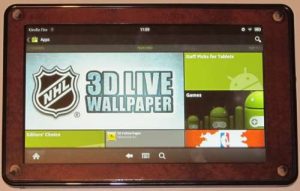
If you’ve ever considered rooting your Kindle Fire and installing the Android Market to get a richer tablet experience, now is the time to do it because the process is easier than ever and requires virtually no technical work. I just rooted and installed the Android Market on my Kindle Fire and the entire process […]
Tutorial: How to Root Kobo Vox and Install Android Market – Video
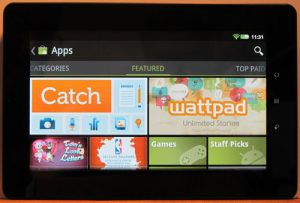
It turns out that rooting the Kobo Vox is super-easy and takes all of about 3 minutes to complete, with half of that time waiting for it to reboot. After rooting, installing the Android Market is fairly simple on the Kobo Vox as well. You just have to download a Google apps package and the […]
Three Ways to Expand the Kindle Fire’s Limited Storage Space
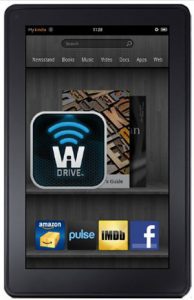
The Kindle Fire is Amazon’s first tablet and while it has a lot of good things going for it, one of the three biggest disappointments with the Kindle Fire is the fact that it comes with just 5.37 GB of available storage space (plus an additional 1.17 GB for apps) and doesn’t have any memory […]
Kindle Fire: How to Get Sideloaded eBooks to Appear in eBook Library
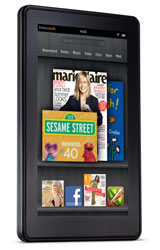
When it comes to reading ebooks, the Kindle Fire is a lot different than other Kindles. For one, the Kindle Fire automatically sequesters sideloaded ebooks and documents from Kindle Books, making them appear in a separate section for documents instead of the main ebook library list. Thanks to Calibre, there is an easy fix for […]
New Homescreen for Rooted Sony PRS-T1 Adds App Drawer, Custom Shortcuts
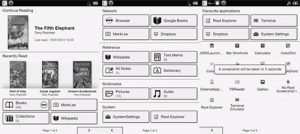
If you saw the video I posted the other day showing the partial refresh trick on the Sony PRS-T1, you probably noticed the modified homescreen on my PRS-T1 that looks just like the regular homescreen but adds some nifty new features. The new homescreen has three pages instead of two. The third page is an […]
Using Text to Speech on a Rooted Sony Reader PRS-T1
The Amazon Kindle is no longer the only major E Ink ereader to have text-to-speech. The Sony Reader PRS-T1 is now capable of offering TTS as well, but there are a couple of catches, 1) the PRS-T1 has to be rooted and 2) text-to-speech will only work with DRM-free ebooks. The minimal rooting package for […]
Pandigital SuperNova: How To Install Android Market and Google Apps (Video)
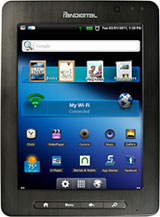
A reader sent in a tip about the Pandigital SuperNova and how easy it is to install the Android Market and Google apps, no rooting or hacking needed. The Pandigital SuperNova is an 8″ Android tablet much like the Pandigital Nova that I reviewed and rooted several months back. The SuperNova is the better unit […]